

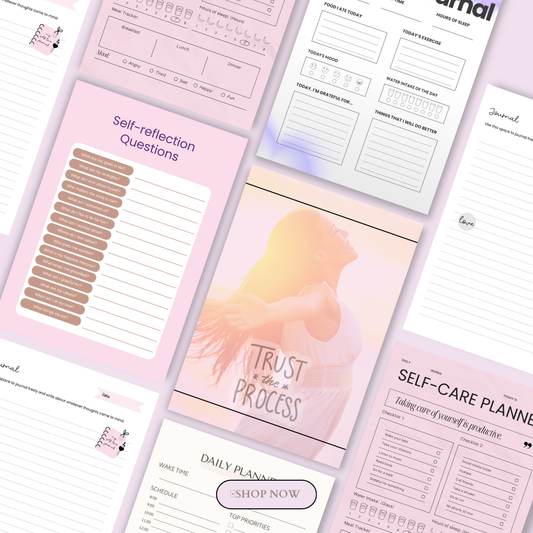

Whether you're a stay-at-home mum in Melbourne, a side-hustler in Sydney, a freelance designer in New York, or a teacher in Texas — selling digital products online is one of the most scalable and accessible ways to build real income from home.
No inventory. No shipping. No restocking. You create once and sell infinitely.
🎥 Prefer watching instead of reading?
Watch the full step-by-step explainer video below.
The digital economy has never been more open. In 2026, creators across the United States and Australia are generating consistent passive income selling everything from Canva templates to AI-powered content packs — all from their laptops, all without a warehouse in sight.
This ultimate guide walks you through everything you need to know — from choosing the right product to sell, to setting up your storefront, to driving traffic and building a system that earns while you sleep.
Whether you're starting from zero or looking to turn an existing skill into a product-based income stream, you're in the right place. Let's get into it.
What Are Digital Products?
Digital products are intangible goods that are created once and delivered electronically — with no physical production, no postage, and no stock to manage. Once you've built your product, you can sell it an unlimited number of times at virtually zero extra cost.
That's the power of the digital products model: your income doesn't scale with your hours. It scales with your audience.
If you're brand new to this space, our complete beginner's guide to what digital products are is the perfect place to start before diving into the steps below.
Common Types of Digital Products
The digital products category is broad — and that's a good thing. No matter your skill set, background, or niche, there's a format that fits.
Ebooks and Guides How-to guides, beginner playbooks, niche tutorials, and step-by-step frameworks packaged as downloadable PDFs. One of the most beginner-friendly formats to create and one of the most searched digital products in both the US and Australian markets.
Online Courses and Workshops Video lesson series, live cohort-based programs, paid webinars, and recorded tutorials that package your expertise into a structured learning experience. Courses consistently rank among the highest-earning digital product types globally.
Templates and Presets Canva templates for social media posts, ebooks, and lead magnets. Notion dashboards for productivity and project management. Resume templates, media kit designs, and slide decks. Lightroom presets for photographers and content creators. If you're ready to explore this category, browse the Lightroom preset collection or the full range of marketing templates and plug-and-play content — both designed to be sold as-is or used to inspire your own.
AI-Generated and AI-Assisted Products One of the fastest-growing product categories in 2025 and 2026. AI prompt packs, AI-generated image collections, and content created with AI tools are in high demand. You can explore ready-to-sell AI prompt packs and browse a curated AI image collection to see what this category looks like in practice. For a deeper dive, read our guide on digital products you can create with AI in 2026.
Software, Plugins, and Apps SaaS tools, browser extensions, WordPress plugins, code scripts, and automation tools. Higher technical barrier to entry but some of the strongest earning potential, especially with subscription-based pricing.
Music, Audio, and Sound Effects Royalty-free beats, ambient loops, podcast intro packs, and voice-over samples. A growing niche with strong demand from content creators, YouTubers, and podcast hosts.
Stock Photos, Videos, and Graphics Original illustrations, icon sets, stock footage, and branded graphic bundles. Particularly valuable in niches underserved by mainstream stock platforms — for example, culturally specific imagery, niche industry photography, or on-brand social media graphics.
Printables and Planners Daily planners, weekly schedules, budget trackers, kids' chore charts, homeschool worksheets, and wall art prints delivered as downloadable PDFs. This is one of the top-performing beginner categories on platforms like Etsy in both the US and Australia — low effort to create, high volume of buyers.
Social Media and Content Packs Caption libraries, content calendars, Reel scripts, hashtag strategy guides, and branded post templates. With content creation demands at an all-time high, these products sell to a massive and growing audience. Check out the Post Perfection content packs and Reel Power Packs for examples of what this looks like as a polished, sellable product.
Copywriting and Words-Based Products Sales page scripts, email sequence templates, caption swipe files, product description frameworks, and done-for-you copy kits. If you write well, this is an incredibly leveraged product type — your words become an asset someone else pays to use. See Words That Sell for a real example of how this category is packaged.
Membership Access Recurring-revenue models where subscribers pay monthly or annually for access to a content library, private community, exclusive templates, or ongoing coaching. Think newsletters, private Discords, resource vaults, and members-only training portals.
Masterclasses and Signature Trainings Deep-dive video trainings that go beyond a standard course — typically covering one specific transformation or skill in 60–180 minutes of high-value content. Explore the Masterclasses collection to see how this format is structured for sale.
Why Digital Products Are So Powerful in 2026
The case for selling digital products has never been stronger — and it goes beyond the "passive income" talking point.
Zero marginal cost. Once your product is created, each additional sale costs you nothing to fulfil. Whether you sell 10 copies or 10,000, your delivery cost stays the same.
Global reach by default. A buyer in Brisbane, Boston, or Berlin can purchase and receive your product instantly. You're not limited by geography the way a physical product business is.
No minimum viable inventory. You don't need to place a bulk order, hold stock, or worry about what doesn't sell. Test a product with a single listing and zero upfront spend.
Compounding value over time. A well-made digital product continues to earn for months or years. Unlike a service where you trade time for money, a product continues working for you after the initial effort.
Lower startup costs than almost any other business. Many creators launch their first digital product for under $50 using free tools like Canva, a free Gumroad account, and an organic social media strategy.
If you're exploring whether this model could work for your life and goals, our guide to digital products for passive income beginners is a great next read. And if you're ready to see the full scope of what's possible to sell, the 100 digital products you can sell online in 2026 mega-guide covers the complete landscape.
Who This Guide Is For
This guide is written for:
-
Complete beginners who have never sold a digital product and want a clear, step-by-step roadmap
-
Bloggers and content creators in the US and Australia who want to monetise their existing audience with their own products
-
Mums, teachers, and side-hustlers looking for flexible, low-overhead income that works around real life
-
Designers and creatives who want to productise their skills beyond client work
-
Anyone who's tried selling digital products before but hasn't yet found a system that converts
No technical background required. No huge following needed. No expensive tools.
What you do need: a specific skill or area of knowledge, a willingness to create something genuinely useful, and a commitment to building a simple, consistent system.
Ready? Let's build yours — step by step.
Want to skip straight to exploring done-for-you products you can sell immediately? Browse the full digital product collections or start with the Build Your Digital Empire collection for everything you need in one place.
Section 2: Step 1 — Choose a Profitable Niche and Product Idea
Here's the truth that most beginner guides skip over: you don't need an original idea. You need a specific one.
The digital products space is not a winner-takes-all market. Thousands of creators in the US and Australia are earning consistent income selling products that already exist in some form — planners, templates, courses, and swipe files — because they went narrower, spoke to a clearer audience, and solved a more defined problem than what was already out there.
Niche specificity is the single biggest lever you have as a beginner. And it costs you nothing to pull it.
Why Niche Specificity Matters More Than Originality
"Planner" is not a niche. "Weekly planner for mums working from home in their first year back after maternity leave" is a niche.
"Social media templates" is not a niche. "Instagram story templates for Australian small business owners in the wellness industry" is a niche.
The more precisely you define who your product is for and what specific problem it solves, the less competition you face, the higher your conversion rate, and the more your buyers feel like you made this just for them — because you did.
This is why niche products consistently outsell generic ones, even when the generic version has more reviews and a bigger brand behind it. Buyers will scroll past 50 generic options to find the one that speaks directly to their situation.
If you're still figuring out what kind of digital product to create and sell, start by understanding what a digital product actually is — and then come back to this step with fresh eyes.
Matching Your Product Type to Your Existing Skills
You don't need to learn new skills to create your first digital product. The fastest path to your first sale runs directly through what you already know.
Ask yourself: What do people ask me for help with? What have I figured out that others are still struggling through? That gap between what you know and what someone else needs — that's your product.
Here's how to match your background to a format:
If You're a Designer or Visual Creator
Your strongest formats are templates, presets, and graphic bundles — products your buyers couldn't easily make themselves.
-
Canva templates for social media posts, lead magnets, ebooks, and presentations
-
Lightroom or Capture One presets for photographers and content creators
-
Brand kit templates, media kit designs, and pitch deck layouts
-
Social media graphics, icon packs, and printable wall art
Products in this space sell on volume and aesthetic appeal. A well-designed pack of 30 Canva templates can sell hundreds of times with minimal ongoing effort.
If You're a Teacher, Educator, or Coach
Your strongest formats are educational content and printable resources — products that save your audience time or help them learn something faster.
-
Mini-courses, recorded workshops, and explainer video series
-
Lesson plan templates, curriculum guides, and student workbooks
-
Coaching frameworks, intake forms, and client onboarding kits
-
Study guides, flashcard sets, and homeschool resource packs
Teachers in both the US and Australia consistently rank among the highest-earning digital product sellers because their audience — other educators and parents — has a strong, recurring need for ready-made resources.
If You're a Writer or Copywriter
Your strongest formats are words-based products and content systems — products that give your buyer language they can't easily generate themselves.
-
Ebooks, guides, and long-form tutorials
-
Caption swipe files, email templates, and sales scripts
-
Blog post frameworks, newsletter templates, and content calendars
-
Done-for-you copy kits for specific industries or niches
If you can write clearly and persuasively, your words become a scalable asset. One well-crafted swipe file can sell for years.
If You're a Business Owner, Entrepreneur, or Strategist
Your strongest formats are planners, workbooks, and business tools — products that help someone build something or stay organised.
-
Business plan templates and startup strategy workbooks — like the Your Start-Up Business Planner Workbook, a done-for-you example of this format
-
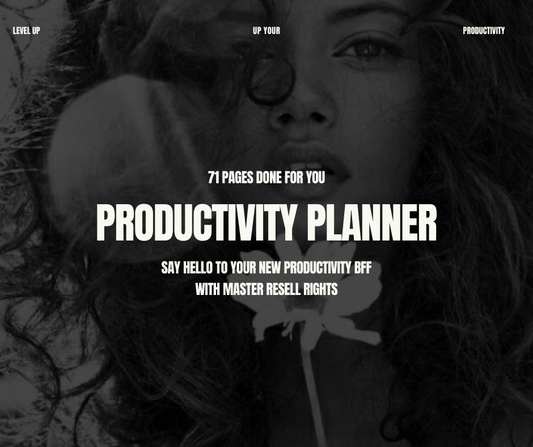
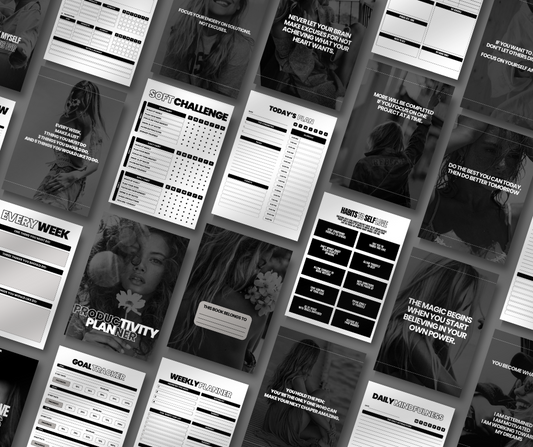
Productivity systems, daily planners, and goal-setting frameworks — see the Productivity Planner as a model for how this sells
-
Finance trackers, budget templates, and income report layouts
-
SOPs, client management systems, and business process templates
If You're a Content Creator or Social Media User
Your strongest formats are content packs, prompt libraries, and social media tools — products your audience will use immediately.
-
Monthly content calendars and caption packs
-
Motivational quote graphics and engagement post templates — like Socials: 30 Quotes for Growth
-
Hashtag strategy guides and platform-specific playbooks
-
AI prompt collections for content creation — for example, Midjourney Prompts is a product that speaks directly to creators who want AI-powered visuals without the guesswork
What Makes a "Good First Product"?
A good first digital product has three qualities. It is:
1. Simple enough to create in a weekend (or a few evenings) Your first product doesn't need to be your magnum opus. A 15-page workbook that solves one clear problem is more valuable than a 200-page ebook that covers everything. Keep the scope small, the transformation specific, and the format straightforward.
2. Valuable enough that the right buyer would pay for it without hesitation "Would someone pay $27 for this?" is the right question. If you'd hesitate to buy it yourself at that price, either the product needs to be sharper or the price needs adjusting. Value comes from the outcome your product delivers, not the number of pages or files it contains.
3. Aligned with something people are already searching for You want to enter a conversation that's already happening — not start a new one. If buyers are already searching for "budget planner for beginners" or "Canva media kit template," you don't have to convince them they need it. You just have to show up with the best version.
If you want to take a shortcut on the creation process, it's worth understanding PLR digital products — private label rights products that you can legally rebrand and sell as your own. They're one of the fastest ways to get a product live without starting from scratch, and a great option while you build your creative confidence. See also: digital products you can sell with PLR for a practical breakdown of what this looks like.
Section 3: Step 2 — Validate Demand Before You Create
Before you spend a single hour designing, writing, or recording — validate.
This one step separates creators who consistently earn from those who build products nobody buys. It takes less than 30 minutes. And it can save you weeks of wasted effort.
Why Validation Saves You Weeks of Wasted Effort
Most beginner digital product mistakes follow the same pattern: someone gets excited about an idea, spends days (or weeks) building a product, launches it — and hears nothing. No sales. Maybe one pity purchase from a family member.
The problem isn't the product. The problem is that they validated with enthusiasm instead of evidence.
Validation means finding proof that real people are already searching for, buying, and reviewing similar products. It means checking demand before you invest in supply.
Here's how to do it properly.
How to Research on Etsy, Amazon, and Other Marketplaces
Marketplaces are free, public, demand-validation goldmines. Every listing with strong sales data is telling you: people want this, and they're paying for it.
On Etsy:
-
Search your product idea (e.g., "weekly planner PDF," "Canva Instagram templates," "homeschool schedule printable")
-
Filter by "Most Relevant" first, then switch to "Top Customer Reviews"
-
Look for listings with 100+ reviews — that's real, recurring purchase volume
-
Check the "Bestseller" badge — Etsy only awards this to listings with consistent recent sales
-
Note the price range across the top sellers. This tells you what the market will pay.
On Amazon (Kindle and Amazon Merch):
-
For ebooks, search your topic and look at Kindle bestseller rankings in relevant categories
-
A book ranking in the top 10,000 of its category is selling. One in the top 1,000 is selling a lot.
-
Read the "Also bought" section — this reveals adjacent products your audience is buying
On Creative Market and Gumroad:
-
Browse category pages and sort by "Popular" or "Best Selling"
-
These platforms self-select for quality — popular products here have genuinely strong design and clear value propositions
On Pinterest:
-
Search your product type and note which pins have thousands of saves
-
High save counts signal aspiration and buying intent — especially for planners, printables, and templates
For a well-researched list of what's actually moving in 2026, read through the PLR products that sell the most: a 2026 guide to high-profit digital assets — it covers the categories with proven, ongoing demand across English-speaking markets including the US and Australia.
Reading Reviews to Find Gaps in Existing Products
This is the technique most beginners skip — and it's where the best product ideas actually come from.
Go to the top-selling products in your niche and read every review. Then read the 3-star and 4-star reviews especially carefully. These are your goldmine.
Buyers who leave a 4-star review instead of a 5-star review almost always say why. "Loved it but wished it had a monthly view." "Great template but the fonts didn't work in my version of Canva." "Really helpful but too basic — needed more advanced strategies."
Every complaint is a product brief.
Every "I wish this also included..." is a feature list for your next version.
You're not looking to copy the product. You're looking to build a better, more specific version that solves the exact pain points the market is already signalling.
Using Keyword Tools to Confirm Search Volume
Marketplace research tells you what's selling. Keyword research tells you what people are searching for on Google — which is your long-term traffic engine.
Free tools:
-
Google Keyword Planner — shows monthly search volume in both the US and Australia (filter by location)
-
Ubersuggest — free tier gives keyword volume, difficulty, and related terms
-
Google Search itself — type your product into Google and read the autocomplete suggestions. Each one is a real search behaviour pattern.
-
Answer the Public — visualises the questions people ask around any keyword
What to look for:
-
A primary keyword with 1,000+ monthly searches (e.g., "Canva planner template," "printable budget tracker")
-
Lower competition keywords that are easier to rank for as a new site (long-tail phrases of 4–6 words)
-
Keywords with clear commercial intent — "buy," "download," "free," "template," "printable" all signal buyer behaviour
For the Australian market specifically, check for localised variations: "printable planner Australia," "Canva templates AUD," or "digital planner for iPad Australia." Search intent is often identical to the US, but localised phrasing can reveal lower-competition ranking opportunities.
The 30-Minute Etsy Validation Method (for Planners, Printables, and Templates)
Use this exact process before creating any visual digital product:
Minutes 1–5: Define your product concept in one sentence. Example: "An undated weekly planner PDF for mums who work from home, with space for daily priorities, meal planning, and a self-care check-in."
Minutes 6–15: Search Etsy for your product type. Search "weekly planner PDF" → look at the top 20 results → identify 5 listings with 100+ reviews → note the price range, format, and what the description emphasises.
Minutes 16–20: Read the reviews on those 5 listings. What do buyers love? What do they wish it had? What format do they prefer (letter size, A4, undated vs. dated)? Write these notes down.
Minutes 21–25: Check keyword volume. Go to Google Keyword Planner or Ubersuggest → type in 3–5 keyword phrases for your product → note the monthly volume in the US and Australia separately.
Minutes 26–30: Make your go/no-go decision.
-
Are there products selling at your price point with 50+ reviews? ✅
-
Are there clear complaints or gaps in those reviews that your product can fill? ✅
-
Is there search volume of 500+ per month for at least one relevant keyword? ✅
Three ticks means you have a validated idea. Go build it.
If you're looking for ideas that are already proven and ready to sell — particularly if you're early in your digital product journey — browse this list of digital products to sell and this guide on 15 digital products you can sell on Etsy without designing anything yourself.

Section 4: Step 3 — Decide What Type of Digital Product to Create
Once you've validated demand, the next decision is format: what kind of product will you actually make?
This matters more than most creators realise. The right format for the wrong audience converts poorly. The wrong format for the right audience earns almost nothing. Matching your product type to your buyer's habits and expectations is what makes your listing convert.
Here's a breakdown of the three most accessible and highest-converting beginner product types, plus a comparison table to help you choose.
Printables and Planners
Best for: Mums, teachers, home organisers, wellness creators, students
Printables are downloadable PDF files designed to be printed at home or used digitally on a tablet. They require no technical skill to create beyond basic design software like Canva, and they have a massive, active buyer market on Etsy in both the US and Australia.
This category includes:
-
Daily, weekly, and monthly planners
-
Budget trackers and savings challenges
-
Meal planners and grocery lists
-
Kids' chore charts and behaviour trackers
-
Homeschool schedules and lesson planners
-
Habit trackers, self-care check-ins, and wellness journals
-
Wedding planners, event checklists, and project trackers
The Productivity Planner is a strong example of how this format works as a premium, polished digital product — and the New Year New Me Collection shows how planners and goal-setting tools can be packaged as seasonal bundles with strong commercial timing.
Why this format works for beginners:
-
Fast to create (a solid planner can be designed in Canva in 2–4 hours)
-
High search volume on Etsy, Pinterest, and Google for both US and AU markets
-
Easy to update and iterate — you can release a "dated" and "undated" version with minimal extra effort
-
Strong impulse-buy price points ($5–$25) with high conversion rates
Templates — Canva, Notion, and Slide Decks
Best for: Designers, educators, social media managers, coaches, entrepreneurs
Templates are customisable frameworks — pre-built structures that your buyer can personalise and use immediately. The appeal is not the template itself but the time it saves: your buyer doesn't have to start from scratch.
This category includes:
-
Canva templates for Instagram posts, Stories, Reels covers, and carousels
-
Notion dashboards for productivity, project management, and content planning
-
Google Slides and PowerPoint presentation decks
-
Media kit templates, pitch decks, and brand guidelines
-
Resume, cover letter, and LinkedIn banner templates
-
Email templates, welcome sequences, and newsletter layouts
Why this format works:
-
Strong repeat purchase behaviour (buyers who buy one Canva template pack often buy more)
-
High perceived value — a well-designed 30-template Canva pack can sell for $27–$79
-
Scales beautifully: one template pack serves 1,000 buyers as easily as one
-
Demand is growing: as more people launch small businesses and personal brands in the US and Australia, the need for professional-looking templates without a designer's budget keeps growing
If you want to create templates using AI tools to speed up the process, the guide on 40 digital products you can create using ChatGPT or AI tools covers exactly how to use AI assistance to build a template-based product line efficiently.
Educational Content — Mini-Courses, Ebooks, and Workshops
Best for: Coaches, consultants, writers, subject-matter experts, experienced professionals
Educational products package your knowledge into a structured learning experience. The buyer isn't purchasing a file — they're purchasing a transformation: a result, a skill, a new level of understanding they couldn't get on their own.
This category includes:
-
Mini video courses (3–8 lessons, delivered via Teachable, Podia, or a private membership area)
-
Ebooks and PDF guides (10–80 pages covering a specific topic in depth)
-
Paid workshops and recorded webinars
-
Workbooks that guide the buyer through a process step by step
-
Resource libraries and knowledge vaults
Why this format works:
-
Higher average price points ($47–$497+) — educational products command premium pricing because they promise transformation
-
Strong positioning for authority and expertise-based brands
-
Can be repurposed: a course becomes a workbook, an ebook becomes a mini-course, a workshop becomes an evergreen product
-
Excellent for recurring revenue when packaged as a membership or subscription
For creators who want to launch in this space without building every product from scratch, PLR (private label rights) products are a legitimate route — particularly for ebooks and guides where the content framework is standard and the value-add is in your presentation, positioning, and niche targeting. You can also explore luxury lifestyle aesthetic stock videos as a complementary asset type that works alongside educational content for creators building a premium brand presence.
Comparison Table: Product Type vs. Difficulty and Earning Potential
Use this table to choose the right format for where you are right now — in terms of skills, time, and income goals.
|
Product Type |
Difficulty to Create |
Time to First Version |
Typical Price Range |
Earning Potential |
Best Platform |
|
Printables and planners |
⭐ Beginner |
2–8 hours |
$5 – $25 |
Medium (volume-based) |
Etsy, Payhip, own store |
|
Canva templates |
⭐⭐ Beginner–Intermediate |
4–12 hours |
$15 – $79 |
Medium–High |
Etsy, Creative Market, own store |
|
Notion dashboards |
⭐⭐ Intermediate |
6–15 hours |
$19 – $97 |
Medium–High |
Gumroad, own store |
|
AI prompt packs |
⭐ Beginner |
2–6 hours |
$9 – $49 |
Medium (growing fast) |
Gumroad, Etsy, own store |
|
Ebooks and guides |
⭐⭐ Beginner–Intermediate |
1–3 days |
$9 – $49 |
Medium |
Gumroad, Amazon KDP, own store |
|
Mini-courses (video) |
⭐⭐⭐ Intermediate |
1–2 weeks |
$47 – $297 |
High |
Teachable, Podia, Kajabi |
|
Full online courses |
⭐⭐⭐⭐ Advanced |
2–6 weeks |
$197 – $997+ |
Very High |
Kajabi, Teachable, own store |
|
Membership / library |
⭐⭐⭐ Intermediate |
Ongoing |
$9 – $79/month |
Very High (recurring) |
Podia, Mighty Networks, Kajabi |
|
PLR bundles |
⭐ Beginner |
Hours (rebrand only) |
$17 – $97 |
Medium |
Gumroad, own store |
|
Software / plugins |
⭐⭐⭐⭐⭐ Advanced |
Weeks–months |
$29 – $299+ |
Very High |
Own store, AppSumo |
The beginner sweet spot is the top four rows: printables, Canva templates, Notion dashboards, and AI prompt packs. These formats have low creation barriers, proven buyer demand, and realistic paths to your first sale within days of launching.
As your confidence, audience, and systems grow, you move up the table — layering in higher-priced products that convert fewer buyers but at significantly higher revenue per sale.
Not sure which product type fits your skills? Start with the complete beginner's guide to digital products or browse digital products to sell for a curated starting point.
Section 5: Step 4 — Create Your Digital Product (Even as a Beginner)
This is the step where most people overthink themselves into doing nothing.
They wait until they have better design skills. Until they know more about their topic. Until they have the "right" tools. Until the timing feels perfect.
The timing never feels perfect. The tools you have right now are enough. And your first product doesn't need to be your best product — it needs to be good enough to deliver real value to the right buyer.
Here's how to actually build it.
Visual Products: A Beginner-Friendly Canva Walkthrough
If your product is a printable, planner, template, social media pack, or any other visually delivered file — Canva is your starting point. It's free (with a robust free tier), beginner-friendly, and produces professional results without a design background.
Here's how to go from idea to finished product:
Step 1: Choose the Right Canvas Size
-
Printables and planners (US Letter): 8.5 x 11 inches
-
Printables and planners (A4 — standard in Australia): 210 x 297mm
-
Instagram posts: 1080 x 1080px
-
Instagram Stories / Reels covers: 1080 x 1920px
-
Ebooks and PDF guides: A4 or US Letter depending on your primary market
-
Canva templates for resale: Build in the format your buyers will use, then share via a Canva template link
Australian seller tip: If you're targeting both US and Australian buyers, create two versions — one at US Letter and one at A4. This takes minutes and significantly reduces buyer complaints about formatting.
Step 2: Start With a Layout, Not a Blank Page
Don't open a blank canvas. Use Canva's template library as a starting point — search for a layout that's structurally close to what you're building, then completely change the colours, fonts, and content to make it your own.
This is not cheating. This is how professional designers work. The layout is scaffolding. Your design choices and your content are the product.
Step 3: Set Your Brand Colours and Fonts
Pick 2–3 colours and 2 fonts (one display/heading font, one body font) and stick to them throughout your entire product. Consistency is what makes a product look professional — not complexity.
Step 4: Build Page by Page
For a planner or workbook:
-
Cover page (title, your brand/shop name, a clean hero image or illustration)
-
Introduction or "how to use this" page
-
Core content pages (the actual planner layouts, tracker sections, or worksheet pages)
-
End page (your website, social handle, copyright notice)
For a template pack:
-
Design the first template fully
-
Duplicate and adapt for variations (different colour versions, different layout arrangements)
-
Group into a logical collection before exporting
Step 5: Export Correctly
-
Printables: Export as PDF Print (highest quality, best for home printing)
-
Digital planners (for iPad/tablet): Export as PDF Standard and test in GoodNotes or Notability
-
Templates for resale: Share as a Canva template link — do not export a flat file, or buyers can't edit it
-
Stock graphics or social media packs: Export as PNG with transparent background where needed
For a deeper look at what Canva-based products are selling best right now, read Canva digital products that sell like crazy: templates, planners, and more — it's packed with specific examples and current market data for both the US and Australian digital product space.
Knowledge Products: Outline First, Design Later
If your product is an ebook, guide, mini-course, or workbook — the biggest mistake is opening Canva before you've written the content.
Design before content creates beautifully formatted emptiness. Content before design creates something genuinely useful that you then make look great.
The Outline-First Method
Step 1: Define the one transformation your product delivers. Not "everything about budgeting" — "how someone who has never budgeted in their life sets up their first working budget in a weekend." One transformation. One outcome. One before-and-after.
Step 2: Map out the journey in 5–8 steps. What does your buyer need to know or do, in what order, to get from where they are to where your product takes them? Each step becomes a chapter, section, or lesson.
Step 3: Write first, edit second. Open a Google Doc. Write each section in plain language, as if you're explaining it to a smart friend who knows nothing about the topic. Don't worry about formatting, headings, or design yet. Get the substance onto the page.
Step 4: Edit for clarity, not comprehensiveness. Cut anything that doesn't directly serve the transformation. Your buyer doesn't want everything you know — they want the fastest, clearest path to the outcome they paid for.
Step 5: Design last. Once your content is final, bring it into Canva (or Adobe InDesign, or Google Docs with a clean template) and apply your layout and branding. Design serves the content — not the other way around.
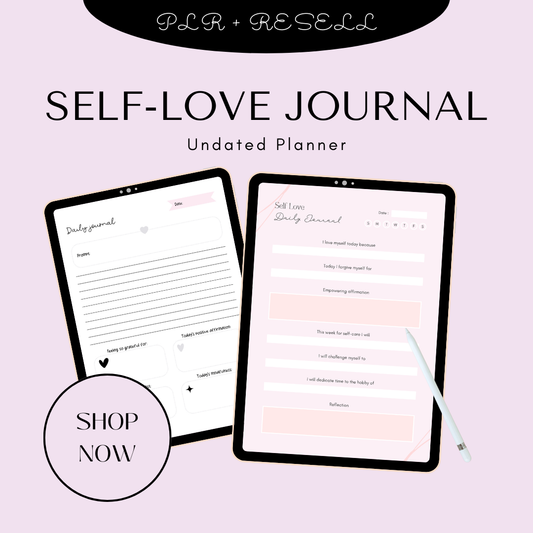
This is the approach behind well-structured products like the Work-Life Balance Ebook, the Coping with Grief Ebook and Workbook, and the 30 Days to a Better You Ebook — each one built around a single, specific transformation delivered in a structured, readable format. The Self-Love Journal is another strong example of how personal development content translates into a compelling, sellable digital product.
Using AI Tools (ChatGPT and Others) as a Brainstorming and Drafting Helper
AI tools will not write your product for you. But they will dramatically speed up the parts of creation that slow most beginners down — brainstorming, outlining, and getting past the blank page.
Here's how to use AI tools responsibly and effectively:
Brainstorming product ideas and names:
"Give me 20 digital product ideas for a Canva designer who wants to sell to small business owners in the health and wellness niche."
Building your content outline:
"Create a chapter outline for a 20-page ebook called 'The Beginner's Budget Reset: How to Go from Financial Chaos to a Clear Money Plan in 7 Days.'"
Drafting section content:
"Write a 300-word introduction to a chapter on setting a monthly budget for someone who has never tracked their spending before. Write it in a warm, encouraging, practical tone."
Writing product titles and descriptions:
"Write 5 Etsy product title options for a printable weekly planner designed for work-from-home mums, optimised for Etsy SEO."
Generating FAQ content for your product page:
"What are the 8 most common questions buyers ask before purchasing a digital planner on Etsy?"
AI gives you a starting draft. Your job is to edit it into your voice, add your expertise, and make sure every word earns its place. For a full breakdown of what's possible, the guide on 40 digital products you can create using ChatGPT or AI tools is essential reading — it covers specific product types, prompts, and practical workflows.
If you'd prefer a done-for-you foundation rather than building from scratch, explore done-for-you digital products — a model where the heavy lifting is already handled, and your role is positioning and selling.
Quality Checklist Before Your Product Goes Live
Run every product through this checklist before you hit publish:
Content:
-
Does the product deliver on exactly what the title and description promise?
-
Is every page, section, or lesson complete — no placeholders, no "coming soon" filler?
-
Have you read the entire product from start to finish as a buyer would?
-
Is the transformation or outcome clear by the end?
Design and formatting:
-
Are fonts consistent throughout (no random size or style changes)?
-
Are colours consistent with your brand or the product's visual theme?
-
Do all images and graphics display correctly at 100% zoom?
-
If it's a printable — does it print correctly on both US Letter and A4?
File and delivery:
-
Is the file format correct for the product type (PDF, PNG, Canva link, ZIP)?
-
Have you tested the download yourself — does the file open correctly?
-
If it's a Canva template — have you tested the share link in an incognito window?
-
Is the file size reasonable (under 50MB for most PDF products)?
Legal and permissions:
-
Are all fonts and design elements licensed for commercial use?
-
If you used stock images or graphics — do you have the right to sell products containing them?
-
Have you included a copyright notice or terms of use inside the product?
A product that passes this checklist is ready to sell. Don't wait for perfect — wait for complete.
Want to see how finished products are structured before you build your own? Watch this step-by-step walkthrough of creating and selling digital products for a practical, visual overview of the whole process.

Section 6: Step 5 — Choose the Right Platform for Your Needs
There are more places to sell digital products in 2026 than ever before — and that's both an opportunity and a source of paralysis for a lot of beginners.
The right answer is not the platform with the lowest fees or the most name recognition. The right answer is the platform that fits your product type, your current audience size, and your long-term goals.
Here's how to think about it.
The Three Routes: Marketplaces vs. Own Storefront vs. Course and Community Platforms
Every platform falls into one of three categories. Understanding the difference before you choose saves you months of frustration.
Route 1: Marketplaces
You list your product inside an existing ecosystem. The platform brings the traffic. You compete for visibility within it.
Best for: Beginners with no existing audience, printables and template sellers, anyone who wants to test a product concept without building their own traffic first.
Trade-off: The platform owns the customer relationship. You don't get buyer email addresses. You're dependent on the platform's algorithm and policy changes. Fees eat into margin.
Examples: Etsy, Creative Market, Gumroad Discover, Amazon KDP, Teachers Pay Teachers
Route 2: Your Own Storefront
You build and control your own store. You drive your own traffic. You own every customer relationship.
Best for: Creators who have or are actively building an audience (blog, social media, email list), anyone selling multiple products, and anyone serious about long-term brand equity.
Trade-off: You are responsible for your own traffic. With no existing audience, your store will get zero visitors unless you actively drive them there through content, SEO, or paid ads.
Examples: Shopify, WooCommerce, Payhip, ThriveCart, Lemon Squeezy
Route 3: Course and Community Platforms
Purpose-built for educational content, memberships, and coaching programmes. Handles course delivery, student management, and community features built-in.
Best for: Coaches, educators, and course creators who want structured delivery and community features without building custom tech.
Trade-off: Higher monthly platform fees. Less flexibility for non-course products. Often not ideal for templates or printables.
Examples: Teachable, Kajabi, Podia, Mighty Networks, Thinkific
Platform Comparison Table: 15+ Options
|
Platform |
Type |
Transaction Fee |
Monthly Cost |
Best For |
Pros |
Cons |
|
Etsy |
Marketplace |
6.5% + $0.20 listing |
Free to list |
Printables, planners, templates, art |
Massive built-in traffic, easy setup, strong US + AU buyer base |
You don't own the customer, algorithm-dependent, increasing fees |
|
Gumroad |
Marketplace + own store |
10% (free plan) / lower on paid |
Free–$10/mo |
Ebooks, templates, courses, memberships |
Simple setup, instant payments, discover tab for exposure |
Basic design, limited customisation |
|
Payhip |
Own storefront |
5% (free plan) / 0% on paid |
Free–$99/mo |
All digital product types |
Handles EU VAT, affiliate programme, clean UI |
Lower traffic than marketplaces, you drive visitors |
|
Ko-fi |
Marketplace + storefront |
0% on Gold plan |
Free–$6/mo |
Creatives, art, short guides, memberships |
Strong community vibe, no fees on paid plan |
Smaller audience, less suited to templates/courses |
|
Creative Market |
Marketplace |
~40% commission |
Free to join |
Fonts, templates, graphics, themes |
Highly curated, design-literate buyers, strong brand association |
Approval required, high competition at top level |
|
Shopify |
Own storefront |
0–2% + payment fees |
$39–$399+/mo |
Scaling brands, multiple product types |
Most customisable, professional, great for growth |
Requires digital delivery app (e.g. Sky Pilot), monthly cost adds up |
|
WooCommerce |
Own storefront |
0% (base plugin free) |
Hosting ~$10–$30/mo |
WordPress users, tech-comfortable creators |
Fully customisable, no platform fees, own your data |
Requires WordPress, plugins, maintenance |
|
ThriveCart |
Own storefront |
0% |
One-time ~$495 |
Course creators, funnel builders, high-ticket sellers |
Powerful upsells, great checkout conversion, one-time fee |
Upfront cost, no built-in course hosting |
|
Lemon Squeezy |
Own storefront |
5% + $0.50 |
Free to start |
Software, SaaS, digital downloads |
Handles global tax compliance automatically, modern UI |
Newer platform, smaller ecosystem |
|
Teachable |
Course platform |
0–5% |
Free–$299/mo |
Online courses, coaching programmes |
Easy course builder, good student experience, trusted brand |
Not ideal for non-course products, monthly fees |
|
Podia |
Course + store platform |
0% |
$33–$89/mo |
Courses, downloads, memberships combined |
All-in-one, no transaction fees, clean design |
Less flexible than Shopify for product-heavy stores |
|
Kajabi |
Course + community |
0% |
$149–$399/mo |
Established course creators, coaches, memberships |
Most powerful all-in-one, built-in email + pipeline tools |
Expensive for beginners, overkill for simple products |
|
Mighty Networks |
Community platform |
3% |
$41–$360+/mo |
Community-first creators, cohort courses, membership groups |
Best community features available, strong engagement tools |
Not built for digital downloads or templates |
|
Amazon KDP |
Marketplace |
~35–70% royalty share |
Free |
Ebooks and low-content books |
Enormous built-in audience, passive discovery, trusted brand |
Very low price points, limited product types, no customer data |
|
Teachers Pay Teachers |
Marketplace |
20–45% commission |
Free–$59.95/yr |
Educators selling lesson plans and classroom resources |
Massive educator-specific audience in the US and Australia |
Education-specific only, high competition |
|
Stan Store |
Own storefront |
0% |
$29–$99/mo |
Social media creators, link-in-bio sellers |
Optimised for mobile and social-first audiences |
Newer, less feature-rich for complex product catalogues |
Decision Framework: Which Platform Is Right for You?
Work through these four questions and you'll have your answer.
Question 1: Do you have an existing audience?
-
Yes (email list, social following, blog traffic): Start with your own storefront (Payhip, Shopify, or Podia). You already have buyers — don't send them to a marketplace where they'll see competitors.
-
No audience yet: Start with a marketplace (Etsy for visual products, Gumroad for most digital formats). Let the platform's traffic validate your product before you invest in building a standalone store.
Question 2: What type of product are you selling?
-
Printables, planners, art: Etsy first, then your own store as you grow
-
Templates (Canva, Notion, design): Etsy or Creative Market, then own store
-
Ebooks and guides: Gumroad, Payhip, or Amazon KDP
-
Online courses: Teachable or Podia to start; Kajabi when you're scaling
-
Memberships and communities: Podia, Kajabi, or Mighty Networks
-
Software or SaaS: Lemon Squeezy or your own Shopify/WooCommerce store
Question 3: How important is owning your customer data?
-
Very important (you're building a long-term brand): Own storefront from day one. Every sale builds your email list, not the platform's.
-
Less important right now (you just want to validate): Marketplace is fine. Just make sure you have a plan to capture email addresses via a lead magnet or freebie offer somewhere in your product or listing.
Question 4: What's your budget and technical comfort level?
-
Zero budget, no tech experience: Gumroad (free) or Etsy (free to list) — get started today
-
Small budget, want something professional: Payhip ($29/mo for 0% fees) or Shopify ($39/mo)
-
Investing seriously, building a brand: Shopify + email platform + your own domain
For a deeper breakdown of what's working in the US and Australian markets specifically, the guide on low-competition digital products to sell in 2026 for USA and Australia markets covers platform strategies alongside product selection — highly recommended reading before you make your final platform decision.
If you're drawn to the idea of building a serious, scalable digital product brand rather than a single listing, the How to Build a 6-Figure Digital Product Brand Masterclass covers platform strategy, product positioning, and the systems behind sustainable digital income — built specifically for creators at this decision point.
Section 7: Step 6 — Set Up Your Store or Listings
You've created your product. You've chosen your platform. Now it's time to set up your listing or store in a way that actually converts browsers into buyers.
This step is where most digital product sellers leave money on the table. A mediocre product with a great listing will outsell a great product with a mediocre listing almost every time. Your listing is your sales page.
Create Product Mockups That Make Digital Files Feel Tangible
The single biggest conversion challenge with digital products is that buyers can't hold them. They can't flip through the pages, feel the quality, or see the size in person. Your mockup images are the only sensory experience they have before buying — so they need to do serious work.
A mockup is a realistic visual that shows your digital product as if it exists in the physical world: a planner displayed on a wooden desk, a set of social media templates shown on a phone screen, an ebook cover propped against a coffee cup.
Tools for creating mockups:
-
Placeit.net — the industry standard for digital product mockups. Drag-and-drop your design into thousands of pre-built device frames, lifestyle scenes, and print mockups. Paid subscription (~$14.95/month) or single downloads.
-
Canva — has a growing library of built-in mockup frames and device screens under the "Mockups" feature (available on Canva Pro). Good for quick, on-brand mockup creation without leaving your design workflow.
-
Creative Market — sells downloadable mockup PSD and Canva files you purchase once and use indefinitely for your own products.
-
Smart Mockups — integrates directly with Canva, simple UI, good range of digital and print scenes.
Mockup best practices for digital product listings:
-
Use 5–9 images per listing (Etsy allows up to 10 — use them all)
-
Lead with your hero mockup: a clean, lifestyle-style image that shows the product in context
-
Include a "flat lay" showing multiple pages or files in the product
-
Show the product in use — someone writing in the planner, a phone displaying the templates
-
Add one image that shows all the files included (a grid or fan of all pages/templates builds perceived value)
-
Include a "before and after" or outcome visual where relevant — particularly for planners, budgeting tools, and wellness products
-
For Australian sellers: include one mockup at A4 size to signal local format compatibility
Write Keyword-Rich, Benefit-Driven Titles and Descriptions
Your title and description have two jobs to do simultaneously: rank in search results and convert the humans who click through. Most listings do one or the other. The best listings do both.
Writing Titles That Rank and Convert
For Etsy: Etsy titles are primarily for search. Lead with your most important keywords, then add descriptive detail.
Structure: [Primary keyword] | [Secondary keyword] — [Specific benefit or detail]
Examples:
-
Weekly Planner Printable | Undated PDF Planner for Moms | US Letter + A4
-
Canva Instagram Templates | 30 Done-for-You Social Media Posts | Small Business
-
Budget Tracker Printable | Monthly Finance Planner | Instant Download
For your own store (Shopify, Payhip, etc.): Lead with the product name as a clear noun phrase, followed by a benefit-focused subtitle.
Example: "The Weekly Reset Planner — Your Simple System for a Productive, Balanced Week"
Writing Descriptions That Convert
Structure every product description the same way:
1. Open with the buyer's problem (2–3 sentences) Don't open with "This is a beautiful printable planner." Open with: "Tired of starting the week feeling overwhelmed before it's even Monday? This planner gives you one place to capture your priorities, manage your time, and actually feel on top of things — in 10 minutes a day."
2. Describe the transformation (1–2 sentences) What does the buyer's life look like after using this product? Be specific.
3. List exactly what's included (bullet points) File formats, number of pages, size options, colour versions — every detail reduces buyer hesitation.
4. Address the most common objections (FAQ format) "Do I need any special software?" "Can I edit this in Canva?" "Does this work on iPad?" "Will it print on A4?"
5. Close with a clear call to action "Click 'Add to Cart' to download instantly. Your planner will be delivered to your inbox within seconds of purchase."
For detailed guidance on digital product listings, downloads, and delivery setups, the digital downloads guide is a practical reference — especially useful if you're setting up automatic delivery for the first time.
If you're specifically building a planner-based product line, the planners resource guide and 25 digital planners you can sell on Etsy (beginner-friendly) offer format-specific advice tailored to this high-demand category.
Upload Your Files and Set Up Automatic Delivery
Every major platform handles digital delivery automatically once your files are uploaded correctly — but there are a few things to get right upfront.
File formatting checklist:
-
Compress large PDFs before uploading (use Smallpdf or iLovePDF — aim for under 20MB where possible)
-
ZIP multiple files together if you're delivering more than 3–4 separate downloads (keeps the buyer experience clean)
-
Name your files clearly: Weekly-Planner-US-Letter-ResellReady.pdf not final_v3_FINAL.pdf
-
For Canva templates: deliver as a PDF mockup for preview + a Canva share link inside a PDF instructions document
Setting up delivery on major platforms:
-
Etsy: Upload files directly to the listing under "Digital Files." Etsy delivers automatically on purchase — no action required from you.
-
Gumroad / Payhip: Upload files to your product page. Delivery is instant and automated.
-
Shopify: Requires a digital delivery app (Sky Pilot or SendOwl) — install before publishing your first product.
-
Teachable / Podia: Course files are hosted on the platform. Students access via login.
Always test the purchase and delivery yourself before going live. Create a 100% discount code, purchase your own product, and confirm the file arrives correctly and opens without issues.
Optimise Your Product Pages: Images, Benefits, and Clear CTAs
A fully optimised product page has five elements working together:
1. A hero image that stops the scroll Clean background, your product front and centre, good lighting (if lifestyle-style) or strong typography (if text-forward). This image appears in search results and social shares — it has to earn a click.
2. A headline that leads with outcome, not description Not "Digital Planner PDF" — "The Weekly Planner That Turns Overwhelm Into Clarity." Lead with what it does for the buyer.
3. Social proof above the fold where possible Star rating, review count, or a short pull-quote from a real buyer. If you have no reviews yet, a compelling number works: "Instant download — ready to use in under 60 seconds."
4. A benefit-led feature list Not "12 pages, PDF format, US Letter size" — "12 focused pages designed to take you from scattered to organised every single week — printable at home or use digitally on any device." Features tell. Benefits sell.
5. One clear, frictionless CTA One button. One action. No competing links, no pop-ups at the moment of purchase decision. "Buy Now — Instant Download" or "Get Instant Access — $27."
For creators focused on building side hustle income from digital product sales, the full-picture guide on financial freedom through side hustles pairs well with this section — it covers the income-building strategy behind setting up your store as part of a larger financial plan, not just a single listing.
The Glam Girl Faceless Lifestyle Reels with Hooks is a strong example of a product page that leads with a clear visual identity and a buyer-centric framing — worth studying as a model for how lifestyle content products can be positioned and presented.
Ready to go deeper on building a product brand that earns consistently? The How to Build a 6-Figure Digital Product Brand Masterclass covers the full system — from product creation to platform strategy to traffic and scaling.
Section 8: Step 7 — Price for Profit
Most beginners underprice their first digital product. Not because the market demands low prices — but because fear does.
Fear of rejection. Fear that no one will pay "that much." Fear of being judged for charging real money for something digital.
That fear costs more than any unsold listing ever will. Here's how to price with confidence, strategy, and a clear-eyed view of what your product is actually worth.
Price Based on Value and Outcome — Not Time Spent
This is the most important pricing shift you'll make as a digital product creator: stop pricing based on how long it took you to make something and start pricing based on what it does for the buyer.
A 10-page budget planner that helps someone finally stop living pay cheque to pay cheque is worth far more than the three hours it took you to design it in Canva. A Canva social media template pack that saves a small business owner five hours a week is worth far more than $9.
The question to ask is not: "How long did this take me?"
The question to ask is: "What outcome does this deliver, and what is that outcome worth to my buyer?"
A buyer who purchases the Healthy Habits Blueprint Ebook isn't buying pages — they're buying a framework for a healthier life. A buyer who purchases the Complete Branding Planner isn't buying a PDF — they're buying clarity, consistency, and a professional brand identity they couldn't build alone. The outcome is the product. Price accordingly.
Suggested Price Ranges by Product Type
Use these as a starting point — then adjust based on your niche, your audience, and your conversion data.
|
Product Type |
Entry Price |
Mid Range |
Premium / Bundle |
|
Single printable (planner page, tracker) |
$3 – $7 |
$9 – $15 |
— |
|
Printable bundle (5–15 pages) |
$9 – $15 |
$17 – $27 |
$29 – $47 |
|
Canva template (single) |
$7 – $15 |
— |
— |
|
Canva template pack (10–30 templates) |
$19 – $29 |
$37 – $57 |
$67 – $97 |
|
Notion dashboard (single) |
$17 – $27 |
$37 – $57 |
— |
|
AI prompt pack |
$9 – $19 |
$27 – $47 |
$67+ (large packs) |
|
Ebook / PDF guide (10–40 pages) |
$9 – $17 |
$27 – $47 |
— |
|
Mini-course (video, 3–8 lessons) |
$27 – $47 |
$67 – $97 |
$147+ |
|
Full online course |
$97 – $197 |
$247 – $497 |
$997+ |
|
Membership / subscription |
$7 – $17/mo |
$27 – $47/mo |
$67 – $97/mo |
|
Digital product bundle (3–5 products) |
$37 – $67 |
$79 – $127 |
$147 – $297 |
|
Masterclass / signature training |
$47 – $97 |
$147 – $247 |
$297+ |
These ranges reflect what's working in both the US and Australian markets in 2026. Australian buyers are increasingly comfortable purchasing digitally delivered products from overseas creators — price parity is generally close to USD equivalents, with minor adjustments for currency.
The Mid-Range Testing Strategy
When you're unsure where to price, the mid-range testing strategy is your framework:
Start at the mid-point of your product category's realistic range. Not the lowest price (which signals low quality) and not the highest (which requires more trust and proof than a new listing typically has).
For example:
-
New Canva template pack (30 templates) → start at $37
-
New ebook guide (25 pages) → start at $27
-
New digital planner bundle (planner + tracker + workbook) → start at $47
Run your listing for 30 days. If conversion rate is strong (above 2–3%), test raising the price by 20–30%. If conversion rate is very low (under 0.5%) and you have traffic, test lowering the price or improving the listing before dropping price.
Bundles and guides in the $40–$100 range consistently outperform both lower and higher price points for mid-tier digital products — they're accessible enough to be an impulse buy but high enough to signal quality and seriousness. This is the sweet spot where creators move from occasional sales to consistent revenue.
For a practical look at how high-demand product categories are being priced in 2026, the guide on 20 high-demand digital products to sell right now covers real market pricing alongside product ideas — useful for calibrating your own price points against what's selling.
Bundles, Upsells, and Tiered Pricing — Explained Simply
Bundles are multiple related products sold together at a modest discount. They increase your average order value without requiring more traffic.
Example: Instead of selling a weekly planner ($17), a habit tracker ($12), and a goal-setting workbook ($15) separately, bundle them as "The Productive Life Bundle" for $37 — a saving for the buyer, a 30% revenue increase for you compared to the average single purchase.
The Entrepreneur's Triple Threat is a strong example of this model — multiple complementary products positioned as a complete system, priced to reflect the combined value rather than the sum of parts.
Upsells are offers made immediately after a purchase. The buyer has just demonstrated willingness to spend — this is the moment of highest purchase intent in any transaction.
A simple upsell flow:
-
Buyer purchases your $27 planner → immediately shown a $17 offer for your matching habit tracker → you've increased that customer's average order value by 63% with zero extra marketing
Tiered pricing gives buyers a choice that works in your favour:
-
Basic: Core product ($19) — gets the result
-
Standard: Core product + bonus templates + bonus guide ($37) — gets the result faster
-
Premium: Everything + group coaching call or community access ($97) — gets the result with support
The middle tier almost always converts best. The top tier makes the middle look like a bargain. The bottom tier ensures no one is priced out.
The Most Common Pricing Mistake: Underpricing Out of Fear
Underpricing doesn't just hurt your revenue — it actively damages your conversion rate.
A $4 planner doesn't feel like a serious tool. A $3 template doesn't feel like professional-grade design. Buyers use price as a proxy for quality, especially when they can't touch or test your product before buying.
Underpricing also undervalues your expertise, signals a lack of confidence in your own work, and attracts buyers who are less invested in actually using what they purchase — leading to more support requests, higher refund rates, and fewer reviews.
Charge what your product is genuinely worth. Test, adjust, and iterate — but start from a position of confidence, not apology.
Section 9: Step 8 — Set Up Your Blog and Email List as Your Sales Engine
Social media reach is borrowed. Platform algorithms change without notice. Marketplace traffic belongs to the marketplace.
Your blog and your email list belong to you — permanently, regardless of what any platform decides to do tomorrow.
These two assets, working together, are the most powerful long-term sales engine available to a digital product creator. And unlike paid ads, they compound over time: the content you publish today keeps driving traffic and sales months and years from now.
Why Your Blog + Email List Is Your Most Valuable Long-Term Asset
Here's the compounding math that most beginners underestimate:
A blog post published today that ranks on page one of Google for "best printable budget planner" will drive traffic to your product every single day — without any additional effort. That post was written once. It earns continuously.
An email subscriber acquired today might not buy for 30, 60, or 90 days — but when they do, they'll buy from you rather than a stranger on Etsy because they trust you. And they'll buy again, because they're on your list, not a platform's.
The combination — blog content that drives organic traffic, email that converts that traffic into buyers and keeps them engaged — is the infrastructure behind most successful digital product businesses in both the US and Australia.
For inspiration on what this looks like as a route to genuine financial independence, the guide on financial freedom through side hustles frames the blog + email model within a broader income strategy — worth reading as a motivational and practical reference.
Writing Content That Naturally Leads to Your Products
The goal of every blog post is not to sell. The goal is to be genuinely useful — and then, naturally, to present your product as the logical next step.
The content-to-product bridge looks like this:
-
Blog post: "How to Build a Weekly Routine That Actually Sticks (For Busy Mums)" → Natural CTA: "Download the Weekly Reset Planner — everything you need to implement this system in one printable."
-
Blog post: "How to Create a Cohesive Brand on Instagram Without Hiring a Designer" → Natural CTA: "Get the Canva Brand Kit Template Pack — 30 done-for-you designs you can customise in minutes."
-
Blog post: "The Beginner's Guide to Selling Digital Products Online" → Natural CTA: "Start with the Build Your Digital Empire collection — everything you need to launch your first product this week."
The rule: your blog post solves the reader's immediate problem for free. Your product solves it completely, faster, with less effort. The post earns trust. The product converts it.
For content ideas aligned with high-demand digital product niches, the guides on Canva digital product ideas and AI digital products to sell in 2026 are excellent starting points for your editorial calendar — both identify search-driven topics your target buyers are actively looking for.
Lead Magnets That Work
A lead magnet is a free resource you offer in exchange for someone's email address. It's the on-ramp to your email list — and the quality of your lead magnet determines the quality of your subscribers.
The best lead magnets for digital product creators are:
Free mini-version of your paid product If you sell a 30-day habit tracker bundle, offer a free 7-day version. If you sell a full content calendar template, offer a free "content ideas" checklist. Your freebie gives the buyer a taste of your quality and leaves them wanting the complete version.
A checklist or quick-win guide One-page, immediately actionable, solves a specific problem in under 10 minutes. These convert exceptionally well because the commitment to use them is low — and the value is immediate.
A sample template or preset One Canva template from your paid pack, one Lightroom preset from your full collection, one Notion page from your complete dashboard. Buyers experience the product quality firsthand.
A short workshop or video training A 20-minute recorded training on your product's core topic delivered via email. Builds authority, demonstrates expertise, and warms subscribers significantly before any purchase offer.
Make your lead magnet available via a landing page linked from your blog sidebar, pop-up (exit-intent rather than on-load), within relevant blog posts, and in your social media bio links.
Welcome Email Sequence Structure: Value First, Pitch Later
When someone joins your list, they've given you permission to communicate — don't immediately waste it with a sales pitch.
Here's a 5-email welcome sequence that builds trust and converts:
Email 1 — Deliver and delight (send immediately) Deliver the lead magnet. Add one genuinely useful tip related to the freebie. Keep it short. End with a single question: "What's your biggest challenge right now with [topic]?"
Email 2 — Your story and why you do this (Day 2) Share your background briefly. Not your full life story — one specific moment where you faced the same problem your products solve. Make it relatable and real. No pitch.
Email 3 — Pure value (Day 4) Send your best piece of content: a tutorial, a how-to guide, a resource list. Something they'd pay for if it were packaged differently. Still no pitch. You're building trust.
Email 4 — Social proof and possibility (Day 6) Share a result — yours, or a customer's. A before-and-after. What changed when someone used your product or applied your method. Introduce your product naturally at the end: "This is exactly what [product name] helps with — I'll share more about that tomorrow."
Email 5 — The offer (Day 8) Present your product clearly. One product, one clear benefit, one link. Remove all friction: "Here's what it includes, here's what it costs, here's the link to get it." Add a time-limited bonus if you have one (bonus template, extra resource) — not a fake countdown, a real additional value item available for 48 hours.
This sequence converts better than immediate pitches because it earns the right to sell before asking for the sale.
Drip Campaigns and How to Automate Your Sales
A drip campaign is a pre-written sequence of emails delivered automatically over time to everyone who joins your list — regardless of when they join.
Once set up, it runs without you. Someone joins your list on a Tuesday at 3am in Brisbane — they automatically receive your welcome sequence, your value emails, your product introduction, and your offer on the schedule you set, personalised to their join date.
The evergreen sales funnel:
-
Subscriber joins via lead magnet → Welcome sequence (5–7 emails over 10 days)
-
Welcome sequence ends → Subscriber enters a weekly or fortnightly broadcast cadence (regular value emails + occasional product mentions)
-
Specific subscriber actions (clicking a product link, visiting a product page) trigger targeted follow-up sequences with stronger purchase offers
Recommended email platforms:
-
Klaviyo — powerful automation, strong e-commerce integrations, excellent for Shopify sellers
-
ConvertKit (Kit) — beloved by content creators, clean interface, strong tag-based automation
-
MailerLite — generous free tier, good automation on paid plans, beginner-friendly
-
Flodesk — flat monthly fee regardless of list size, beautiful templates, popular with visual creators in the US and Australia
Start simple: one welcome sequence, one weekly email. Add complexity only after your basic system is converting.
Section 10: Step 9 — Drive Traffic to Your Digital Products
A great product with no traffic is a secret. Traffic is the oxygen of a digital product business — and you need a strategy for generating it consistently, not just at launch.
Here's a breakdown of the most effective free and paid traffic strategies for digital product creators in the US and Australian markets in 2026.
Free Traffic Strategies
Pinterest SEO: Your Long-Tail, Always-On Traffic Engine
Pinterest is not a social media platform in the traditional sense — it's a visual search engine. And for digital product creators selling planners, templates, printables, wellness products, and business tools, it is one of the highest-ROI free traffic channels available.
Why Pinterest works for digital products:
-
Pins have a lifespan measured in months and years, not hours (unlike Instagram or TikTok posts)
-
Buyers use Pinterest in discovery and purchase-intent mode — they're looking for solutions, not just content
-
Australian and US buyers are both highly active on Pinterest in the exact niches where digital products sell best (home organisation, wellness, business, education, personal development)
Pinterest SEO basics:
-
Use keyword-rich pin titles: "Free Weekly Planner Printable — Undated PDF for Moms" not "My New Product"
-
Write keyword-heavy descriptions (150–300 words) that read naturally and include your primary keywords
-
Create multiple pins for each product or blog post (3–5 designs per URL, spread over time)
-
Pin to relevant boards with keyword-rich board names and descriptions
-
Link pins directly to product pages or to blog posts that funnel to your products
For deeper product category guidance, the best digital planners for iPad and GoodNotes users and done-for-you digital products that actually sell both contain content naturally suited to Pinterest — visual, niche-specific, and search-driven.
Long-Form Blogging: Your Google Ranking Foundation
Every blog post you publish is a new door into your website — a new way for buyers to find you through Google search without you spending a dollar.
What to write about:
-
How-to guides related to your product's topic (e.g., "How to Create a Morning Routine That Sticks" → links to your morning routine printable)
-
Product roundups and comparisons (e.g., "Best Digital Planners for iPad in 2026" → includes your own planner in the list)
-
Tutorials that demonstrate your product's value (e.g., "How to Use Canva to Build Your Brand in a Weekend" → links to your Canva template pack)
-
Problem-aware posts that attract your ideal buyer at the moment of highest need
For insight into what's ranking and selling in high-demand niches right now, the high-demand niches for PLR digital products that sell fast guide is a useful editorial planning reference — it maps search intent to product categories in both the US and Australian markets.
External research from Forbes on starting a digital products small business and platform overviews from resources like Payoneer's guide to marketplaces for selling digital goods confirm that content-driven organic traffic remains one of the most sustainable and scalable acquisition channels for digital product sellers — particularly for creators building in specific niches rather than broad markets.
Content Repurposing: One Piece of Content, Many Channels
Creating content for every platform from scratch is unsustainable. Repurposing is the system that makes consistent content creation actually manageable.
The repurposing framework:
-
Write one long-form blog post (1,500–2,500 words) on a topic relevant to your product
-
Pull 5 key points → 5 Instagram carousel slides or LinkedIn posts
-
Turn the blog post into a Pinterest pin (headline + graphic linking back to post)
-
Record a 3–5 minute video walkthrough of the blog post's main idea → YouTube or TikTok
-
Condense the blog post into one email to your list with a link back to read the full thing
-
Pull the best quote or stat → a standalone Instagram or Facebook post with your product linked in bio
One blog post becomes six pieces of content across six channels — in significantly less time than creating six original pieces.
Paid Traffic Strategies
Retargeting Ads: Your Highest-ROI Paid Channel
Retargeting ads show your product to people who have already visited your product page or website — people who already know you exist and showed interest. Conversion rates on retargeted audiences are 3–10x higher than cold traffic.
How to set it up:
-
Install the Meta Pixel (for Facebook/Instagram ads) and/or Google Tag on your website
-
Create a custom audience of "website visitors in the last 30 days"
-
Run a simple ad featuring your product's hero image, a clear headline, and a single CTA ("Get Instant Access," "Download Now")
-
Keep your ad budget small to start ($5–$15 per day) — retargeting doesn't require large spend to be effective
Paid Social Ads: One Product, One Message, One Audience
When you're ready to scale beyond organic traffic, paid social ads on Meta (Facebook and Instagram) are the most accessible entry point for most digital product creators.
The simple paid ad framework:
-
One product: Don't advertise your whole store. Pick your best-converting single product.
-
One audience: Start with an interest-based audience aligned with your niche (e.g., people interested in home organisation, Canva, small business)
-
One creative: A clean image or short video (15–30 seconds) showing the product and its outcome
-
One CTA: "Shop Now" linking directly to your product page — not your homepage
Test with $10–$20/day for 7 days. Look at click-through rate (above 1% is good) and cost per purchase. Optimise from data, not intuition.
Platforms like Mighty Networks and comparison resources from Colorlib's platform guide and MyDesigns' selling digital products overview all note that paid traffic works best as an amplifier of a proven organic system — not a replacement for one. Build your organic foundation first; add paid when you have a product page that converts.
Webinars and Live Workshops That End With a Product Offer
A live or automated webinar is one of the highest-converting sales tools available to digital product creators — because it builds trust, demonstrates expertise, and presents your offer to a warm, engaged audience in real time.
A simple webinar framework:
-
45-minute free training on a topic directly related to your product
-
30 minutes of genuine, actionable value (not a product pitch)
-
10 minutes presenting your product as the "complete system" version of what you just taught
-
5 minutes of Q&A with your product offer still on screen
Record the webinar once, turn it into an automated "on-demand workshop" linked from your blog and email sequences, and it becomes an evergreen sales asset.
The "Busy Mum System": Pinterest + One Blog Post Per Week
If you have limited time — school runs, work commitments, a full life — this is your sustainable traffic system:
Every week:
-
Write one blog post (1,000–1,500 words) on a topic related to your product and niche
-
Create 3 Pinterest pin designs linking to that blog post (use a Canva template and change the text/colours — 20 minutes maximum)
-
Schedule pins across the week using Tailwind or Pinterest's own scheduler
-
Send the blog post to your email list as your weekly email
That's it. Four tasks. Roughly 3–4 hours total per week. Consistent execution of this system for 6–12 months builds a compounding traffic foundation that keeps generating sales long after each individual piece of content is published.
The best PLR products to resell in 2026: a step-by-step guide is a useful companion to this traffic system — it identifies which product categories generate the most blog traffic and Pinterest engagement, giving you a content strategy informed by actual buyer demand.
Section 11: Step 10 — Launch, Then Build an Evergreen System
Your first launch doesn't need to be a seven-figure event. It needs to be a simple, intentional moment where you tell people your product exists, give them a reason to buy now, and make it easy for them to do so.
Then you systematise it so it keeps selling after the launch window closes.
How to Run a Simple First Launch
A first launch doesn't require a webinar, a countdown timer, or a six-email sequence. It requires three things:
1. An announcement Tell your audience — email list, social media, any community you're part of — that your product is now available. Lead with the problem it solves and the outcome it delivers. One email, one social post, one clear link.
2. A reason to buy now (a launch bonus) For the first 48–72 hours, offer something extra to early buyers: a bonus template, an additional resource, a live Q&A session, or a small launch discount. Make the bonus something genuinely valuable — not a 5% discount that no one cares about.
The Black Friday Collection and seasonal product launches like the New Year New Me Collection are good examples of how time-limited product bundles and seasonal positioning create purchase urgency that's real and relevant — not manufactured pressure.
3. A follow-up email Send one follow-up on the final day of your launch bonus window. Subject line: "Last chance: [bonus name] disappears tonight." This single email typically accounts for 30–40% of launch revenue.
Simple three-part launch structure:
-
Day 1: Announcement email + social post
-
Day 2: Value email (expand on the product's main benefit with a tip or insight)
-
Day 3: Last chance email + final social reminder
Turning Your Launch Into an Evergreen Machine
A launch is an event. Evergreen is a system. The goal is to move from one to the other as quickly as possible.
Add your product to your website structure:
-
Navigation menu (if it's a flagship product)
-
Sidebar widget or banner on your blog
-
"Resources" or "Shop" page that's linked from your homepage and every blog post
Embed your product in your content:
-
Add a contextual CTA at the end of every relevant blog post ("Ready to implement this? [Product name] makes it simple — download instantly.")
-
Include your product in your welcome email sequence for all new subscribers
-
Add a P.S. mention in your regular weekly emails on rotation
Schedule regular social media spotlights:
-
Once per month, feature each of your products directly on social media — a real testimonial, a behind-the-scenes creation story, a "what's inside" tour
-
Use seasonal hooks: "Back to school season? Here's how our [product] helps teachers..."
Create an automated post-purchase sequence: After someone buys, send a 3-email sequence:
-
Delivery confirmation + usage tips (immediate)
-
Check-in email asking how they're getting on (Day 3)
-
Upsell or related product recommendation (Day 7)
This sequence builds loyalty, generates reviews, and creates additional revenue from buyers already in your ecosystem.
You Don't Need a Huge Audience — You Need the Right Niche
This is the single most important mindset shift for any beginner:
1,000 highly targeted subscribers who desperately need what you sell will always outperform 50,000 generic followers who mostly don't.
A teacher with 800 newsletter subscribers in the primary education niche will outsell a lifestyle creator with 40,000 Instagram followers selling general printables — because the teacher's audience has specific, recurring needs that her products solve directly.
Niche down. Serve specifically. Grow intentionally.
The Ultimate Branding Course with Master Resell Rights and the Director's Cut Prompt Pack for Cinematic AI Animation are both examples of niche-specific products built for clearly defined, high-intent audiences — not broad markets — and priced and positioned accordingly. Browse the Aesthetic Social Media Posts and Stories collection as another example of niche-specific positioning done well.
For a complete breakdown of what niche positioning looks like in practice across high-performing product categories, the guide on done-for-you digital products that actually sell covers this in detail — including which niches are over-saturated and which still have room for focused new entrants in 2026.
Section 12: Common Mistakes to Avoid When Selling Digital Products Online
Most failures in the digital product space aren't random — they follow the same patterns. Here are the six most common mistakes, what they actually cost you, and how to avoid them.
Mistake 1: Creating Before Validating
You spend a week building a product no one asked for, launching it to silence, and concluding that "digital products don't work."
Digital products work. That specific product, for that unconfirmed audience, at that untested price — that's what didn't work.
The fix is simple: validate before you create. Spend 30 minutes on Etsy, run your keyword research, read existing reviews, and confirm demand before you open Canva. The complete beginner's guide to digital products covers the foundational questions you should answer before creating anything — required reading if you're still at the idea stage.
Mistake 2: Poor Product Page Images and Descriptions
You have a great product hidden behind a low-quality mockup, a keyword-free title, and a three-sentence description that tells the buyer nothing about what they're actually getting.
Buyers can't hold your product. Your listing is the product experience. A mediocre listing converts at 0.5%. A great listing converts at 3–5%. That's a 6–10x difference in revenue from the same traffic, with no extra spend.
Invest time in proper mockups, keyword-researched titles, and outcome-focused descriptions. The effort compounds every day your listing is live.
Mistake 3: Relying Only on a Marketplace
Etsy is a great starting point — it's not a long-term business strategy on its own.
Creators who rely exclusively on marketplace traffic are one algorithm change, one policy update, or one account suspension away from losing everything they've built. Without an email list, you have no way to reach your buyers directly. Without a blog, you have no owned traffic channel.
Build your list from day one. Use the marketplace to acquire customers. Use your email list to keep them.
Mistake 4: Starting Too Broad
"Digital products for everyone" serves no one.
"Budget planners for single mums re-entering the workforce" serves a specific, underserved audience who will buy, review, and recommend your product to people exactly like them.
The broader your target, the more diluted your message, the lower your conversion rate, and the harder your marketing becomes. Niche down until it feels almost too specific — then go one level deeper.
The high-demand niches for digital products that sell fast guide maps out the niche categories with the strongest 2026 buyer intent in the US and Australian markets — an essential reference for anyone who hasn't yet committed to a niche.
Mistake 5: Underpricing Your Work
We covered this in the pricing section — but it bears repeating here because it's the mistake most creators return to, even after they know better.
Fear of rejection leads to low prices. Low prices signal low value. Low perceived value reduces sales. Fewer sales reinforces the fear. It's a self-defeating cycle.
Charge what your product's outcome is worth. Test and adjust with data — but start from confidence.
Mistake 6: Ignoring Customer Reviews and Feedback
Your buyers are giving you a free product development roadmap every time they leave a review, send a question, or post about your product.
"Loved it but wished it had a version for undated planning" = your next product. "The fonts didn't load in my version of Canva" = a fix that prevents 50 future negative reviews. "Would love a matching expense tracker" = a bundle waiting to be built.
Check your reviews weekly. Respond to every question. Build a feedback loop that continuously improves your products and your listings. Your best future products are hiding in your current reviews.
Conclusion: Your Digital Product Business Starts Here
You've just covered the complete roadmap — from choosing your first product idea to launching and building a system that sells on repeat.
Let's bring it together quickly:
You started by understanding what digital products are and why they're one of the most scalable income models available to creators, educators, and side hustlers in both the US and Australia. You learned how to choose a profitable niche by matching your existing skills to real market demand — and how to validate that demand before spending a single hour building anything.
You chose your product type, built it with beginner-friendly tools, and selected the right platform for where you are right now. You set up a store that converts — with proper mockups, benefit-driven copy, and automatic delivery. You priced your product with confidence, not fear.
And you built the infrastructure — a blog that drives organic traffic, an email list you own permanently, a Pinterest strategy that compounds over time, and an evergreen system that means your product keeps selling while you live your life.
None of this requires a large following. None of it requires technical expertise. None of it requires a perfect product on day one.
It requires one thing: starting.
Your first product doesn't need to be your best product. It needs to exist. It needs to be live. It needs to be in front of the right buyer — and the only way that happens is if you build it.
Your Next Step
Don't leave this guide without taking one concrete action.
If you're ready to explore what's available to sell immediately — without starting from scratch — browse the full digital products collection: done-for-you products, PLR resources, templates, and tools built specifically for creators who are serious about building digital income in 2026.
If you want to build your own product line from the ground up, the what is a digital product: complete beginner's guide is your first stop — it answers every foundational question before you begin.
And if you're ready to build a brand, not just a listing — the How to Build a 6-Figure Digital Product Brand Masterclass covers the complete system: product strategy, platform choice, audience building, and the mindset behind creators who make this work at scale.
The digital economy is open. The tools are accessible. The market is global.
Your product is waiting to be built.
Go build it.
For further reading and research used in compiling this guide, see: Forbes on starting a digital products small business · Payoneer's marketplace guide for digital goods · MyDesigns' overview of selling digital products online · Colorlib's platform comparison guide · Mighty Networks: where to sell digital products
Frequently Asked Questions: How to Sell Digital Products Online
Q1: What is the easiest digital product to sell for beginners?
The easiest digital products to sell as a beginner are printables and Canva templates — specifically planners, trackers, and done-for-you social media templates. They require no coding, no video production, and no advanced design skills.
You can build a solid first product in Canva in a few hours using a validated idea (confirmed by existing Etsy bestsellers), set up a free listing on Etsy or Gumroad, and have a live product the same day. If you'd prefer to start with something already built, done-for-you digital products and PLR products let you rebrand and sell an existing product rather than building from scratch — one of the lowest-barrier entry points into the digital product market for both US and Australian creators.
Q2: How much money can you realistically make selling digital products online?
Income from digital products varies enormously — from a few hundred dollars a month for a beginner with one Etsy listing, to six figures annually for creators with multiple products, a blog driving consistent SEO traffic, and an email list that converts on autopilot. The most important variables are niche specificity, product quality, and traffic consistency.
A creator in a focused niche (say, Canva templates for Australian small business owners, or digital planners for homeschool mums) will outperform a broad generalist at almost every stage. For a grounded look at what's earning right now, the guide on 20 high-demand digital products to sell right now covers the product categories with the strongest current revenue potential — and the How to Build a 6-Figure Digital Product Brand Masterclass maps the full system behind creators earning at that level.
Q3: Do I need a website to sell digital products?
No — you can start without a website by listing on an existing marketplace like Etsy or Gumroad, which handle hosting, payment processing, and file delivery for you. That said, a website becomes increasingly important as you grow because it's where you build the assets that belong entirely to you: your blog (for organic Google traffic), your email list (for direct buyer relationships), and your own storefront (for full control over pricing, branding, and customer data).
A marketplace gets you started quickly. A website is what builds a sustainable, platform-independent business over time. If you're weighing your options, the complete beginner's guide to digital products covers the full landscape of where and how to sell — including the trade-offs between marketplace listings and your own store.
Q4: How do I protect my digital products from being stolen or shared illegally?
No digital product can be made completely piracy-proof — but you can significantly reduce the risk with a few practical steps. Set download limits on your files (most platforms allow 3–5 downloads per purchase). Include a visible copyright notice inside every product: "© [Your Brand]. For personal use only. Not for redistribution or resale." For Canva templates, share via a Canva template link rather than a flat editable file — this limits what buyers can extract. For software or high-value products, use a licence key delivery system.
For PLR products specifically, clearly define the licence terms upfront so buyers understand exactly what commercial rights they do and don't have — the guide on digital products you can sell with PLR covers licence types in plain language. In most cases, the energy spent on anti-piracy is better directed toward building an audience and a brand that people want to buy from legitimately — that's your most durable protection.
Q5: How long does it take to make your first sale selling digital products?
With an existing audience (email list, social following, or blog traffic): days to weeks. Without an existing audience, starting from scratch on a marketplace like Etsy: typically 2–8 weeks, depending on your niche, listing quality, and how much effort you put into SEO and early promotion.
Starting from scratch with only a standalone store and no organic traffic strategy: longer — 3–6 months before consistent sales, because you're building your own traffic from the ground up. The fastest path to a first sale is always: validated product + optimised marketplace listing + active promotion to whatever audience you currently have, however small. For a realistic timeline and step-by-step walkthrough of the full process, the guide on how to make digital products: a step-by-step process for 2026 is the most practical next read.
🎬 Want a visual walkthrough?
If you’d rather watch than read, here’s the full explainer video covering everything in this guide: