


How to Make Digital Products: Step-by-Step Process for 2026
Introduction
If you've been searching for a way to earn online without holding inventory, shipping orders, or burning through savings, 2026 might be the easiest year yet to start. Digital products have become one of the most accessible income streams for beginners in both the US and Australia, and the timing couldn't be better.
🎥 Prefer watching instead of reading?
Watch the full step-by-step explainer video below.
AI writing tools, drag-and-drop platforms like Canva, and no-code storefronts have stripped away nearly every technical barrier that used to stop everyday people from launching their own products.
Whether you're a busy mum in Sydney, a teacher in Texas, or simply someone looking for a flexible side income, this guide walks you through a clear, repeatable 8-step process for creating and selling digital products in 2026 — from your very first idea to your first sale.
What Are Digital Products in 2026?
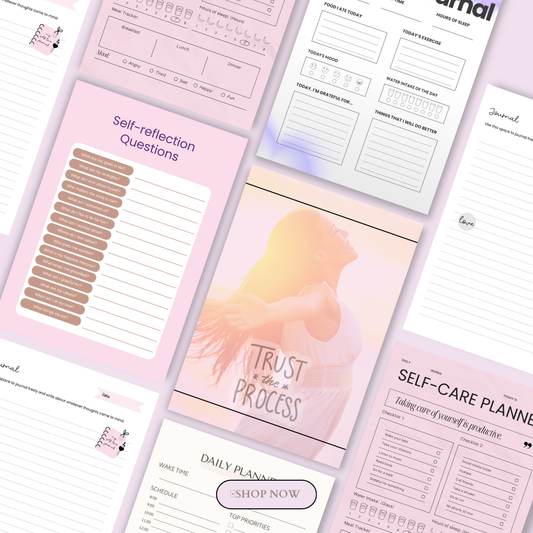
Digital products are downloadable or access-based items you create once and sell repeatedly online — think ebooks, printable planners, Canva templates, and self-paced courses.
Unlike physical goods, there's no shipping, no manufacturing, and almost zero ongoing cost once the product is built. If you want a fuller picture of what's possible, this mega guide to 100 digital products you can sell online is a great starting point for browsing ideas across niches.
They're booming in 2026 for a simple reason: the tools have caught up with the demand. AI tools speed up content creation, Canva makes professional design accessible to anyone, and platforms like Etsy, Payhip, and Shopify let you set up a global storefront in an afternoon.
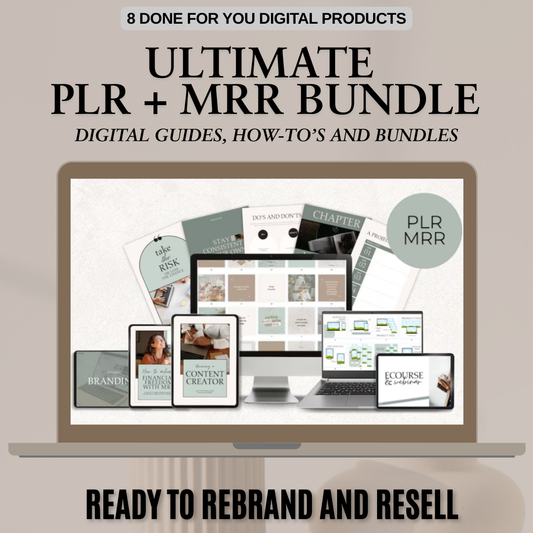
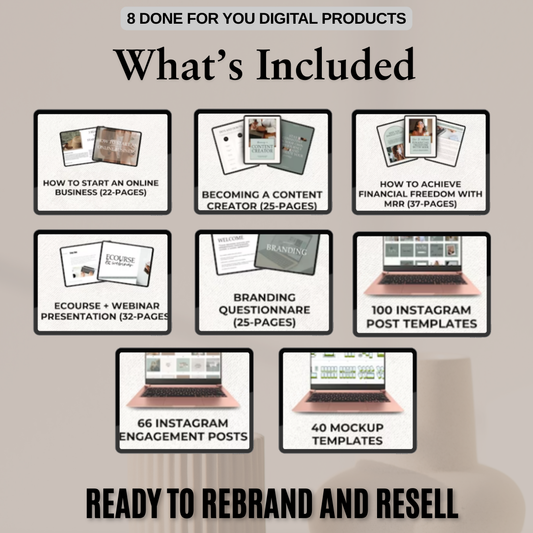
For sellers who don't want to build from scratch, there's also a growing market for PLR (Private Label Rights) digital products, which let you customize and resell ready-made content — and this step-by-step PLR resale guide breaks down exactly how that works.
For our purposes, the simplest way to think about digital products is this: anything that can be downloaded, accessed online, or edited digitally — and solves a real problem for your audience.
A planner that helps a busy parent feel less overwhelmed, a template that saves a small business owner hours, or a guide that helps a teacher plan a semester faster — all of it counts.
And once your product is built, growing your audience around it matters just as much as the product itself, which is where resources like the organic growth marketing bundle, the Instagram growth masterclass, and the ultimate branding course with master resell rights can help you build a sustainable system around your first launch.
Step 1 — Choose a Profitable Product Idea
The first step in creating a successful digital product is picking an idea that's both doable for a beginner and genuinely useful to a real audience. Get this right, and everything after it — design, marketing, sales — becomes much easier.
Common Beginner-Friendly Product Types
If you're just starting out, it helps to choose from formats that are quick to create and already have proven demand. Some of the most popular options in 2026 include:
-
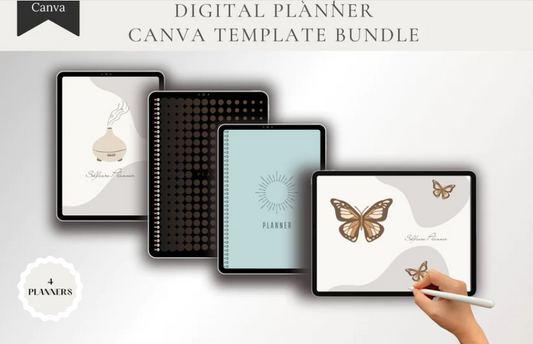
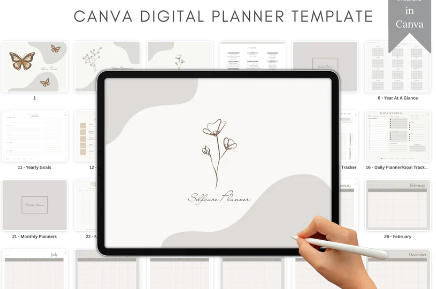
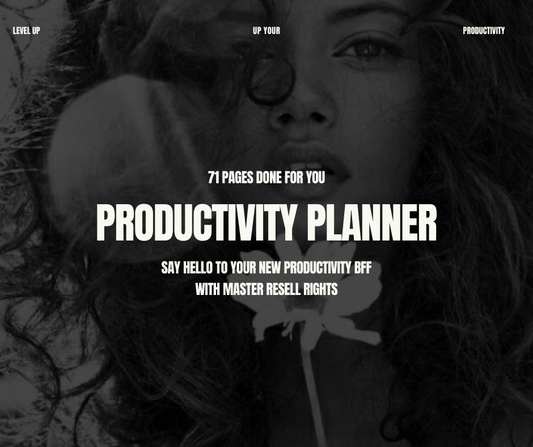
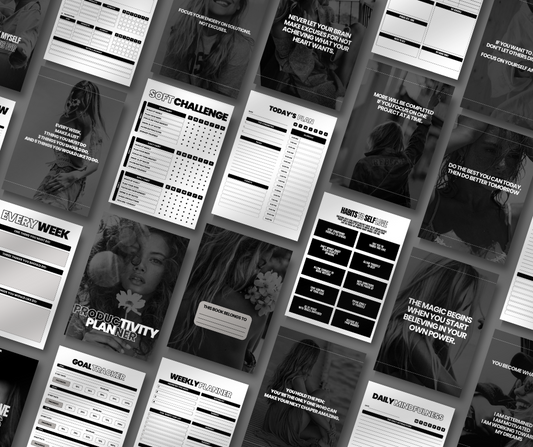
Planners and printables — budget trackers, mom routines, teacher worksheets. Browse this collection of planner ideas for inspiration, or check out these best digital planners for iPad and GoodNotes users if you want to tap into the growing paperless-planning niche.
-
Ebooks and guides — how-to tutorials, checklists, and transformation-style content. For example, an ebook like this mindset and self-worth transformation guide shows how a focused topic with a clear promise can perform well.
-
Templates — Canva social media kits, lead magnet templates, Notion dashboards.
-
Mini-courses or workshops — hosted on beginner-friendly platforms, often built around a single skill. Niche guides like a Threads growth guide for women creators or an AI image prompt guide for Midjourney illustrate how specific, skill-based products can carve out their own audience.
For a broader list of what's currently selling well, this roundup of digital products to sell is worth bookmarking as you brainstorm.
The 3-Part Brainstorm: What You Know, What Your Audience Struggles With, What's Already Selling
A simple way to land on a winning idea is to brainstorm at the intersection of three things:
-
What you know — your skills, experience, or lived knowledge.
-
What your audience struggles with — the problems they talk about, complain about, or ask for help with.
-
What's already selling — proof that people are willing to pay for a solution like yours.
Start by listing the problems your audience mentions most often, then map each one to a simple digital solution. This is also where understanding the broader digital downloads market helps — seeing what formats and price points are working for other sellers gives you a realistic benchmark before you start building.
Example: "Overwhelmed Moms" → "Morning Routine Planner"
Here's how the brainstorm plays out in practice: if your audience is overwhelmed moms, their pain point might be chaotic mornings and constant decision fatigue. The simple digital solution? A morning routine planner that breaks the day into manageable steps. This kind of problem-to-product mapping is the fastest way to land on an idea people actually want to buy — rather than one you simply think sounds good.
Step 2 — Validate Demand Before You Build
The biggest shift in 2026 is this: don't build first — validate first. Spending a few hours confirming demand can save you weeks of wasted effort on a product nobody wants.
Use Keyword and Demand Tools
Before you open Canva or start writing, use keyword and demand tools — like Everbee on Etsy — to check search volume and competition for your product idea. This tells you, in numbers, whether people are actively searching for what you're planning to create, rather than relying on guesswork.
Check Existing Bestsellers for Proof of Demand
Look at what's already selling. If similar digital products to sell are performing well on Etsy or other marketplaces, that's a strong signal of real demand — and it gives you a benchmark for pricing, positioning, and presentation. It also helps to study how successful sellers brand themselves; resources like the ultimate branding course or hands-on masterclasses can show you what separates a forgettable listing from a bestseller.
Pre-Sell or Beta-Test Before You Build
Rather than building the full product upfront, offer a simple pre-sale or beta version first. This lets you gather real feedback and confirm people are willing to pay — before you invest hours into the final version.
Example: Niching Down — "Homeschool Planner for Working USA Moms"
Validation often reveals that broad ideas need to get more specific. Instead of a generic "homeschool planner," a more validated, less competitive angle might be a homeschool planner for working USA moms — addressing a precise audience with a precise problem. This kind of niching down doesn't just reduce competition; it makes your marketing copy sharper and your conversion rates higher, because the product speaks directly to one clearly defined buyer.
Step 3 — Plan and Outline the Product
Once you've validated that people want your idea, it's time to plan exactly what the finished product will include. This step is where a vague concept turns into something buildable.
Define Clear Buyer Outcomes
Before opening any design tool, get specific about what your buyer will be able to do, feel, or achieve after using your product. Will they save five hours a week? Feel less overwhelmed by Monday mornings? Finally have a system for their finances? If you're still unsure what counts as a "digital product" in the first place, this complete beginner's guide is a useful refresher before you map out outcomes.
Build a Content Outline or Page List First
Resist the urge to jump straight into design. Instead, sketch a simple outline or page list — what sections, prompts, or chapters will the product include, and in what order? This single step prevents the most common beginner mistake: starting to design before knowing what you're actually building. It also helps to browse proven formats for inspiration; this collection of productivity-focused digital and printable planners shows how well-structured outlines translate into finished products.
Decide Scope: MVP vs. Flagship vs. 3-Tier Product Stack
Not every product needs to be huge. Decide upfront whether you're building:
-
A minimum viable product (MVP) — a small, focused product solving one specific problem
-
A flagship product — your signature, more comprehensive offer
-
Part of a 3-tier product stack — a hook product that draws people in, a core product that delivers the main transformation, and a premium offer for your most invested buyers
Beginners are often better off starting small. A focused product like the Luna bundle or a themed collection such as Plan & Prosper shows how a tightly scoped offer can still feel complete and valuable to the buyer.
Step 4 — Create the Product (Canva + AI Workflow)
With your outline ready, it's time to actually build the product. Most creators in 2026 rely on a simple, accessible tech stack: Canva for design and AI tools for content.
Canva Workflow for Visual Products (Planners, Templates, Printables)
For planners, templates, and printables, the typical Canva workflow looks like this:
-
Find a template — search Canva for your product type (planner, worksheet, ebook) to find a clean base layout.
-
Customize branding — adjust fonts, colors, and design elements so it feels unique to you.
-
Add content — fill in the sections, prompts, and checklists that solve your buyer's problem, keeping the text simple and skimmable.
-
Keep it consistent — duplicate pages and reuse design elements so multi-page products feel cohesive from start to finish.
If you don't want to design from scratch, there are also digital products you can sell on Etsy without designing — a useful shortcut for beginners who want to launch faster.
AI + Writing Workflow for Content-Heavy Products (Ebooks, Guides, Course Scripts)
For ebooks, guides, and course scripts, AI tools can dramatically speed up the first draft:
-
Outline and draft with AI — use it to brainstorm structure and generate a starting draft.
-
Edit in your own voice — add personal experience, examples, and stories AI can't replicate.
-
Keep it skimmable — short paragraphs, clear headers, and practical takeaways, especially for busy readers.
For a deeper look at exactly what's possible with AI tools, this guide to 40 digital products you can create using ChatGPT or AI tools is a great companion resource. And if you'd rather skip the creation process entirely, done-for-you digital products or ready-made AI prompt packs are worth exploring — especially within high-demand PLR niches that sell fast.

Step 5 — Package the Product for Delivery
A great product still needs to be packaged correctly so customers can access it smoothly and without confusion.
Common Packaging Formats
The format you choose depends on the product type:
-
PDF (standard or print-quality) — ideal for planners, worksheets, ebooks, and printables
-
Editable Canva template links — best for resellable or customizable templates
-
Hosted video — for courses and workshops delivered through course platforms
If you're still exploring which format suits your niche best, this overview of what digital products actually are breaks down the most common delivery formats by product type.
Quality-Check Before Launch
Before your product goes live, test it the way a customer would. Download the file yourself and check for:
-
Spelling and grammar errors
-
Correct alignment and formatting
-
Page order and navigation
-
Working links throughout
This single step prevents the majority of refund requests and negative reviews — a small investment of time that protects your reputation as you scale.
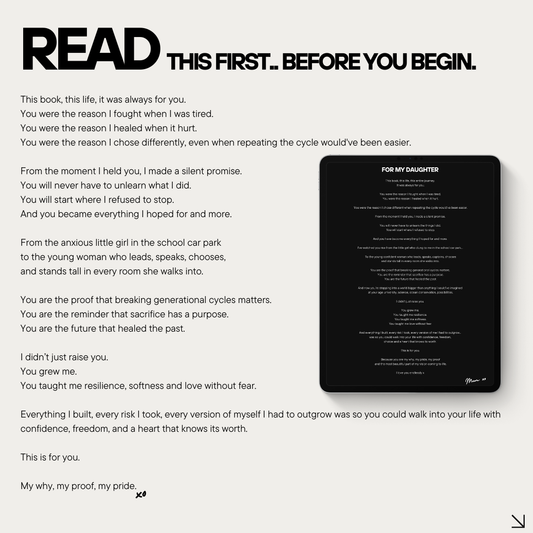
Add a "Read Me First" Page
Finally, include a simple "Read Me First" or "How to Use This" page at the start of your product. It walks buyers through how to access, edit, or print the product, which reduces confusion, support requests, and refunds — especially important for customers who are new to buying digital downloads for the first time.
Step 6 — Set Up Your Store and Sales System
With your product built and packaged, the next step is choosing where to sell it and making sure delivery happens automatically.
Platform Options: Etsy, Payhip/Gumroad, Shopify/Kajabi
Different platforms suit different goals:
-
Etsy — best for search-based traffic, especially for planners and printables where buyers are actively browsing
-
Payhip or Gumroad — ideal for easy digital downloads, simple checkout, and global payments without needing a full storefront
-
Shopify or Kajabi — better suited for building a branded store or hosting full courses with multiple products
If you're weighing which planner-style products perform best on marketplaces like Etsy, this list of 25 beginner-friendly digital planners you can sell on Etsy is a useful reference point before you pick your platform.
Writing SEO-Friendly, Benefit-Driven Listings
Your product listing needs to do two jobs at once: rank in search and convince someone to buy. That means clear, benefit-focused titles, descriptions that speak to the outcome (not just the features), and keywords woven naturally throughout — whether you're optimizing for Etsy search, Google, or Pinterest.
Automating Delivery and Confirmation Emails
Once a sale comes through, delivery should be instant and hands-off. Set up automated download links or access delivery, along with a simple confirmation email sequence, so buyers get what they paid for immediately — no manual work required on your end.
Step 7 — Launch and Market Your Digital Product
You don't need to be everywhere. You need one simple, consistent system that turns visibility into sales.
Email Launch Sequence: Pre-Sale → Cart Open → Nurture
A typical launch sequence includes a pre-sale or beta offer to early subscribers, a "cart open" announcement once your product is fully live, and a short nurture sequence that reminds people why they need it — often including a final-call email before the offer closes.
Organic Content Strategy: Instagram, Pinterest, YouTube, Threads
Organic content remains one of the most cost-effective ways to drive consistent traffic.
Visual platforms like Instagram and Pinterest work especially well for planners, templates, and printables — resources like a content image and reels bundle or themed reel power packs can help you keep a consistent posting schedule without burning out on content creation.
For carousel-style educational content, a ready-made 30 days of digital marketing carousels bundle can also save hours of planning.
SEO-Based Discovery: Etsy Search, Pinterest Keywords, YouTube Search
Beyond social content, make sure your product is discoverable long-term through search — optimizing for Etsy search terms, Pinterest keywords, and YouTube search so your listing keeps generating traffic well after the initial launch buzz fades.
The "Content-to-Conversion" Framework
Many successful 2026 creators use a content-to-conversion system: post genuinely helpful content that builds trust, soft-pitch your product naturally within that content, then move interested followers into email or DMs to complete the sale.
Strong, persuasive copy throughout this funnel matters — a resource like Words That Sell can help you write captions and listings that actually convert browsers into buyers.
Step 8 — Optimize, Automate, and Grow
Your launch isn't the finish line — it's the start of a system you can refine and scale over time.
Collect Feedback and Testimonials
Reach out to your early buyers for feedback and testimonials. Real customer language not only improves your product but also strengthens your sales page, since prospective buyers trust other customers more than they trust your own marketing copy.
A/B Test Pricing, Covers, and Descriptions
Small changes can have an outsized impact on conversions. Test different price points, cover designs, and description formats to see what resonates most with your audience — and let the data, not guesswork, guide your decisions.
Build Automations: Email Sequences, Upsells, Bundles
As you grow, automate the parts of your business that don't need a human touch: email sequences, post-purchase upsells, and bundled offers that move customers naturally from a small hook product into your core and premium offers.
Example: Bundling a planner with a complementary tracker — say, a budget planner paired with a savings tracker — increases average order value without requiring new traffic.
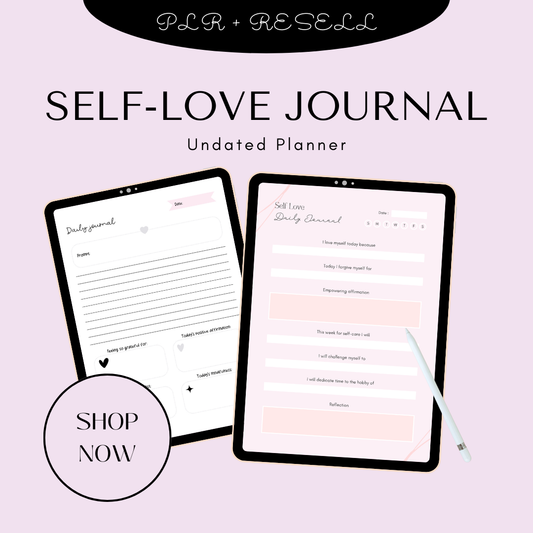
Niche-specific bundles work particularly well here; for instance, a self-love guided journal paired with an affirmations resource creates a natural upsell within the same wellness niche. Visual creators can apply the same logic with niche aesthetic bundles, like vintage luxury café-style stock images or clean beauty texture visuals, both designed to pair naturally with related offers.
For ongoing content support across any niche, AI prompt packs and curated AI image collections make it easier to keep your content-to-conversion funnel running without constant manual effort — and a post perfection collection can round out your visual content library further.
If you're thinking beyond a single product launch toward a broader income strategy, it's worth exploring passive income streams online as a way to diversify how your digital products generate ongoing revenue.
Helpful Resources & Further Reading
If you want to go deeper into any part of this process, these are worth bookmarking as recommended next steps:
-
For a step-by-step creation process with practical ideas: Digital Product Creator guide walks through the end-to-end build process in detail.
-
For community-driven product strategy: Circle's guide to digital products covers positioning and audience-building alongside product creation.
-
For a free, structured beginner roadmap: Income Stacking Lab's build guide breaks the process into manageable stages.
-
For a video walkthrough of the full process: this step-by-step video tutorial is a helpful visual companion to this guide.
-
For platform-specific tips and tools: this companion video resource covers practical execution tips for beginners.
-
For ready-to-sell options if you'd rather skip building from scratch: done-for-you digital products that actually sell is worth a look.
Conclusion
Creating a digital product in 2026 comes down to eight clear steps: choosing a profitable idea, validating demand, planning your outline, creating the product with Canva and AI, packaging it properly, setting up your store, launching with a focused marketing system, and continuously optimizing as you grow.
None of these steps require a huge budget or technical skill — just a clear process and consistent execution.
Ready to create your first product? Whether that's your first Canva template, your first planner, or your first ebook, the hardest part is simply starting. Browse our collections for inspiration, or grab a done-for-you bundle to launch even faster.
Frequently Asked Questions
1. What is the easiest digital product to create as a beginner?
Printable planners and templates are usually the easiest starting point, since they require no technical skills beyond basic Canva editing. They also have proven demand on platforms like Etsy, making them a low-risk way to test your first idea before moving on to more complex products like ebooks or courses.
2. Do I need Canva Pro to make digital products?
No — Canva's free version has enough templates, fonts, and design elements to create your first planner, template, or ebook. Canva Pro becomes more useful as you scale, since it offers premium elements, brand kits, and resizing tools that save time once you're producing multiple products.
3. Where is the best place to sell digital products in 2026?
It depends on your goals. Etsy is best for search-based traffic, especially for planners and printables. Payhip and Gumroad are better for simple, branded checkout experiences. Shopify or Kajabi suit creators building a full branded store or hosting courses. Many sellers start on Etsy and expand to their own store as they grow.
4. How much can you realistically earn from digital products?
Earnings vary widely based on niche, pricing, and marketing consistency. Many beginners start with a few hundred dollars a month from a single product, while creators with a validated idea, a content strategy, and a product stack (hook → core → premium) can scale into a full-time income over time. Validation and consistent marketing matter more than the product itself.
5. Do I need a large following to sell digital products successfully?
No. While an audience helps, many sellers find success through search-based discovery alone — Etsy SEO, Pinterest keywords, and YouTube search can all drive sales without a large social following. Building an audience over time simply makes growth faster and more predictable.
🎬 Want a visual walkthrough?
If you’d rather watch than read, here’s the full explainer video covering everything in this guide: