


1. Introduction
Selling digital products has exploded in popularity across platforms like Etsy, and Canva templates are quickly becoming one of the easiest ways to get started. Unlike physical products, you don’t need inventory, shipping, or upfront manufacturing costs—just creativity and a smart strategy. That’s why many beginners looking for financial freedom through side hustles are turning to this model (see this helpful guide on building income streams online).
🎥 Prefer watching instead of reading?
Watch the full step-by-step explainer video below.
So, can you sell Canva templates on Etsy?
Yes—you absolutely can. But there’s a right way to do it.
If you’ve been exploring digital downloads as a passive income stream (learn more about how digital downloads work), Canva templates are one of the most beginner-friendly options. From social media kits to planners and invitations, the demand is growing rapidly—especially for ready-to-edit designs that save buyers time.
In this guide, you’ll learn:
-
Whether selling Canva templates on Etsy is legal
-
The exact rules you must follow to stay compliant
-
How to structure and deliver your templates correctly
-
And how to position your products for maximum sales
If you’re serious about building a scalable digital product business, this is your starting point. You can also explore trending ideas in this breakdown of Canva digital products that sell like crazy or dive deeper into the broader world of digital products.
2. Can You Sell Canva Templates on Etsy? (Short Answer)
The short answer is: Yes—but with conditions.
You can legally sell Canva templates on Etsy as long as your designs are original and follow both Canva’s licensing rules and Etsy’s digital product policies. This means you can’t simply take a pre-made Canva template or stock element and resell it as your own.
What “Yes, But With Conditions” Really Means
-
You must create your own designs or significantly customize existing ones
-
Your templates should provide real value (not just minor edits)
-
Canva elements must be part of a transformed design—not sold individually
Why Originality and Compliance Matter
Etsy is strict about intellectual property, and Canva has clear licensing guidelines. Ignoring these can lead to:
-
Listing removal
-
Account suspension
-
Loss of long-term income potential
On the flip side, doing it correctly opens the door to a highly scalable business model—especially when combined with the right marketing strategies like those taught in this Instagram Growth Masterclass or advanced systems like the Organic Growth Marketing Bundle.
Quick Summary of Canva + Etsy Rules
-
✔️ Sell: Original, customized Canva templates
-
❌ Don’t sell: Unmodified Canva templates or individual elements
-
✔️ Deliver: Templates via shareable links (usually inside a PDF)
-
✔️ Clarify: Usage rights for buyers
When done right, Canva templates can become a powerful income stream—especially when paired with seasonal or niche collections like this New Year “New Me” digital product bundle, which taps into high-demand moments.
3. Canva Licensing Rules Explained (What You MUST Know)
If you want to sell Canva templates on Etsy successfully, understanding Canva’s licensing rules isn’t optional—it’s essential. Many beginners get this wrong, and that’s exactly why their listings get removed or their shops never take off.
The good news? Once you understand what’s allowed and what’s not, you can confidently build a scalable digital product business.
3.1 What You Are Allowed to Do
Canva gives you a lot of creative freedom—as long as you’re actually creating something original.
Here’s what you can legally do:
-
Create original designs using Canva
You can design templates from scratch or heavily customize existing layouts to make them uniquely yours. -
Sell editable templates
Canva templates are perfect for high-demand digital products like planners, social media kits, and business tools. For example, products like those featured in these guides on planners that sell online or best digital planners for iPad and GoodNotes users are consistently in demand. -
Use Canva elements within a transformed design
Photos, icons, and graphics can be included—but only as part of a larger, customized template. You can’t sell them on their own.
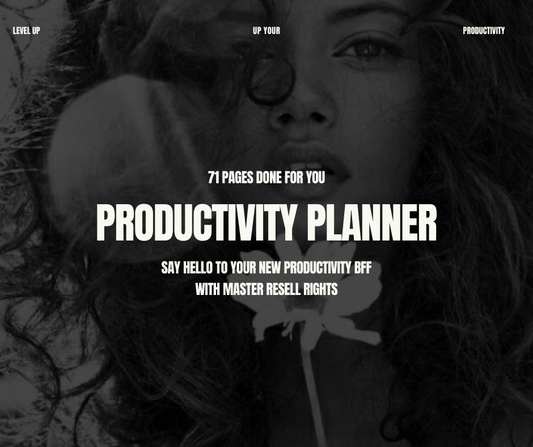
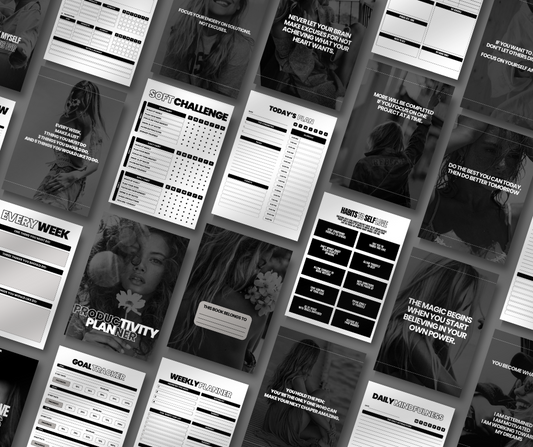
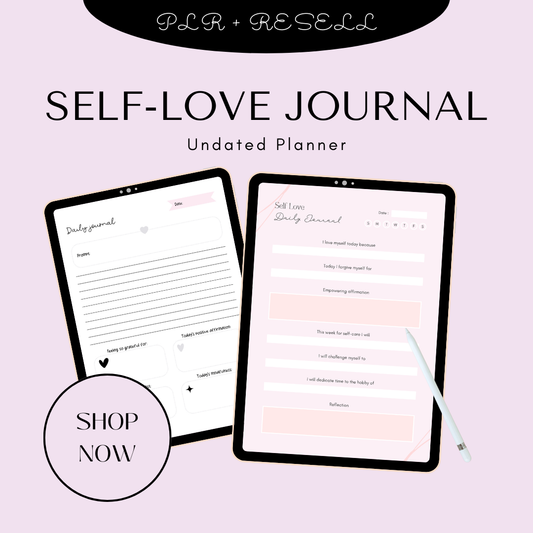
This is why niches like journaling and productivity are so profitable. Templates inspired by ideas like a self-love journal or a productivity planner work well because they combine design with real utility.
3.2 What You Are NOT Allowed to Do
This is where most sellers make costly mistakes.
Avoid these at all costs:
-
Reselling Canva templates “as-is”
You cannot take a Canva template, make minor edits, and sell it. That’s a direct violation of Canva’s terms. -
Selling Canva elements individually
Icons, images, or graphics from Canva cannot be sold separately—even if you downloaded them yourself. -
Copying designs without modification
Even if you recreate something you saw on Etsy or Canva, if it’s too similar, it can still be flagged for infringement.
If you’re exploring scalable digital income models, this is why many creators also look into broader opportunities like best PLR products to sell in 2026, where licensing is clearly defined.
3.3 Key Licensing Takeaways
At the core of Canva’s licensing rules is one simple concept:
“Add substantial creative value.”
This means:
-
Change layouts, not just colors
-
Combine multiple elements into a new design
-
Create something that solves a problem or serves a purpose
Think of Canva as your tool—not your product.
Why this matters for your Etsy shop:
-
Protects you from copyright strikes
-
Keeps your listings compliant with Etsy policies
-
Builds a long-term, sustainable business
The more original your designs, the stronger your brand becomes—especially when paired with high-quality assets or creative workflows like those found in advanced resources such as this AI visual storytelling bundle.
4. How to Create Canva Templates for Etsy (Step-by-Step)
Now that you understand the rules, let’s break down how to actually create Canva templates that sell.
4.1 Start with a Blank Canvas or Customize Deeply
The safest and most profitable approach is to start from scratch—or completely transform an existing design.
Why unique design matters:
-
Helps you stand out in a saturated Etsy marketplace
-
Reduces competition from duplicate listings
-
Increases perceived value
Focus on:
-
Branding: Choose a consistent style or niche
-
Colors: Use palettes that are easy to edit
-
Fonts: Stick to readable, clean typography
If you’re building a full product ecosystem, you can even align your templates with bundles like those in the Plan & Prosper collection or content-focused packs like the Post Perfection templates.
4.2 Design Best Practices
Even a beautiful template won’t sell if it’s hard to use. Simplicity and usability are what separate top sellers from beginners.
Follow these proven best practices:
-
Keep fonts simple (2–3 max)
Too many fonts make templates look messy and harder to edit. -
Use Canva color palettes
This allows buyers to change the entire look with one click—huge selling point. -
Focus on usability for buyers
Your template should feel intuitive, even for someone new to Canva.
You can also enhance your templates by integrating trends from content creation and marketing—like those seen in AI prompt packs, masterclasses for creators, or social-focused assets like reel power packs.

By following these licensing rules and design principles, you’re not just creating templates—you’re building digital assets that can generate consistent, scalable income on Etsy.
5. How to Deliver Canva Templates on Etsy
Creating a great Canva template is only half the process—how you deliver it is what makes your product professional, easy to use, and compliant with Etsy’s digital product system.
If you want to rank for keywords like “how to sell Canva templates on Etsy” or “deliver Canva templates Etsy,” this step is critical.
5.1 Generate a Canva Template Link
The standard way to deliver Canva templates is through a template link, not a raw design file.
Here’s the process:
-
Open your design in Canva
-
Click Share
-
Select Template Link
-
Copy the link
This link allows your buyer to open a fresh, editable copy of your design in their own Canva account—without affecting your original file.
Why Canva Pro is required:
The template link feature is only available in Canva Pro, which is why most serious Etsy sellers upgrade. It ensures a smooth user experience and protects your original design from being altered.
5.2 Package It in a PDF
Instead of sending the link directly, successful Etsy sellers package it inside a branded PDF file. This makes your product feel premium and easy to follow.
What to include in your PDF:
-
Template link (clickable access to Canva)
-
Step-by-step instructions (how to edit and use the template)
-
Usage license (clear rules on personal vs commercial use)
You can model your templates around structured, high-value products like those in the Plan & Prosper collection or even bundle multiple templates similar to the New Monthly Drops collection to increase perceived value.
5.3 Upload as Etsy Digital Download
Once your PDF is ready:
-
Upload it as a digital file in your Etsy listing
-
After purchase, Etsy automatically delivers the file to the buyer
How customers receive it:
-
Instant download after payment
-
Accessible via Etsy account and email
-
No manual delivery required
This automation is what makes Canva templates one of the best passive income products.
6. What to Avoid (Legal & Policy Mistakes)
If you want a long-term Etsy business, avoiding common mistakes is just as important as creating great designs.
Selling Unmodified Canva Templates
Uploading a Canva template with little to no changes is a direct violation of Canva’s licensing terms. This is one of the fastest ways to get your listing removed.
Selling Stock Elements
You cannot sell Canva photos, icons, or graphics individually. These must be part of a larger, transformed design.
Ignoring Licensing Terms
Many beginners skip adding a usage license—but this can create confusion and legal risk.
Always clarify:
-
What buyers can use the template for
-
Whether commercial use is allowed
-
That resale of the template is prohibited
Risks to Be Aware Of
-
Etsy account suspension
-
Copyright infringement issues
-
Loss of trust and refunds from buyers
Protecting your shop from these risks ensures you can scale safely—especially as you expand into higher-value digital bundles like the Money Mindset Collection or structured productivity products.
7. Best-Selling Canva Template Ideas for Etsy
Choosing the right niche is one of the biggest factors in your success. High-demand, practical templates consistently outperform generic designs.
Instagram Templates
-
Social media posts, stories, and reels
-
Perfect for influencers, coaches, and businesses
-
Pair well with content systems and branding kits
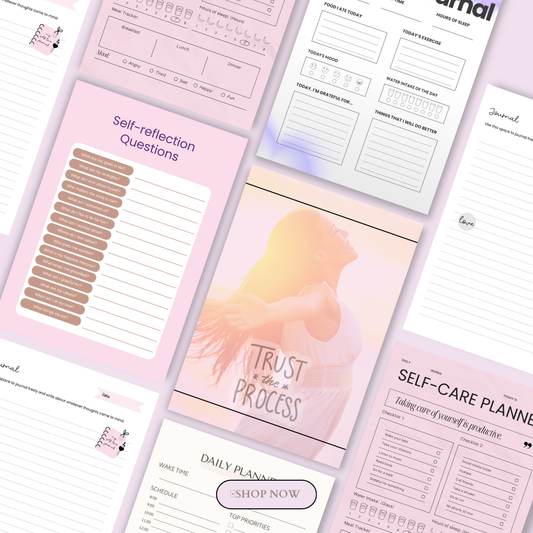
Planners & Journals
This is one of the most profitable niches on Etsy.
Popular ideas include:
-
Daily and weekly planners
-
Goal-setting journals
-
Habit trackers
You can explore proven formats in this guide on digital planners you can sell on Etsy or create bundles inspired by products like the Planner Collection, Meal Planner, or the Start-Up Business Planner Workbook.
Resumes & LinkedIn Banners
-
High demand from job seekers and professionals
-
Clean, modern templates perform best
-
Easy to create and highly scalable
Invitations (Weddings, Birthdays, Events)
-
Seasonal and evergreen demand
-
Buyers love editable, instant-download designs
-
Great for niche targeting (luxury, minimal, floral, etc.)
Business Marketing Kits
-
Flyers, lead magnets, workbooks
-
Ideal for entrepreneurs and coaches
You can even expand into transformation-focused products like a 30-day challenge or self-care kit, inspired by offers such as the 30 Days to a Better You eBook or the Self-Care SOS Kit.
By combining the right delivery method, avoiding legal mistakes, and choosing high-demand niches, you position your Canva template business for consistent sales and long-term growth on Etsy.
8. How to Get More Sales on Etsy
Once your Canva templates are listed, the real game begins: getting consistent traffic and conversions. Etsy is a search-driven platform, so your success depends on visuals, SEO, and niche strategy.
8.1 Use High-Converting Mockups
Your product images are often the deciding factor between a click and a scroll-away.
To increase conversions:
-
Show your templates on realistic devices (phones, laptops, tablets)
-
Include print previews (planners, invitations, worksheets)
-
Add “before vs after” transformations if possible
High-quality presentation is especially important for digital products like those explained in this breakdown of digital products to sell online and broader strategies for digital products.
Strong visuals make your listings feel like premium products—especially in competitive niches like those covered in this guide to 100 digital products you can sell in 2026.
8.2 Optimize Etsy SEO
SEO is what brings free, long-term traffic from Etsy search and Google.
Key optimization steps:
-
Use all 13 Etsy tags strategically
-
Include keyword variations in titles and descriptions
-
Focus on buyer-intent keywords
High-performing keyword examples:
-
“Editable Canva template”
-
“Instant download planner”
-
“Social media Canva template”
-
Niche-specific terms (wedding, business, fitness, etc.)
To understand how digital product ecosystems work at scale, many sellers also explore models like PLR digital products, which show how reusable content systems can multiply income streams.
You can also compare different monetization approaches in this guide on digital product strategies.
8.3 Focus on High-Demand Niches
Niche selection is one of the most important ranking and sales factors on Etsy.
Instead of generic templates, focus on:
-
Business owners
-
Content creators
-
Coaches and influencers
-
Students and planners
For example, design assets inspired by premium creative tools like:
These types of digital assets reflect what is trending in the broader digital economy, as seen in this mega breakdown of digital products you can sell online in 2026.
You can also explore ready-made systems like DFY sales funnels or visual enhancement tools like Lightroom preset collections to understand how creators package and scale digital offers.
9. Example: How Sellers Structure Their Canva Template Listings
Successful Etsy sellers follow a simple but repeatable system:
-
Create template in Canva (original, niche-focused design)
-
Generate Canva template link (via Share → Template Link)
-
Package in PDF with instructions + license
-
Upload to Etsy as an instant digital download
This workflow is widely recommended across major guides, including expert breakdowns from Bluehost, Printify, and detailed legal explanations from the Print on Demand Playbook. Additional step-by-step insights can also be found in modern Etsy seller guides like Insight Agent’s Canva breakdown: https://www.insightagent.app/guides/selling-canva-templates-on-etsy.
10. Final Answer: Is Selling Canva Templates on Etsy Worth It?
Yes—selling Canva templates on Etsy is absolutely worth it if done correctly.
Here’s why:
-
It’s low-cost and beginner-friendly
-
It requires no inventory or shipping
-
It can scale into passive income over time
-
Demand is growing in both the USA and Australia for digital downloads
When paired with strong niches and consistent product creation, Canva templates can become a long-term digital asset business, not just a side hustle.
This model aligns with the broader growth of digital entrepreneurship, especially across ecosystems like digital products markets and modern PLR-based businesses.
11. Resources & References
For deeper learning and compliance, here are trusted sources used in this guide:
12. Conclusion
The key takeaway is simple:
Originality + proper Canva licensing + smart Etsy delivery = a scalable digital product business.
If you focus on creating value-driven, niche-specific templates and optimize your listings correctly, Canva templates can become one of the easiest entry points into the digital product economy.
The best time to start is now—because demand for digital downloads, templates, and AI-enhanced design assets is only growing.
Whether you're building a side hustle or aiming for full financial independence, this model gives you a real opportunity to start small and scale fast.
FAQ: Canva Templates to Sell on Etsy
1. Can I legally sell Canva templates on Etsy?
Yes, you can sell Canva templates on Etsy as long as you create original designs and follow Canva’s licensing rules. You cannot resell Canva’s pre-made templates or sell their elements individually. Your design must include significant creative transformation and value.
2. Do I need Canva Pro to sell templates on Etsy?
No, Canva Free is enough to create templates. However, Canva Pro is highly recommended because it allows you to generate template links, which make it much easier to deliver editable files to customers professionally and efficiently.
3. How do customers receive Canva templates after buying on Etsy?
Customers receive a PDF file after purchase, which contains a Canva template link and instructions. They click the link to open an editable copy in their own Canva account, making it easy to customize and use instantly.
4. What types of Canva templates sell best on Etsy?
The best-selling Canva templates usually include:
-
Instagram and social media templates
-
Digital planners and journals
-
Business branding kits
-
Resumes and LinkedIn designs
-
Wedding and event invitations
These niches perform well because they solve real problems and have consistent demand in both the USA and Australia markets.
5. Can I get banned for selling Canva templates on Etsy?
Yes, if you violate Canva or Etsy policies. Common reasons for account issues include reselling unmodified Canva templates, selling stock elements separately, or copying other sellers’ designs. To stay safe, always create original designs and clearly state usage rights in your listings.
🎬 Want a visual walkthrough?
If you’d rather watch than read, here’s the full explainer video covering everything in this guide: