



1. Introduction
If you’re looking for a beginner-friendly way to start earning online, Canva digital products are one of the easiest entry points into passive income in 2026. With the rise of online businesses, content creators, and side hustlers across the USA and Australia, the demand for ready-made, customizable designs has exploded—and Canva sits right at the center of this opportunity.
🎥 Prefer watching instead of reading?
Watch the full step-by-step explainer video below.
The biggest advantage? You don’t need to be a professional designer. Canva’s simple drag-and-drop interface allows anyone to create high-quality digital products in minutes. Whether you’re building Instagram templates, planners, or ebooks, you can turn simple ideas into income-generating assets without technical skills or expensive tools.
In this guide, you’ll discover the best Canva digital product ideas, real examples that are already selling, and practical tips to help you create and launch your own products successfully. If you want a deeper breakdown of what’s trending right now, check out this most profitable Canva templates for 2026 guide.
2. Why Canva Digital Products Sell So Well
Beginner-Friendly and Easy to Create
Canva has completely changed the game for digital product creation. Its intuitive drag-and-drop system means you can design social media templates, planners, or branding kits without any prior experience. This ease of use makes it ideal for beginners in both the US and Australian markets who want to start quickly without a steep learning curve.
If you’re new and want to fast-track your skills, a structured program like this Canva crash course to design like a pro can help you go from beginner to confident creator much faster.
High Demand for Digital Products
Digital products are booming globally. Content creators, small businesses, and influencers are constantly looking for done-for-you templates to save time and maintain a professional look. This is especially true for platforms like Instagram, Pinterest, and TikTok, where visual content drives engagement.
For example, ready-made template packs like these Salt & Sage Instagram post templates or bold content sets like Main Character carousel templates are designed specifically for creators who want high-quality visuals without designing from scratch.
You can also explore more niche-specific ideas in this guide on Canva templates to sell on Etsy.
Strong Passive Income Potential
Once you create a Canva digital product, you can sell it repeatedly without additional production costs. This makes it a scalable income stream—create once, sell forever.
Bundles perform especially well because they increase perceived value. For instance, collections like the Positivity Pop template bundle or niche-focused packs such as skincare and beauty Instagram templates allow you to charge higher prices while delivering more value to buyers.
Perfect for Etsy and Online Marketplaces
Platforms like Etsy, Gumroad, and personal websites have made it easier than ever to sell digital products globally. Etsy, in particular, is a hotspot for Canva templates, with millions of buyers searching for ready-to-use designs every day in both the US and Australian markets.
If your target audience includes small business owners, this resource on best Canva templates for small businesses can help you understand what buyers are actively looking for.
The key advantage is that Canva products are instantly downloadable, meaning no shipping, no inventory, and no ongoing costs—just pure digital scalability.
These factors combined make Canva digital products one of the most accessible and profitable online business models right now—especially for beginners looking to build a sustainable passive income stream.
3. Best Canva Digital Product Ideas
If you’re serious about building a scalable online income in the USA or Australia, choosing the right Canva digital product category is key. Below are the most profitable and beginner-friendly ideas that consistently perform well across marketplaces like Etsy and Gumroad.
3.1 Social Media Templates
What they are
Social media templates are pre-designed, fully editable graphics that help creators and businesses post high-quality content without starting from scratch. These are among the best-selling Canva digital products because every brand needs consistent content.
Examples
-
Instagram posts & stories
-
Pinterest pins
-
Carousel templates
For instance, high-engagement designs like these positivity pop carousel templates or aesthetic quote packs such as rooted & radiant Instagram templates and flow & found quote templates are built specifically to drive engagement and save time.
You can also explore curated bundles in collections like post perfection templates and reel power packs for inspiration.
Why they sell
-
Content creators need daily posts
-
Businesses want a professional look
-
Saves hours of design time
Bundle strategy (10–20 designs)
Instead of selling single templates, bundle 10–20 designs together to increase perceived value and pricing power.
Target audience
-
Influencers
-
Coaches
-
Small businesses
-
Content creators
If you’re exploring broader income opportunities, this guide on financial freedom through side hustles explains why social media templates are a strong entry point.
3.2 Planners and Organizers
Types
-
Digital planners
-
Meal planners
-
Budget trackers
-
Habit trackers
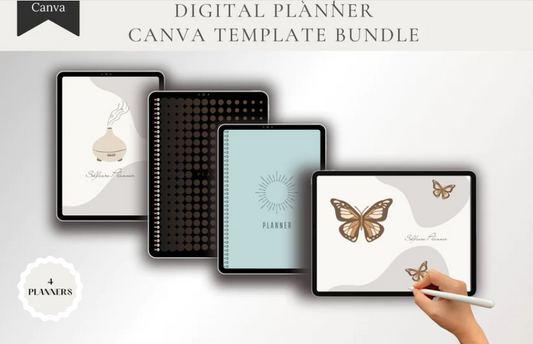
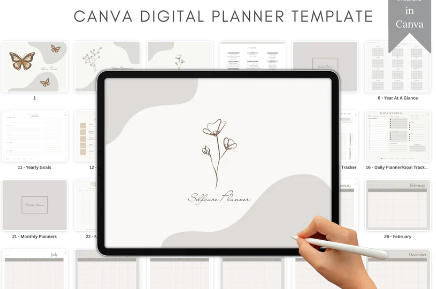
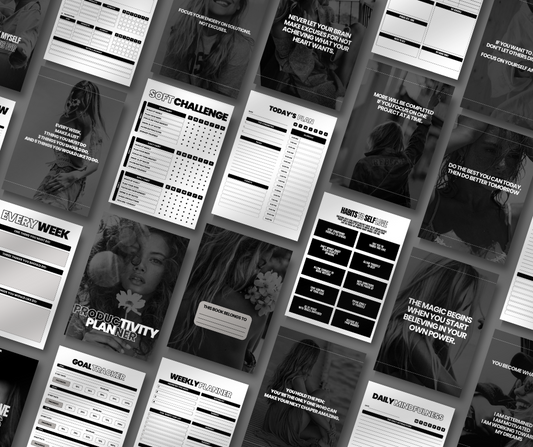
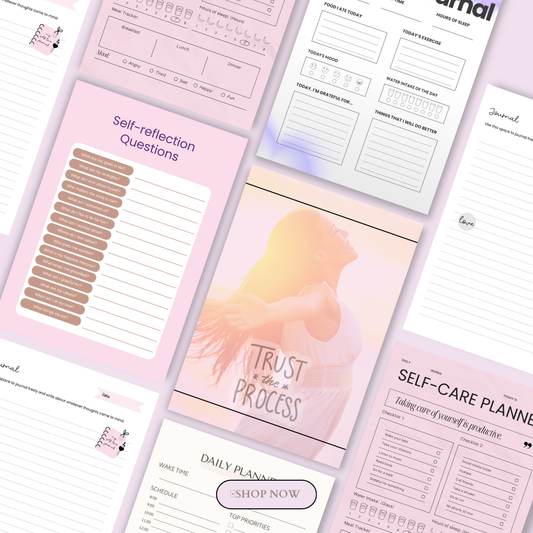
Planners are one of the most consistent sellers in the digital space. You can browse ready-to-sell ideas in this plan & prosper collection.
Key features to include
-
Calendars
-
To-do lists
-
Goal-setting pages
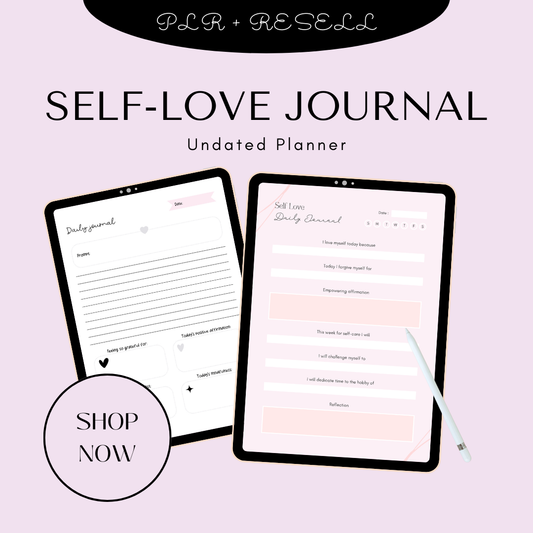
For niche inspiration, explore guides like digital planners, self-love journals, and best iPad planners for GoodNotes users.
Why they are evergreen
Productivity, organization, and self-improvement are always in demand—making planners a stable, long-term income stream in both US and Australian markets.
Selling as downloadable PDFs
Most planners are sold as instant-download PDFs, making them easy to deliver and scalable without inventory.
3.3 Printables and Wall Art
Examples
-
Motivational quote prints
-
Nursery wall art
-
Kitchen decor designs
Printable wall art is one of the easiest Canva digital products to create and sell, especially for beginners entering the digital downloads space.
Design tips
-
Use high-resolution files (300 DPI)
-
Offer multiple size ratios (A4, 8x10, 16x20)
-
Keep designs clean and modern
Seasonal bundles for repeat sales
Create themed collections for holidays, seasons, or trends to encourage repeat purchases.
Why printables are beginner-friendly
-
Simple to design
-
No complex formatting
-
Quick to launch
3.4 Branding and Business Kits
What to include
-
Logo templates
-
Business cards
-
Resume templates
-
Full branding kits
Branding kits are highly valuable because they help businesses establish a professional identity quickly.
Target audience
-
Entrepreneurs
-
Freelancers
-
Startups
You can expand into complementary digital assets like AI prompt packs or high-converting copy resources to increase your product ecosystem.
Importance of customization
The more editable and flexible your designs are, the more valuable they become to buyers.
3.5 Educational Digital Products
Types
-
eBooks
-
Workbooks
-
Infographics
-
Course slides
Educational products are perfect if you want to combine knowledge with design. These products are especially popular among coaches, creators, and educators.
For example, transformation-focused content like The Aligned Empire guide or mindset-driven resources like Unf*ck Your Limits ebook show how powerful digital education products can be.
You can also scale further by offering premium learning experiences through masterclasses or visual assets like AI image collections.
Use cases
-
Coaches
-
Online educators
-
Content creators
Engagement features
-
Charts and visuals
-
Clickable links
-
Interactive exercises and quizzes

These Canva digital product ideas are proven to work across global markets, especially in high-demand regions like the United States and Australia. The key is to start with one category, validate demand, and then expand into bundles and multiple niches for maximum income potential.
4. Where to Sell Canva Digital Products
Choosing the right platform is just as important as creating the product itself. If you want to succeed in competitive markets like the USA and Australia, you need visibility, trust, and scalability.
Etsy
Etsy remains the #1 marketplace for Canva digital products. Millions of buyers actively search for templates, planners, and printables every day, making it ideal for beginners.
-
Built-in traffic (no need to bring your own audience initially)
-
Strong demand for digital downloads
-
Perfect for validating product ideas
If you’re just starting, exploring ideas from this digital products to sell guide can help you identify what’s already working on Etsy.
Gumroad
Gumroad is a great platform for creators who want more control over pricing and branding.
-
Simple setup for selling digital downloads
-
Ideal for creators with an existing audience
-
Supports bundles and memberships
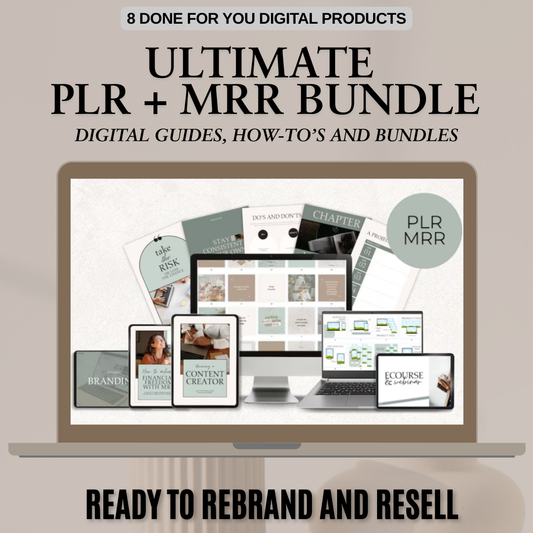
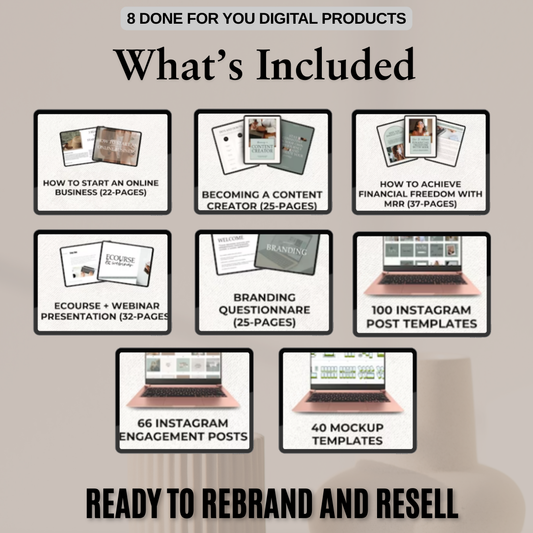
Many creators combine Gumroad with Etsy to diversify income streams, especially when selling PLR digital products or done-for-you assets.
Your Own Website (Memberships & Subscriptions)
Building your own website allows you to create a long-term digital business with recurring revenue.
-
Full control over branding and pricing
-
Ability to offer memberships or subscriptions
-
Higher profit margins (no platform fees)
Tools like MemberSpace make it easy to lock premium content and sell subscriptions.
You can also bundle multiple resources like templates, planners, and guides into one offer, similar to curated collections of done-for-you digital products.
For a broader overview of opportunities, this 100 digital products you can sell in 2026 resource is worth exploring.
5. Pricing Strategy for Canva Products
Pricing can make or break your success. In markets like the US and Australia, buyers are willing to pay more—but only if they perceive real value.
Typical Price Ranges ($10–$50 Bundles)
-
Single templates: $3–$10
-
Small bundles: $10–$25
-
Premium bundles: $25–$50+
Products like a finance budget planner or a complete productivity planner can command higher prices when positioned correctly.
Value of Bundles vs Single Items
Bundles always outperform single products because they:
-
Increase perceived value
-
Justify higher pricing
-
Attract serious buyers
For example, instead of selling one template, offer a full content kit or a resource pack like downloadable Instagram templates.
Positioning for Higher Perceived Value
To charge premium prices:
-
Focus on a specific niche (fitness, finance, beauty, etc.)
-
Use clean, professional design
-
Include bonuses (extra pages, guides, or mockups)
Digital assets like 6000 aesthetic reels and stories or specialized resources such as AI motion prompts guide show how adding depth increases value.
6. Tips to Make Your Canva Products Sell
Creating a product is easy—selling it consistently is where strategy matters.
Keep Designs Simple and Editable
Your buyers are not designers. Make sure:
-
Fonts, colors, and images are easy to change
-
Layouts are clean and uncluttered
Simplicity increases usability, which leads to better reviews and repeat customers.
Provide Clear Instructions for Buyers
Include a quick start guide explaining:
-
How to access the Canva file
-
How to edit and download
-
Best use cases
This reduces confusion and improves customer satisfaction.
Focus on Trending Niches
Stay updated with what’s in demand:
-
Yoga and wellness templates
-
Podcast graphics
-
Personal branding content
You can also explore niche-specific inspiration through resources like digital products and evolving product trends.
Optimize for Mobile and Usability
Most users (especially in the US and Australia) access Canva on mobile devices. Ensure:
-
Text is readable on small screens
-
Layouts are mobile-friendly
-
Files are easy to navigate
Test and Iterate Based on Demand
Success comes from data, not guesswork:
-
Launch multiple products
-
Track which ones sell
-
Double down on winners
Even simple products like positive mindset story templates can perform extremely well when aligned with the right audience.
By combining the right platform, smart pricing, and strong product design, you can turn Canva into a consistent income stream in global markets like the USA and Australia. The key is to start simple, validate quickly, and scale what works.
7. Bonus: Trending Canva Digital Product Ideas for 2026
If you want to stay ahead in competitive markets like the USA and Australia, focusing on trending Canva digital product ideas is essential. Buyer demand is constantly evolving, and tapping into the right niches can dramatically increase your sales.
Niche-Based Templates
Generic templates are becoming saturated, but niche-focused designs are booming.
-
Fitness and wellness templates
-
Beauty and skincare content
-
Finance and budgeting templates
-
Spirituality and mindset designs
These targeted products solve specific problems, making them easier to sell. You can explore a wide range of ideas in this digital products guide or discover even more opportunities in this 100 digital products to sell in 2026 resource.
Podcast Graphics
With the rise of podcasting in both the US and Australian markets, creators need:
-
Cover art
-
Episode thumbnails
-
Social media promo graphics
Podcast templates are high-demand and low-competition compared to Instagram templates, making them a smart niche to enter.
Content Creator Kits
Instead of selling individual templates, creators are now buying complete kits that include:
-
Post templates
-
Story designs
-
Reel covers
-
Branding elements
Done-for-you content like these faceless reel bundles is gaining popularity because it saves time and speeds up content creation.
You can also explore broader strategies in this digital products to create and sell guide.
Self-Improvement Planners
The self-growth niche continues to dominate digital product sales.
-
Goal-setting planners
-
Money trackers
-
Self-care workbooks
-
Mindset journals
Products like the goal getter planner, CEO money tracker, and self-care workbook align perfectly with this growing demand.
You can also expand into business-focused tools like a branding planner to target entrepreneurs.
For even more inspiration, check out this AI-powered digital product ideas guide or beginner-friendly ideas in digital products you can sell without designing.
8. Conclusion
Canva has made digital product creation more accessible than ever. Whether you’re in the United States, Australia, or anywhere globally, you can start building a profitable online income without advanced skills or expensive tools.
From social media templates to planners and content kits, the opportunities are endless. The key is to start simple—choose one product type, create a small bundle, and launch it. As you gain traction, you can expand into multiple niches and scale your digital product business.
If you’re serious about growing faster, exploring options like PLR digital products can help you launch quickly with ready-made assets.
The most important step? Start. Test your ideas, learn from the market, and keep improving. Your first product doesn’t need to be perfect—it just needs to exist.
9. Follow-Up Sections
To keep readers engaged and improve SEO performance for Google USA and Australia, you can expand your blog with these internal sections:
-
How to design Canva templates step-by-step
(Beginner-friendly walkthrough using Canva tools) -
Best platforms to sell digital products
(Etsy, Gumroad, and your own website strategies) -
How to make planners customizable for buyers
(Editable layouts, usability tips, and formatting) -
Etsy product research strategies
(How to find winning products and trending niches)
For additional inspiration, you can also reference external idea collections like this Canva digital product ideas list to expand your content strategy.
Frequently Asked Questions (FAQs)
1. What are the best Canva digital products to sell in 2026?
The best-selling Canva digital products include social media templates, digital planners, printable wall art, branding kits, and educational resources like ebooks and workbooks. Niche-specific products—such as fitness planners, beauty templates, or finance trackers—tend to perform especially well in markets like the USA and Australia.
2. Do I need design skills to create Canva digital products?
No, you don’t need professional design skills. Canva is built for beginners with drag-and-drop features, pre-made elements, and templates. With a bit of practice, anyone can create high-quality digital products that are ready to sell.
3. How much money can you make selling Canva templates?
Earnings vary depending on your niche, pricing, and marketing strategy. Some beginners make a few hundred dollars per month, while experienced sellers scale to thousands by selling bundles, targeting high-demand niches, and listing multiple products consistently.
4. Where is the best place to sell Canva digital products?
Etsy is the most popular platform due to its built-in traffic and large audience. However, many creators also use Gumroad or their own websites to increase profit margins and build long-term brands through memberships or subscriptions.
5. How do I make my Canva digital products stand out?
Focus on a specific niche, keep designs clean and easy to edit, and bundle multiple templates together to increase value. Adding clear instructions, using trending styles, and optimizing for mobile users can also significantly improve your sales and customer satisfaction.
🎬 Want a visual walkthrough?
If you’d rather watch than read, here’s the full explainer video covering everything in this guide: