


Introduction
Digital and printable planners have exploded in popularity as tools for organization, productivity, and personal growth. For beginners looking to start a passive income business, selling planners online is one of the most beginner-friendly paths. With minimal upfront investment, no inventory requirements, and global reach, digital planners allow anyone to monetize their creativity from home.
🎥 Prefer watching instead of reading?
Watch the full step-by-step explainer video below.
In this guide, you’ll learn how to make and sell planners online in 2026, step-by-step—from choosing your niche to designing your planner, setting up your sales platform, and marketing your products effectively. By the end, you’ll have all the tools and resources you need to start your online planner business and generate consistent passive income.
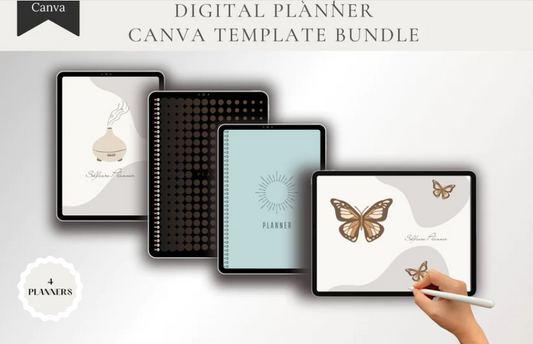
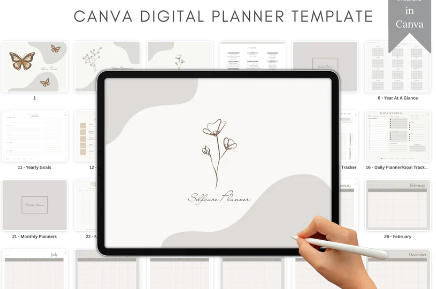
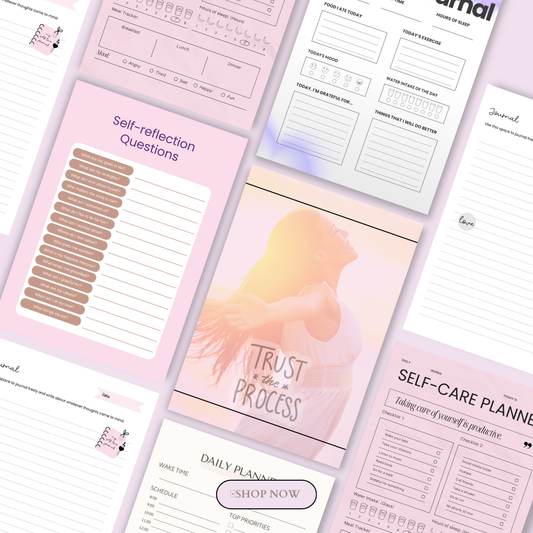
Check out some ready-to-sell planner examples and inspiration:
1. What Are Digital Planners and Why They Sell
Digital vs Printable Planners
When it comes to selling planners online, you can choose between digital planners and printable planners.
-
Digital planners are PDFs or apps-friendly templates that customers use on tablets or phones, often in apps like GoodNotes. They are highly interactive, with hyperlinks, checkboxes, and customizable sections.
-
Printable planners are designed for customers to print at home or at a print shop, which works well for traditional users who prefer physical copies.
Both types can generate passive income, but digital planners are often easier to sell globally since there’s no shipping involved.
Why Planners Work Well as Passive Income Products
Planners cater to people’s desire for organization, productivity, and personal growth. They’re considered evergreen products, meaning there’s consistent demand year-round. Whether it’s a productivity planner, self-love journal, or manifestation planner, these digital products solve real problems, which makes them easy to market.
Here are a few examples of high-demand planner types you can create and sell online:
-
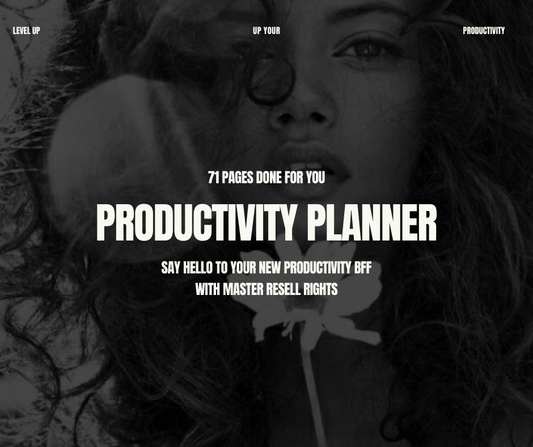
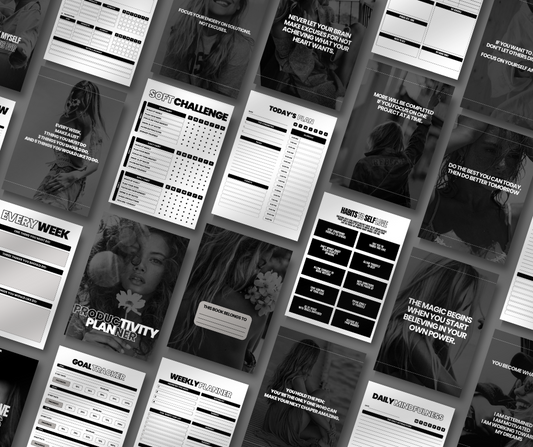
Productivity Planner – Perfect for boosting focus and efficiency.
-
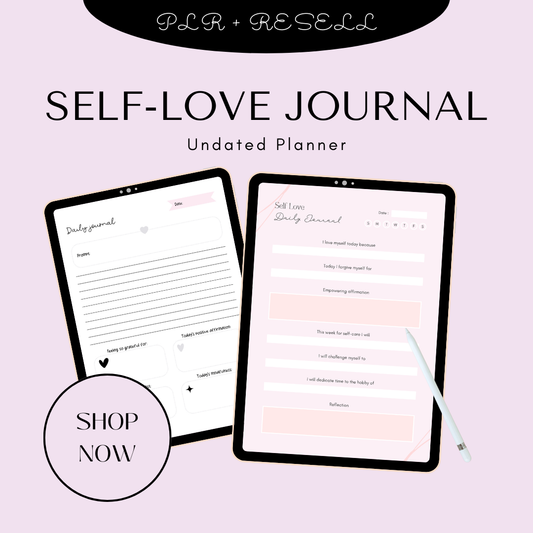
Self-Love Journal – Helps track personal growth and daily affirmations.
-
Manifestation Planners – For visualization, goal-setting, and tracking dreams.
-
Step-by-Step Guide to Create and Sell Digital Planners – Full tutorial for beginners.
Evergreen Demand in 2026
Digital planners are not just a passing trend—they’re projected to continue growing in 2026 as more people embrace digital planning, productivity tools, and self-improvement products. Whether your audience is students, professionals, or creative entrepreneurs, digital planners offer a low-barrier, high-demand opportunity.
For pre-made resources you can start selling immediately, explore:
2. Choose Your Planner Type (Most Important Step)
Choosing the right planner type is crucial to stand out in a competitive market. Understanding what your audience wants will make your digital or printable planners easier to sell and more profitable.
2.1 High-Demand Planner Niches
To start, focus on high-demand planner niches that cater to specific needs:
-
Daily & weekly productivity planners – Perfect for busy professionals and students who need structure. Explore examples like The Ultimate Guide to Productivity Planners for Beginners and Best Daily Planners for Busy Women in 2026.
-
Goal-setting and habit trackers – Help your audience achieve milestones and build new habits. See ready-to-use resources like Quantum Manifestation Planner.
-
Fitness & wellness planners – Track workouts, meals, and self-care routines. Examples include the Meal Planner or Self-Care SOS Kit.
-
Finance & small business planners – Track budgets, expenses, or small business finances. Consider collections like Money Mindset Collection or The Wealth Mindset Journal.
-
Niche planners – Cater to specific audiences like ADHD-friendly planners, entrepreneurs, students, or moms. Popular bundles include The Planner Collection, New Year New Me Collection, and Plan & Prosper Collection.
For inspiration, check out 10 Best Planners to Organize Your Life in 2025 and Top 10 Printable Planners You Can Download Today.
2.2 Why Undated Digital Planners Work Best
Undated digital planners are perfect for beginners because:
-
Evergreen selling advantage – Customers can start using them anytime without worrying about calendar dates.
-
Compatibility with apps like GoodNotes – Works seamlessly for tablet users and digital note-takers.
-
Lower maintenance – You don’t need to update your planner each year; the same product can sell for multiple years.
By focusing on undated planners, you maximize passive income potential while minimizing your ongoing work.
2.3 How to Validate Planner Ideas
Before creating your planner, make sure there’s a demand for it. Validate your ideas by:
-
Checking Etsy search and trends – See what digital planners are trending in 2026 and identify gaps.
-
Using Pinterest keyword searches – Terms like “2026 planners” or “printable productivity planner” can reveal popular topics.
-
Spotting gaps in existing listings – Look for missing features or underrepresented niches that you can fill with your planner.
Proper validation ensures that your planner has an audience and increases the chances of fast sales.
3. Design Your Planner (Beginner to Advanced Options)
Once you’ve chosen your niche and validated your idea, it’s time to design your planner.
3.1 Tools to Create Digital Planners
Depending on your skill level, there are several tools to bring your planner to life:
-
Canva (free & paid) – Beginner-friendly with drag-and-drop templates, customizable stickers, and hyperlinks for digital navigation.
-
Adobe Illustrator – Best for advanced users who want full creative control and custom elements.
Many ready-made resources and inspiration templates are available for both beginners and advanced creators.
3.2 Planner Pages to Include
A high-value planner should include multiple sections to cover all user needs:
-
Covers and dividers
-
Monthly calendars
-
Weekly and daily layouts
-
Habit trackers and goal sheets
-
Notes, journal prompts, and extras
For examples of well-structured planners, see:
3.3 Speed Up Creation with PLR Planners
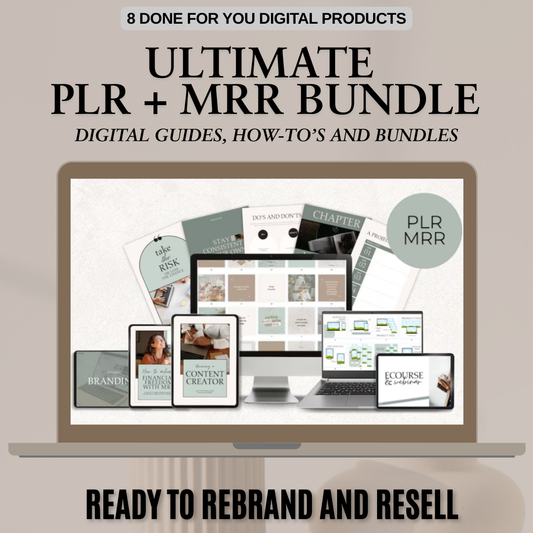
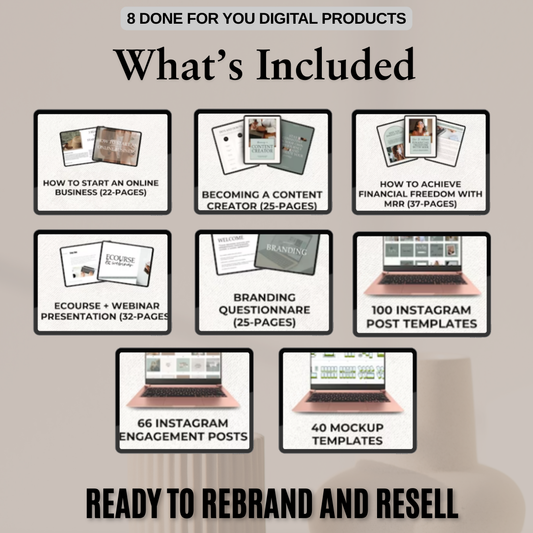
PLR (Private Label Rights) planners are pre-made planners you can purchase and resell as your own. They are perfect for beginners or for speeding up production.
Trusted sources include:
-
PLRPlanners.com
-
DigitalBizPLR
With PLR planners, you can edit in Canva, add custom branding, and ensure commercial use rights. Popular PLR bundles include:
3.4 Exporting and Final Setup
After designing your planner:
-
Export as PDF – The most universal format for digital and printable planners.
-
Add usage instructions – Include directions for apps like GoodNotes or printable instructions for physical users.
This ensures your customers can start using your planner immediately, increasing satisfaction and positive reviews.

4. Set Up Platforms to Sell Your Planners
After designing your planner, the next step is setting up platforms to sell it. Choosing the right platform depends on your experience, audience, and goals.
4.1 Selling on Etsy
Etsy is one of the most beginner-friendly platforms for digital planner sales.
-
Why Etsy is beginner-friendly – It provides built-in traffic, an established audience, and easy digital delivery options.
-
Digital delivery setup – Simply upload your PDF, enable digital download, and the file is automatically sent to buyers post-purchase.
-
Keyword optimization – Use titles and descriptions with relevant keywords like “digital planner 2026,” “printable planner,” or “self-care journal.”
-
Pricing basics – Start with entry-level pricing ($7–$20) for standard planners and consider premium bundles for $20+.
Some top-selling planner ideas on Etsy include:
For inspiration on what works, read:
4.2 Selling on Gumroad
Gumroad is ideal for creators who want a fast and simple setup:
-
Simple creator setup – Sign up, upload your digital planner, and set your price.
-
File uploads and pricing – Supports PDFs, hyperlinked planners, and bundles; pricing can range from $7 to $40 depending on features.
-
When Gumroad is better than Etsy – If you want to sell directly via social media, email, or your website without Etsy fees, Gumroad is perfect.
Learn why pre-made planners are profitable on Gumroad here: Why Done-for-You Planners Are a Smart Digital Product.
4.3 Selling on Shopify (Optional Upgrade)
Shopify is ideal for creators who want custom branding and long-term business growth:
-
When to use Shopify – If you plan to sell multiple digital products or build a branded shop.
-
Digital product apps – Integrate apps to handle downloads and subscriptions.
-
Branding advantages – Full control over store design, marketing, and customer experience.
Popular high-value digital bundles that work well for Shopify stores include:
4.4 Platform Comparison Table
|
Platform |
Best For |
Fees |
Setup Time |
Notes |
|
Etsy |
Beginners, built-in traffic |
6.5% + $0.20/listing |
1-2 hours |
Ideal for quick listings & organic search |
|
Gumroad |
Quick digital sales, social media |
10% |
30 mins |
Direct sales, low setup, good for email & social promotion |
|
Shopify |
Custom branding & scaling |
$29/mo + apps |
1 day |
Best for long-term branded store & premium bundles |
5. Pricing Your Digital Planners
Pricing is key to attracting buyers while maximizing revenue. Here’s a simple guide:
-
Entry-level pricing ($7–$20) – Ideal for single planners or basic templates. Examples: TikTok Planner, Self-Care Workbook.
-
Premium hyperlinked bundles ($20+) – Multi-page, interactive planners or themed collections like Plan & Prosper Collection or The Complete Self-Care Journal.
-
Value stacking with page count – Customers perceive more value in planners with 250+ pages, extra trackers, and bonus resources. Examples: Finance & Budget Planner, The Self-Care Journal.
For inspiration on trending planners and what sells well in 2026, check out:
6. Market and Sell Your Planners
Creating a beautiful digital planner is only half the battle. Marketing effectively ensures your planners reach the right audience and generate sales.
6.1 Optimize Your Listings
Optimized listings increase visibility and conversion rates. Focus on:
-
SEO titles and descriptions – Include keywords like “digital planner 2026,” “printable productivity planner,” or “self-love journal.” Examples: Productivity Planner and Self-Love Journal.
-
Mockups and visuals – High-quality images and mockups help buyers visualize your planner on tablets, phones, or printed pages. Consider using Canva templates for professional visuals: Canva Digital Products That Sell Like Crazy.
-
FAQs to reduce refunds – Clearly explain digital delivery, app compatibility (GoodNotes, iPad), and file instructions. Reference guides like Best Digital Planners for iPad and GoodNotes Users to reassure buyers.
6.2 Free Traffic Strategies
Boost your organic reach without spending a dime:
-
Pinterest marketing – Create keyword-rich pins and boards targeting planners, productivity, self-care, and manifestation niches. Pin consistently to drive traffic over time.
-
Organic social media – Promote your planners on Instagram, TikTok, and other platforms with demos, reels, or carousel posts showing the planner in action. Examples: Work-Life Balance eBook or Glow Up Guide.
6.3 Paid and Scalable Promotion
Once you have some organic traction, consider small paid campaigns to scale:
-
Etsy ads – Start with $5/day testing to see which planners convert best.
-
Bundles and upsells – Offer multi-planner packs or themed bundles like CEO Money Tracker or Prosperity Journal.
-
Email list promotion – Build an email list for your digital planner business and send regular updates, new releases, and exclusive discounts.
6.4 Scaling with Feedback
Leverage customer insights to improve and expand your product line:
-
Reviews and customer feedback – Monitor buyer reviews to identify what works and what can be improved.
-
Update and improve planners – Add new pages, trackers, or updated designs to keep products fresh and relevant.
-
Turn planners into a product line – Expand into related niches like self-care, manifestation, productivity, or financial planning. Examples: The Self-Love Workbook – 42 Page Guided Journal.
7. Legal, Licensing, and Profit Tips
Understanding the legal and profit side of digital planners is crucial for long-term success.
-
Commercial use rules for PLR planners – Always ensure you have the rights to sell PLR content legally. Learn more: PLR Digital Products.
-
Copyright basics for digital planners – Avoid using copyrighted images or templates unless you have permission.
-
No inventory or shipping advantages – Digital planners eliminate shipping costs, storage, and inventory hassles, making it easier for beginners to start.
-
High-margin potential (90%+) – Digital planners cost very little to produce, meaning most of your revenue is profit. Bundle products or create premium planners for maximum return. Examples:
By following proper licensing rules and leveraging high-quality products, selling planners can be a scalable and highly profitable online business.
8. Tools and Learning Resources
Creating, designing, and selling planners online is much easier when you use the right tools and learning platforms.
Canva (Free vs Paid)
Canva is a beginner-friendly design platform perfect for digital and printable planners. With drag-and-drop templates, stickers, and hyperlink capabilities, you can create professional planners quickly.
-
Free Canva – Offers templates, basic graphics, and exports for PDF planners.
-
Canva Pro – Unlocks premium templates, graphics, stock photos, and collaborative features. Explore planner templates here: Canva Planners and learn more about selling Canva products: Canva Digital Products That Sell Like Crazy.
Planner Apps (GoodNotes)
GoodNotes and other tablet planner apps allow customers to use your digital planners interactively. Ensure your planners are compatible with apps like GoodNotes to appeal to a growing audience of iPad and tablet users: Best Digital Planners for iPad and GoodNotes Users.
Tutorial Platforms
Learning from guides and tutorials can save you time and increase your sales success:
-
Sellfy and BloggingWizard – Full tutorials on selling digital products online.
-
Clementine Creative: Online Resources for Printable Planners – Step-by-step guides and inspiration.
-
PLR Planners – Ready-made planners you can customize and resell to save time.
Conclusion
Selling digital and printable planners online is a beginner-friendly and highly profitable way to generate passive income. By following this step-by-step guide:
-
Choose your planner type based on high-demand niches.
-
Design your planner using Canva, PLR resources, or custom templates.
-
Set up sales platforms like Etsy, Gumroad, or Shopify.
-
Price, market, and optimize your listings with SEO, mockups, and social promotion.
-
Scale your business using feedback, bundles, and email marketing.
Why now is the best time to start: The demand for digital planners is growing in 2026, with more people turning to digital productivity tools, self-care journals, and goal-tracking templates. The barrier to entry is low, and the potential for high margins (90%+) makes it ideal for beginners.
Encouragement for beginners: Even if you’re new to design or selling online, PLR planners, templates, and beginner-friendly tools like Canva make it easy to start. With persistence, testing, and creativity, your planner business can scale into a sustainable income source.
Related Guides
Expand your knowledge and improve your planner business with these additional resources:
-
Planners – ResellReady Blog – Inspiration and ideas for planner niches.
-
Self-Love Journal – Example of a high-demand self-care planner.
-
Productivity Planner – Boost organization and focus.
-
Glow-Up Tracker Planner – Self-Care, Confidence & Personal Growth Journal
-
7 Online Resources That Will Help You Create Your Perfect Printable Planner
-
PLR Planners – Ready-to-resell planner templates for faster production.
-
Pinterest SEO Tips – Drive Traffic in 2025 – Free traffic strategy for digital products.
-
Best Digital Products to Sell on Etsy, Gumroad & Shopify – Expand your digital product line.
FAQ: Selling Digital and Printable Planners Online
1. What is the easiest way to start selling planners online for beginners?
The easiest way is to start with undated digital planners using beginner-friendly tools like Canva. You can sell them on platforms like Etsy or Gumroad, which handle payments and digital delivery automatically. Using PLR planners from sources like ResellReady or PLRPlanners.com can speed up creation.
2. Should I sell digital planners, printable planners, or both?
Digital planners are ideal for passive income because they don’t require printing or shipping and are compatible with apps like GoodNotes. Printable planners appeal to traditional buyers who want physical copies. Offering both can expand your audience and maximize sales. Check out Best Digital Planners for iPad and GoodNotes Users for inspiration.
3. How do I price my digital planners for maximum sales?
Entry-level planners usually sell for $7–$20, while premium hyperlinked bundles or large multi-page planners can be priced $20+. Value stacking with additional pages, trackers, and interactive features increases perceived value. Popular examples include Self-Love Journal and Productivity Planner.
4. Which platform is best to sell digital planners: Etsy, Gumroad, or Shopify?
-
Etsy: Best for beginners with built-in traffic and easy setup.
-
Gumroad: Ideal for quick sales and social media promotion.
-
Shopify: Best for custom branding and building a long-term digital product store.
See a detailed guide on choosing platforms here: Best Digital Products to Sell on Etsy, Gumroad & Shopify.
5. Are there legal considerations when selling digital or PLR planners?
Yes. Always check the commercial use license for PLR planners and ensure any images, templates, or fonts are allowed for resale. Avoid copyrighted content without permission. Selling digital planners has high-profit potential (90%+ margins) since no inventory or shipping is required. Learn more about PLR products here: PLR Digital Products.
6. What are the best niches for digital planners in 2026?
High-demand niches include productivity planners, self-care journals, goal-setting and manifestation planners, fitness and wellness trackers, and finance or small business planners. You can explore top-selling examples like Glow-Up Tracker Planner or Ageless Beauty Printable Glow Ritual Tracker. Targeting specific niches helps your planner stand out and attracts motivated buyers.
7. How can I market my planners for free on Pinterest and social media?
Create keyword-rich pins and boards for Pinterest to drive traffic organically. Include your planner visuals, mockups, and lifestyle images. Share short clips, reels, or posts on Instagram and TikTok showing your planners in action. Learn Pinterest SEO tips here: Pinterest SEO Tips – Drive Traffic 2025.
8. Can PLR planners be customized and sold as my own product?
Yes! PLR (Private Label Rights) planners can be edited, branded, and sold as your own. Use Canva or Adobe Illustrator to customize pages, add covers, hyperlinks, or stickers. Popular PLR sources include ResellReady PLR Planners and PLRPlanners.com. Always ensure you respect commercial use licenses.
9. How many pages should a digital planner have to maximize value?
Digital planners with 250+ pages offer the most perceived value, especially when they include trackers, habit sheets, goal planners, and extras like journal prompts. Bundles and interactive planners like The Hydration Handbook or The Self-Love Workbook increase buyer satisfaction and justify higher pricing.
10. Should I create planners for digital apps only or include printable versions too?
Offering both formats widens your audience. Digital planners cater to iPad, tablet, and GoodNotes users, while printable planners appeal to buyers who prefer paper. Examples of versatile planners include Best Digital Planners for iPad and GoodNotes Users and Glow-Up Tracker Planner.
🎬 Want a visual walkthrough?
If you’d rather watch than read, here’s the full explainer video covering everything in this guide: