


1. Introduction
The digital economy is exploding—and one of the fastest-growing ways to earn online right now is through digital products. From planners to social media kits, creators are building real passive income streams without inventory, shipping, or overhead. If you’ve been searching for a simple, scalable side hustle, Canva templates are leading the charge.
🎥 Prefer watching instead of reading?
Watch the full step-by-step explainer video below.
So, do Canva templates sell fast?
Yes—especially on platforms like Etsy, where digital downloads are in constant demand and buyers are actively searching for ready-to-use designs.
In fact, many beginners are already tapping into this opportunity by combining design tools like Canva with proven strategies from guides like financial freedom through side hustles and digital downloads to build consistent income streams.
In this blog, you’ll learn:
-
What Canva templates sell the fastest
-
Why certain templates outperform others
-
How to create, price, and profit from your own designs
If you’re serious about building an online income in 2026, this is one of the easiest entry points—with low risk and high upside.
2. What Are Canva Templates & Why They Sell So Fast
What Are Canva Templates?
Canva templates are pre-designed, fully customizable digital files created using Canva. Buyers can instantly edit them—changing text, colors, images, and branding—without needing any design experience.
These templates can include:
-
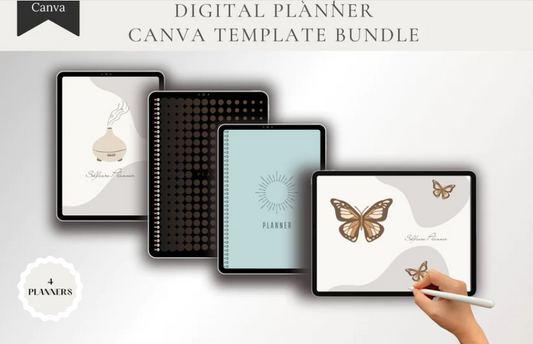
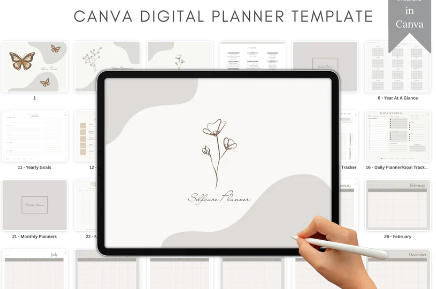
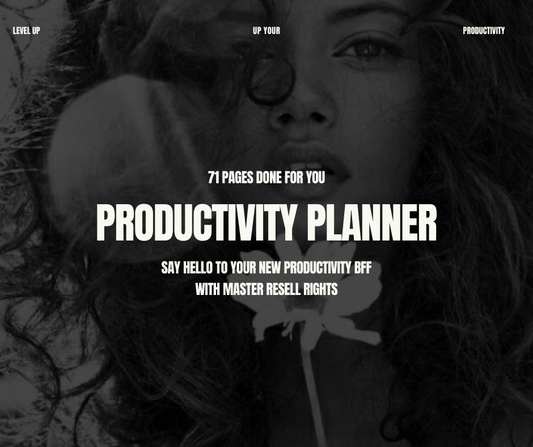
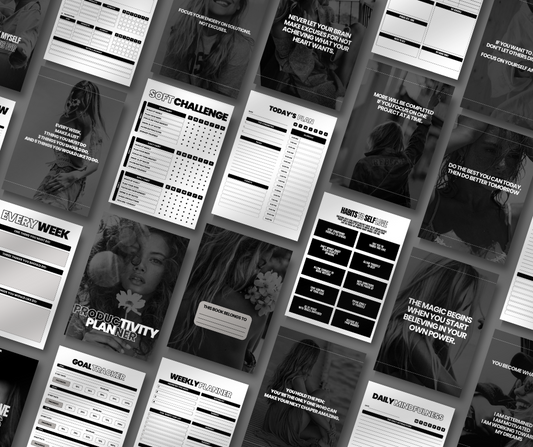
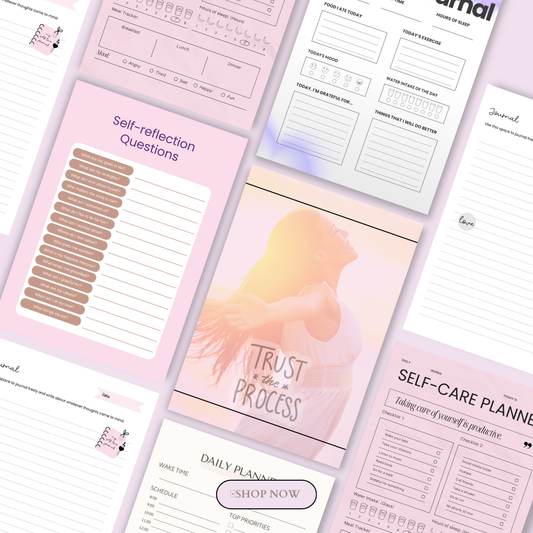
Planners and trackers
-
Social media content
-
Resumes and business documents
-
Branding kits and marketing assets
If you want a deeper breakdown of profitable ideas, check out Canva digital products that sell like crazy (templates, planners & more).
Why Canva Templates Sell So Fast
The reason Canva templates move quickly comes down to a powerful combination: high demand + instant delivery + real problem-solving.
1. Low-Cost, High-Margin Business Model
Unlike physical products, Canva templates are part of the digital download economy. There’s no inventory, no shipping, and no ongoing production cost. You create once—and sell unlimited times.
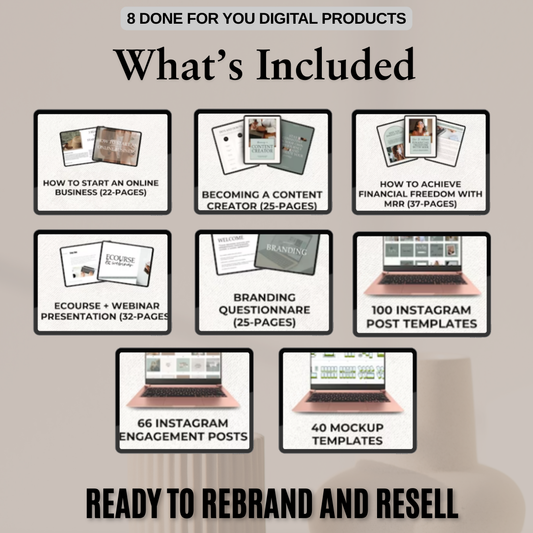
Many creators even accelerate this process by starting with ready-made assets like those found in MRR digital product collections, which allow you to rebrand and resell.
2. Passive Income Potential
Once your templates are listed on marketplaces, they can generate income 24/7. This is why digital products are often considered one of the most beginner-friendly passive income models.
Some sellers scale even faster by combining templates with premium resources like the Naomi Bundle or learning advanced strategies from programs such as The Ultimate Branding Course with Master Resell Rights.
3. Instant Gratification for Buyers
Customers don’t want to wait—they want solutions now.
-
A job seeker needs a resume → downloads instantly
-
A business owner needs branding → edits immediately
-
A content creator needs posts → publishes same day
This “instant access” factor is what drives fast sales velocity.
4. Huge Demand Across Multiple Platforms
While Etsy dominates for fast-moving Canva templates, other platforms also play a major role:
-
Etsy → High search traffic for digital downloads
-
Gumroad → Simple, creator-friendly selling
-
Shopify → Scalable brand building
Many sellers also use funnel-based systems with done-for-you assets like the Rosie 1-page homepage template to convert traffic into buyers.
5. Creator Economy Growth
With more creators, coaches, and small businesses entering the market, the demand for ready-made design solutions keeps growing.
Instead of relying on social platforms alone, smart sellers are building independent brands using strategies like those shared in the anti-algorithm growth guide—which further increases the need for templates.
Why This Matters in 2026
For both US and Australian markets, the trend is clear:
-
More people want flexible online income
-
More businesses need fast, affordable design solutions
-
More creators prefer done-for-you templates over DIY from scratch
That’s exactly why Canva templates don’t just sell—they sell fast.
If you’re ready, the next step is understanding which specific templates are dominating sales right now—because not all templates perform equally.
3. Top-Selling Canva Template Categories (2026)
If you want fast sales, you need to focus on categories that already have proven demand. Based on current trends, Etsy data, and creator demand, these are the best-selling Canva template niches in 2026.
For a broader breakdown of winning ideas, explore this guide on Canva digital products that sell like crazy and digital products to sell.
3.1 Planners & Trackers (High Volume, Evergreen Sales)
Examples:
-
Daily and weekly planners
-
Budget and finance trackers
-
Fitness planners and habit trackers
Planners are consistently among the top-selling Canva templates on Etsy US and Australia because they align with global trends like productivity, organization, and self-improvement.
Whether it’s a student in the US or a remote worker in Australia, the need to stay organized never goes out of style.
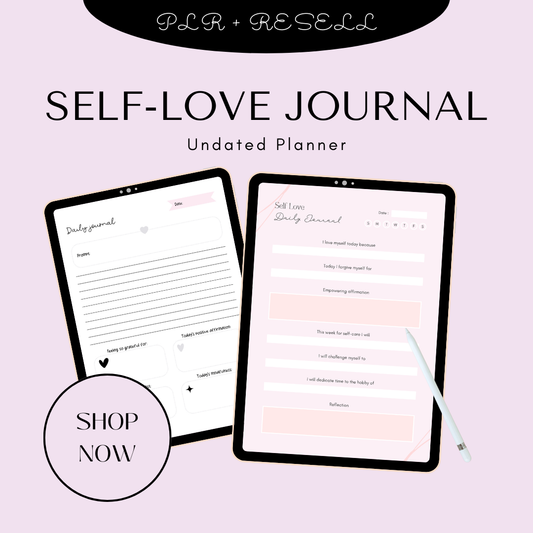
You can dive deeper into this niche with planner-focused digital products and even niche down further using insights from best digital planners for iPad and GoodNotes users.
To accelerate your launch, ready-made resources like Plan & Prosper collections can help you bundle and scale faster.
Why they sell fast:
-
Evergreen demand year-round
-
Strong repeat buyer potential
-
Easy to bundle for higher pricing
3.2 Social Media Templates (Fastest-Moving Category)
Examples:
-
Instagram posts and story templates
-
Pinterest pin designs
-
Reel and TikTok cover templates
With millions of creators and businesses publishing content daily, social media templates are one of the fastest-selling digital products globally.
Instead of designing from scratch, users want plug-and-play content—especially in competitive markets like the US and Australia.
You can explore high-performing content packs like Reel Power Packs, Post Perfection templates, and marketing templates (plug & play content).
Pair these with persuasive messaging frameworks from Words That Sell to increase conversions.
Why they sell fast:
-
Daily content demand from creators
-
Saves time and effort
-
High perceived value in bundles
3.3 Resume & Cover Letter Templates (High-Intent Buyers)
Examples:
-
ATS-friendly resume templates
-
Matching cover letter sets
-
Job application bundles
Job seekers are actively searching for tools that help them stand out. This makes resume templates one of the highest-converting Canva template categories.
In competitive job markets like the US and Australia, having a polished, professional resume is essential.
You can also expand into this niche using editable assets or even PLR digital products to speed up production.
Why they sell fast:
-
Urgent buyer intent (people need jobs now)
-
High perceived value
-
Easy to upsell bundles
3.4 Branding Kits (High-Ticket Digital Products)
Examples:
-
Business cards
-
Media kits
-
Logo templates and brand boards
With the rise of startups, freelancers, and online businesses, branding kits are in huge demand. These templates help businesses look professional without hiring a designer.
Many sellers scale this niche by combining templates with advanced strategies from resources like the anti-algorithm growth guide and building full ecosystems using Build Your Digital Empire collections.
You can also enhance visual quality using assets like AI image collections or Lightroom preset collections.
Why they sell fast:
-
High demand from new businesses
-
Premium pricing potential
-
Strong bundle opportunities
3.5 Event Templates (Seasonal but High Volume)
Examples:
-
Wedding invitations
-
Birthday and party flyers
-
Event programs
Event templates are highly customizable and often purchased in bulk for specific occasions. While demand can be seasonal, it spikes significantly during peak periods.
You can scale faster using done-for-you digital products that actually sell or expand your skillset through digital product masterclasses.
Why they sell fast:
-
High personalization demand
-
Bulk purchases
-
Strong seasonal spikes
4. Why These Canva Templates Sell Fast
Understanding why these templates perform well is the key to replicating success.
For a deeper overview of this model, explore digital products and this comprehensive guide on 100 digital products you can sell online in 2026.
They Solve Immediate Pain Points
The fastest-selling Canva templates directly address urgent needs:
-
Job seekers → need professional resumes
-
Businesses → need branding and marketing assets
-
Content creators → need ready-made social media content
When your product solves a problem instantly, buyers don’t hesitate—they purchase.
Bundle Strategy = Higher Value & Faster Sales
Instead of selling one template, top sellers bundle multiple designs together.
For example:
-
50 Instagram templates instead of 1
-
Full planner kits instead of single pages
-
Complete branding packages instead of logos only
This increases perceived value and boosts conversion rates significantly.
You can fast-track this strategy using resources like AI prompt packs or scalable systems inside Build Your Digital Empire.
Seasonal Demand Spikes
Certain templates sell faster during specific times:
-
Planners → New Year (US & Australia)
-
Content calendars → Q4 & holiday seasons
-
Event templates → Wedding and holiday seasons
Smart sellers refresh listings based on these trends.
Low Competition in Sub-Niches
While general niches are competitive, sub-niches are where fast sales happen.
Examples:
-
Real estate social media templates
-
Client onboarding kits
-
Fitness coach planners
-
Niche business branding kits
By targeting specific audiences, you reduce competition and increase visibility.
The Bottom Line
Canva templates sell fast because they combine:
-
Instant solutions
-
High demand
-
Low production cost
-
Scalable income potential
If you focus on the right categories and apply these strategies, you’re not just creating templates—you’re building a high-converting digital product business.

5. Pricing Strategy for Fast Sales
Pricing your Canva templates correctly is the difference between slow listings and fast daily sales. The goal isn’t just to price high—it’s to price smart for volume and conversions.
Typical Price Ranges (2026 Market Benchmarks)
Here’s what’s currently working across Etsy US and Australia:
-
Planners: $10–$30
-
Social media templates: $15–$40
-
Resume templates: $12–$30
-
Branding kits: $25–$75
-
Event templates: $20–$60
These ranges reflect what buyers are already comfortable paying in competitive markets.
If you want to explore more pricing ideas and product types, check out this guide on digital products and the full breakdown of 100 digital products you can sell online in 2026.
Why Bundles Outperform Single Templates
Single templates can sell—but bundles are where real money is made.
For example:
-
1 Instagram post template → $5–$10
-
50 Instagram templates bundle → $25–$40
Buyers perceive bundles as high value, even if your production cost is the same.
You can see this strategy in action with premium packs like the Content Girl Collection (complete reels + image bundle) or niche-focused bundles like the Glow Lab Co Skincare Template Collection.
Balancing Price vs Volume
Here’s where most beginners get it wrong:
They either price too high (no sales) or too low (no profit).
The winning strategy:
-
Start mid-range pricing
-
Focus on volume + visibility
-
Increase price once reviews and sales build up
If your goal is long-term growth, combine pricing strategy with audience-building systems like the Organic Growth Marketing Bundle or skill development from the Instagram Growth Masterclass.
6. How to Create Canva Templates That Actually Sell
Creating Canva templates that sell fast isn’t about being a designer—it’s about solving problems simply and effectively.
Use Canva Free + Pro Features
You don’t need expensive tools. Canva itself is enough.
Key features to use:
-
Drag-and-drop editor
-
Pre-built layouts
-
Magic Resize (great for bundles)
You can even speed up your workflow using AI-powered ideas from 40 digital products you can create using ChatGPT or AI tools.
Keep Designs Editable & Beginner-Friendly
Your buyer is not a designer.
That means:
-
Use easy-to-edit fonts
-
Avoid overly complex layouts
-
Include clear placeholders
The easier it is to customize, the more likely it is to sell.
Deliver via PDF with Access Links
This is standard practice for Etsy and global marketplaces:
-
Create a PDF file
-
Add your Canva template link
-
Include simple instructions
This ensures instant delivery and a smooth user experience.
Focus on Usability, Not Just Aesthetics
A beautiful design that’s hard to use won’t sell.
Instead, focus on:
-
Functionality
-
Clarity
-
Real-world use cases
If you want faster results, you can also start with ready-made concepts from 15 digital products you can sell on Etsy without designing and refine them.
7. How to Find Winning Template Ideas
The secret to fast sales isn’t guessing—it’s researching what’s already working.
Etsy Search Strategy (Proven Method)
Go to Etsy and search:
-
“Best selling Canva templates”
-
“Editable planner Canva”
-
“Instagram templates bundle”
Look for:
-
Listings with high reviews
-
Consistent sales
-
Repeated design styles
This gives you real-time market validation.
Use Trend Validation Tools
Tools like Everbee (popular in US & Australia markets) help you:
-
Estimate sales volume
-
Analyze competition
-
Identify profitable keywords
This removes guesswork and helps you focus on high-demand niches.
Identify Low-Competition Sub-Niches
Instead of targeting broad markets, go specific:
-
Instead of “planner” → “ADHD daily planner”
-
Instead of “Instagram templates” → “real estate Instagram templates”
-
Instead of “branding kit” → “coach branding kit”
You can also explore ideas from PLR-style and ready-made digital products to speed up niche validation.
Spot Seasonal Trends Early
Timing matters—especially in fast-moving markets.
Examples:
-
New Year → planners & goal trackers
-
Q4 → content calendars & marketing kits
-
Wedding season → invitation templates
To stay ahead, regularly review trend-based guides like 100 digital products you can sell online in 2026.
Final Insight
Winning in Canva templates isn’t about creativity alone—it’s about:
-
Smart pricing
-
Simple, usable designs
-
Data-backed ideas
When you combine all three, you position yourself to sell faster, scale quicker, and build a sustainable digital product business in both the US and Australian markets.
8. Where to Sell Canva Templates
Choosing the right platform can dramatically impact how fast your Canva templates sell. While multiple marketplaces exist, a few stand out for speed, simplicity, and scalability.
Etsy (Best for Fast Sales)
Etsy remains the #1 platform for selling Canva templates quickly. It already has built-in traffic, meaning buyers are actively searching for products like:
-
“Canva planner template”
-
“Instagram templates bundle”
-
“Editable resume Canva”
If you’re just starting, Etsy is the fastest way to validate your ideas. You can also explore beginner-friendly strategies from 15 digital products you can sell on Etsy without designing.
For additional insights, resources like Canva templates to sell and easy Canva templates to make and sell highlight trending niches and proven strategies.
Gumroad (Simple & Beginner-Friendly)
Gumroad is ideal if you want a simple storefront without complexity. It allows you to:
-
Sell directly to your audience
-
Deliver files instantly
-
Build an email list
This works especially well if you’re driving traffic from social platforms.
Shopify (Scalable Brand Building)
Shopify is perfect for long-term growth. Instead of relying on marketplaces, you:
-
Build your own brand
-
Control pricing and customer experience
-
Scale with paid ads and funnels
To enhance your storefront visuals and conversions, many creators use advanced resources like the MidJourney Mastery Guide Collection for high-quality creative assets.
9. How to Get Your First Sales Fast
Getting your first few sales is the hardest part—but once momentum starts, it compounds quickly.
Start with 20–30 Listings
More listings = more chances to be discovered.
Instead of uploading one product, aim for:
-
Multiple variations
-
Different niches
-
Bundled offers
You can speed this up using ready-made packs like the Planner Collection or niche bundles like the New Year New Me Collection.
Optimize Keywords for Search (SEO)
Use keywords buyers are already searching:
-
“Canva planner template”
-
“Editable Instagram templates”
-
“Resume template Canva ATS”
Your title, description, and tags should all align with these terms.
For deeper strategy, tools and guides like Jotform’s Canva selling guide and insights from Accio’s Etsy niche research can help refine your listings.
Use Pinterest + Instagram Reels for Traffic
Organic traffic is key—especially in the US and Australian markets.
Focus on:
-
Pinterest pins (great for long-term traffic)
-
Instagram Reels (fast viral reach)
You can accelerate growth using content packs like the Glossed in Power Viral Content Pack or aesthetic bundles like the Positivity Pop Collection.
For tutorials and inspiration, channels like Brand And Build Digital are also valuable.
Refresh Designs Seasonally
Templates that match current trends sell faster.
Examples:
-
January → planners, goal trackers
-
Q4 → marketing templates, content calendars
-
Year-round → social media kits
Staying updated keeps your store relevant and competitive.
10. Real Income Potential
One of the biggest reasons Canva templates are so popular is their scalable income potential.
Typical Earnings
-
Beginners: $100–$1,000/month
-
Intermediate sellers: $1,000–$5,000/month
-
Advanced sellers: $5,000+/month
These numbers are achievable in both the US and Australian markets with the right strategy.
What Determines Your Income
-
Niche selection → High demand = faster sales
-
Consistency → More listings = more exposure
-
Marketing → Traffic drives revenue
You can also expand your income streams by exploring best PLR products to resell in 2026 or combining templates with niche collections like the Money Mindset Collection.
For additional monetization ideas, review broader insights from digital products.
11. Key Tips to Scale Faster
Once you start making sales, scaling becomes the next goal.
Create Bundles (Not Single Products)
Bundles increase:
-
Perceived value
-
Average order value
-
Conversion rates
Target Specific Niches
Avoid generic designs. Instead:
-
Focus on audiences (coaches, realtors, creators)
-
Solve specific problems
Improve Listings Over Time
Top sellers don’t create once—they optimize:
-
Titles
-
Descriptions
-
Thumbnails
Use data to refine what’s already working.
Focus on Solving Problems
The best-selling templates are not just “pretty”—they are useful.
Ask:
-
What problem does this solve?
-
Who needs this urgently?
Answering these questions will guide your entire strategy.
12. Conclusion
Canva templates that sell fast are not a myth—they are a proven digital product business model.
With:
-
Low startup cost
-
High demand
-
Global audience (especially in the US & Australia)
…the opportunity in 2026 is bigger than ever.
Your Next Steps:
-
Start creating your first templates
-
Research winning niches and trends
-
Launch your first 20–30 listings
The sooner you start, the faster you learn—and the faster you earn.
13. Resources & References
To go deeper and stay ahead of trends, explore:
-
Etsy search insights (real-time demand data)
-
Everbee (for 2026 trend validation)
These resources will help you stay updated, validate ideas, and scale your Canva template business faster.
Frequently Asked Questions (FAQs)
1. Do Canva templates really sell fast on Etsy?
Yes, Canva templates can sell very fast—especially on Etsy—because buyers are actively searching for ready-to-use digital products. Categories like planners, social media templates, and resumes tend to perform consistently well due to high demand and instant download convenience.
2. How much can beginners realistically earn selling Canva templates?
Beginners can earn anywhere from $100 to $1,000 per month starting out. With consistent listings, proper SEO, and strong niche selection, many sellers scale to $1,000–$5,000+ per month over time.
3. Do I need Canva Pro to create and sell templates?
No, you can start with Canva’s free version. However, Canva Pro can help you create higher-quality designs faster with features like Magic Resize, premium elements, and brand kits—giving you a competitive edge.
4. What types of Canva templates sell the most?
The best-selling Canva templates include:
-
Planners and trackers
-
Social media content bundles
-
Resume and cover letter templates
-
Branding kits
-
Event templates (like wedding invitations)
These categories sell well because they solve real, immediate problems.
5. How do I get my first sale quickly?
To get your first sale faster:
-
Upload at least 20–30 listings
-
Use SEO-friendly keywords (like “Canva planner template”)
-
Promote your products on Pinterest and Instagram
-
Focus on bundles instead of single templates
Consistency and optimization are key—most sellers see results after testing and refining their listings.
🎬 Want a visual walkthrough?
If you’d rather watch than read, here’s the full explainer video covering everything in this guide: