


1. Introduction
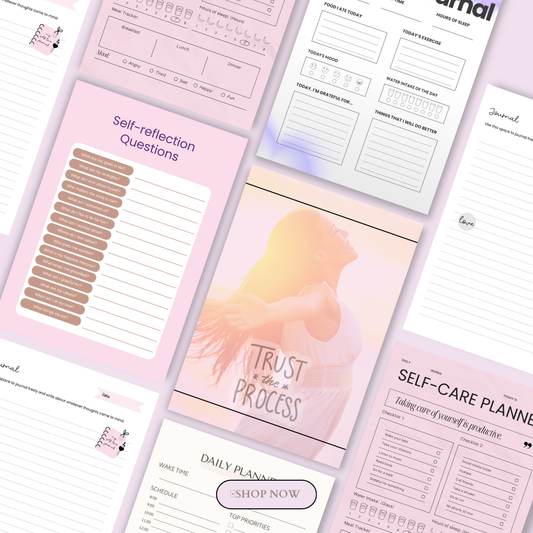
Digital planners are revolutionizing productivity in 2026, quickly replacing traditional paper planners. With the rise of iPads, tablets, and stylus-enabled devices, planning your schedule, tracking goals, and organizing projects has never been easier—or more visually appealing.
🎥 Prefer watching instead of reading?
Watch the full step-by-step explainer video below.
Whether you’re a beginner exploring your first digital planner or a power user managing multiple projects, the right digital planner can streamline your workflow and enhance productivity. Popular apps like GoodNotes, Notability, and PlanWiz offer seamless integration with hyperlinked PDF planners, note-taking tools, and calendar syncing features for a truly connected experience.
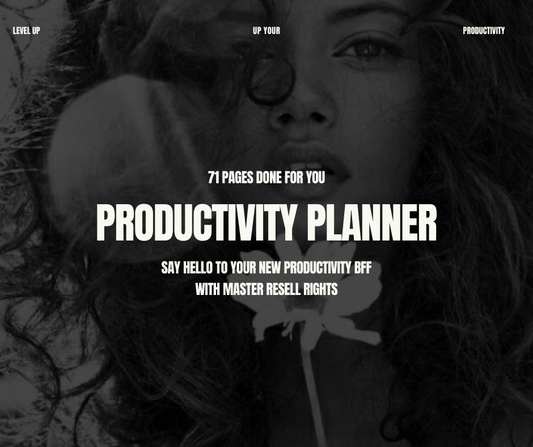
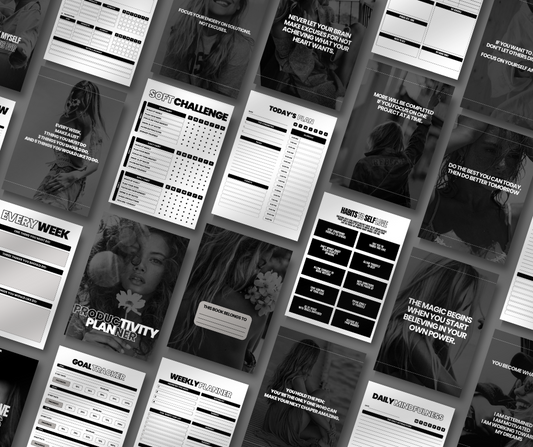
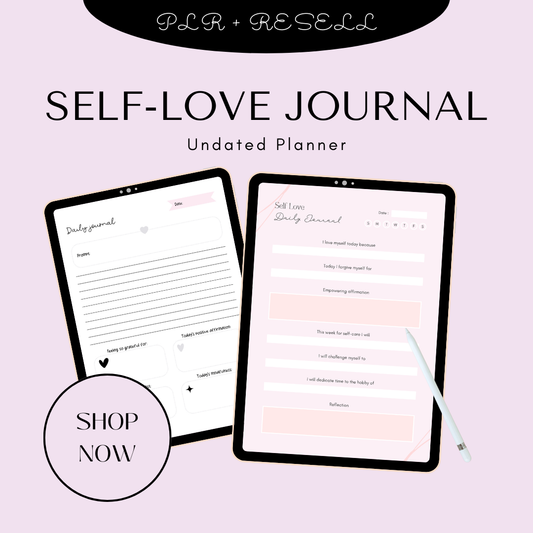
In this guide, we’ll walk you through the best digital planners for iPad and tablets in 2026, showing which options are ideal for goal tracking, content planning, habit monitoring, and even creating passive income through resellable templates like The Productivity Planner and The Self Love Journal. By the end, you’ll know which planner suits your workflow and device best.
Explore more resources on digital planners here:
2. Why Choose a Digital Planner in 2026
Digital planners in 2026 are more than just an alternative to paper—they’re powerful tools for productivity, organization, and even entrepreneurship. Here’s why you should consider switching:
1. Hyperlinked PDF Templates
Modern digital planners feature clickable links for quick navigation between yearly, monthly, weekly, and daily pages. This makes it easy to jump between goals, project trackers, and habit logs without flipping through hundreds of pages manually.
2. Handwriting & Apple Pencil Support
With iPad-compatible planners and apps like GoodNotes and Notability, you can write naturally with the Apple Pencil or other styluses. Handwriting recognition, customizable pen colors, and annotation tools allow you to combine the feel of analog planning with digital convenience.
3. Cross-Device Compatibility
Many digital planners sync seamlessly across iPad, iPhone, Mac, and even some Android devices. This ensures your notes, calendars, and project trackers are accessible wherever you go, providing a unified productivity system.
4. Passive Income Potential
Digital planners aren’t just for personal use—they’re also a great opportunity for creators. By customizing and reselling templates, like The Productivity Planner or The Self Love Journal, you can turn planning into a source of passive income. Platforms like Etsy or the GoodNotes Marketplace make it simple to monetize your creativity.
5. Trend Overview: Hybrid Apps + PDF Planners
2026’s top planners combine the best of both worlds: native apps with advanced features and hyperlinked PDF planners. This hybrid approach balances aesthetics, functionality, and flexibility, allowing users to stay organized while customizing layouts to fit personal or professional workflows.

3. Top Digital Planners for iPad & Tablets (2026 Recommendations)
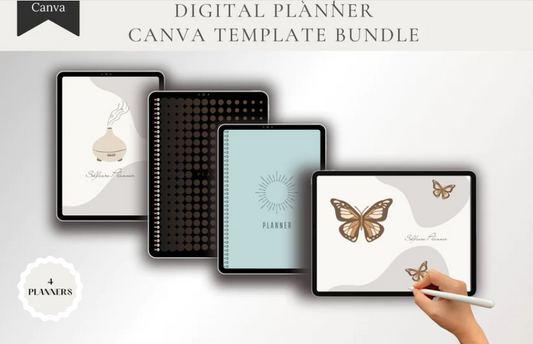
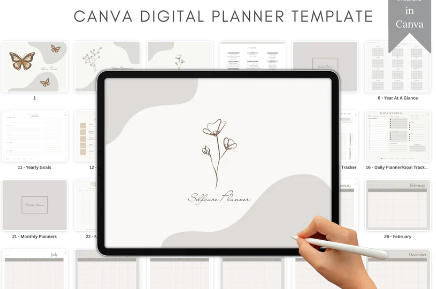
For 2026, Resell Ready offers some of the most effective digital planners for iPads and tablets. Whether you want to boost productivity, track goals, or even resell ready-made templates, Resell Ready’s curated collections have you covered. Explore collections like Plan & Prosper and the New Year New Me Collection for planners that suit every workflow.
3.1. Resell Ready Planner Collections (Bonus Picks)
Resell Ready provides curated planner collections designed for creators, beginners, and productivity enthusiasts:
-
Plan & Prosper Collection – A comprehensive set of planners ready for iPad use and digital product reselling
-
New Year New Me Collection – Perfect for goal tracking, habit building, and starting the year productively
Ideal for: Beginners, side hustlers, and digital product creators wanting a ready-to-go solution for planning or reselling.
3.2. GoodNotes + Resell Ready Templates
Features:
-
Superior handwriting recognition with Apple Pencil support
-
Searchable notes and PDF imports
-
Access to vast template libraries, including Resell Ready planners
Price: One-time purchase $7.99 for premium features
Best for: Notes + planning enthusiasts, digital product creators
Pros:
-
Intuitive interface for writing, note-taking, and planning
-
Fully compatible with Resell Ready templates like:
-
Excellent for creating or reselling digital planners
Cons: Limited native calendar sync
3.3. Artful Agenda
Features: Stylish planning layouts, Google/Apple calendar sync, habit trackers, meal planning
Price: Subscription-based
Best for: Lifestyle professionals blending work and personal planning
Pros: Elegant design, fully synced across devices
Cons: Requires subscription, slightly steeper learning curve
Check out inspiration from self-love journals and Plan & Prosper collection for ready-made templates.
3.4. Notability
Features: Audio notes, custom layouts, cloud sync, hybrid note-taking
Price: Free + IAP
Best for: Students or professionals needing audio + handwritten notes
Pros: Flexible formats, great for recording ideas while planning
Cons: Limited pre-built planner templates compared to GoodNotes
Combine Notability with done-for-you planners for time-saving setups.
3.5. PlanWiz
Features: Robust task management, beginner-friendly, iPad optimized
Price: Mostly free
Best for: Budget users or beginners testing digital workflows
Pros: Free, lightweight, easy to use
Cons: Limited advanced features and templates
Great starter planner for testing workflow ideas, or pairing with beginner productivity guides.
3.6. Key2Success Digital Planner (GoodNotes PDF)
Features: Hyperlinked yearly-to-daily views, project trackers, business tools, setup tutorials
Price: Paid PDF ~$20–30
Best for: Entrepreneurs, productivity-focused users
Pros: Professional-grade design, fully hyperlinked
Cons: Requires GoodNotes or compatible app
Pair with Resell Ready templates, like Canva digital products, for digital product creation.
3.7. The Dash Planner 2026
Features: Hyperlinked navigation, goal trackers, project management, health and habit tracking
Price: Paid PDF
Best for: Multi-purpose tablet users
Pros: Versatile, visually organized
Cons: Paid PDF, requires import into GoodNotes or Notability
Check out Resell Ready collections for similar pre-designed planners.
3.8. Structured Daily Planner
Features: Native app with routines, time-blocking, high usability ratings
Price: Free + Premium
Best for: iPad users seeking structured daily productivity
Pros: Excellent for daily routines, syncs across Apple devices
Cons: Limited template customization
Combine with digital planner bundles or New Year New Me Collection to explore different planning styles.
4. Key Features Comparison Table
Here’s a side-by-side comparison of the top digital planners for iPad and tablets in 2026, including Resell Ready collections, so you can quickly see which planner fits your needs:
|
Planner |
Handwriting Support |
Calendar Sync |
Price Model |
Best For |
Compatibility |
|
Resell Ready Collections (Plan & Prosper, New Year New Me, Planner Collection, Money Mindset, Pinterest Planner) |
Excellent (via PDF templates) |
Varies by template |
Paid Bundle |
Beginners, side hustlers, digital product creators |
iPad, iPhone, Tablets |
|
GoodNotes |
Excellent |
Limited |
Free + $7.99 IAP |
Notes + Planning |
iPad, macOS |
|
Artful Agenda |
Good |
Full (Google/Apple) |
Subscription |
Lifestyle Pros |
iPad, iPhone, Web |
|
Notability |
Excellent |
Cloud Sync |
Free + IAP |
Audio/Hybrid |
iPad, iPhone |
|
PlanWiz |
Good |
Basic |
Mostly Free |
Budget Users |
iPad |
|
Key2Success Digital Planner |
Via app |
Links |
Paid PDF $20–30 |
Entrepreneurs |
GoodNotes, Tablets |
|
Dash Planner |
Via app |
Links |
Paid PDF |
Custom Trackers |
GoodNotes/Notability |
|
Structured Daily Planner |
Native |
Built-in |
Free + Premium |
Daily Routines |
iPad, iPhone |
✅ Highlights:
-
Resell Ready collections take the top spot because they’re fully curated for beginners, side hustlers, and digital product creators. Popular options include The Planner Collection, Money Mindset Collection, and Pinterest Planner.
-
Provides an easy comparison of handwriting support, calendar sync, pricing, and device compatibility across all major planners.
-
Helps readers quickly decide which planner fits their personal workflow or digital product resell strategy.
5. How to Choose the Right Planner
Selecting the right digital planner depends on your workflow, device, and goals. Here’s a guide to help you make the best choice:
Apple Pencil vs. Finger vs. Stylus Compatibility
-
For natural handwriting and annotations, Apple Pencil works best on iPad.
-
Some planners support stylus use on Android or other tablets.
PDF vs. Native Apps
-
PDF planners (like Resell Ready collections) allow full customization, resale potential, and use across multiple apps such as GoodNotes or Notability.
-
Native apps (Structured, PlanWiz) offer built-in features like time-blocking and automatic syncing but are less flexible for resale.
Calendar Sync Importance
-
If you rely on Google or Apple calendars, choose apps with full sync (Artful Agenda, Notability; PlanWiz has basic options).
-
PDFs can link to calendar pages but often require manual updates.
Budget Considerations
-
Free or one-time purchase planners are ideal for beginners testing workflows (PlanWiz, GoodNotes).
-
Paid bundles or subscriptions (Resell Ready collections, Key2Success) are worth it if you want a ready-to-use, professional setup.
Customization & Resale Potential
-
PDFs like Resell Ready planners and The Productivity Planner are perfect for creators looking to resell digital planners or build a passive income stream.
-
Explore Manifestation Planners for goal-setting and visualization.
-
Check out curated lists like Top 10 Printable Planners You Can Download Today, Best Daily Planners for Busy Women in 2026, and Top Planners for 2025 – Stay Organized for inspiration.
Choosing the right planner ensures you maximize productivity, stay organized, and even unlock income opportunities through resale-ready templates.
6. Setup Guide for iPad Digital Planners
Getting started with a digital planner on your iPad is simple, and with the right setup, you can maximize productivity and organization in 2026.
Step 1: Install Your Planner
-
Purchase or download a PDF planner from sources like Resell Ready collections or Goal Getter Planner.
-
Open GoodNotes or Notability (both popular iPad apps for PDF planning). You can also explore guides on GoodNotes official blog or OnFocus’s 2026 GoodNotes Planner Guide.
-
Import the PDF planner into the app via “Import” or “Add Document.”
Step 2: Customize Your Planner
-
Link pages for easy navigation between monthly, weekly, and daily trackers.
-
Import extra templates for habit tracking, goal setting, or journaling using Resell Ready templates.
-
Add stickers, icons, or annotations to create a personalized workflow.
Step 3: Backup and Sync Across Devices
-
Enable iCloud or cloud sync in GoodNotes or Notability for access across iPad, iPhone, or Mac.
-
Regularly export backups to PDF to avoid losing your notes.
-
Hybrid users can combine PDF planners, audio notes, and native apps for a fully integrated digital planning system.
Tips for Beginners: Start with free versions like PlanWiz or sample Resell Ready templates, then upgrade to paid bundles like Planner Collection for advanced features.
7. Related Planners and Apps to Consider
While iPads dominate digital planning, there are alternatives for Android and hybrid users, as well as other apps for comparison:
Alternatives for Android Tablets
-
Noteshelf – A popular GoodNotes alternative for handwriting and PDFs.
-
Xodo – Great for annotating PDFs and planning on Android tablets.
Other Top Apps for Comparison
-
Things 3 – Excellent for task and project management.
-
Todoist – Popular for productivity tracking and task management.
-
Structured Daily Planner – A native iPad/iPhone app for routines and time-blocking (App Store link).
-
Artful Agenda – A premium, fully synced planner for lifestyle professionals (Artful Agenda 2026 guide).
Hybrid Planning Approach
-
Combine audio notes (Notability), hyperlinked PDFs (Resell Ready planners), and native apps (Structured, PlanWiz) for maximum productivity.
-
Use goal-focused planners like Goal Getter Planner or manifestation-focused planners from Resell Ready Manifestation Planners guide.
Extra Resources:
8. Conclusion
Digital planners in 2026 provide unmatched flexibility and productivity, whether you’re a beginner, lifestyle professional, entrepreneur, or power user.
Key Takeaways
-
Beginners: Start with free or easy-to-use planners like PlanWiz or sample Resell Ready templates.
-
Lifestyle Pros: Apps with full calendar sync, like Artful Agenda, enhance daily workflows.
-
Entrepreneurs & Side Hustlers: PDF planners from Resell Ready (Plan & Prosper, New Year New Me, Planner Collection) offer customization and resale potential.
-
Productivity Power Users: Combine GoodNotes, Notability, and hybrid planning for ultimate organization.
Start your 2026 productivity journey today with the right digital planner for your iPad or tablet. Explore curated collections like Resell Ready Planner Collection, Money Mindset Collection, and Pinterest Planner to organize your life, track goals, and even create resellable digital products.
Additional Resources for Inspiration and Setup:
With the right setup and tools, 2026 can be your most productive year yet!
FAQ: Best Digital Planners for iPad & Tablets (2026)
1. What is the best digital planner for iPad in 2026?
The best digital planner depends on your workflow:
-
GoodNotes is ideal for handwriting, note-taking, and using Resell Ready PDF templates.
-
Artful Agenda is perfect for lifestyle professionals who need full calendar sync.
-
Resell Ready collections like Plan & Prosper or New Year New Me are great for beginners and entrepreneurs who want ready-to-use planners.
2. Can I use digital planners on Android tablets?
Yes! While GoodNotes and Notability are iPad-exclusive, Android users can use alternatives like Noteshelf and Xodo for PDF planners. Many Resell Ready planners are PDF-based, so they can be imported into these apps.
3. Are digital planners from Resell Ready good for resale?
Absolutely. Resell Ready planners such as The Planner Collection or Goal Getter Planner are designed for customization and digital product resale. You can edit them in GoodNotes, Canva, or similar apps and sell them as ready-to-use planners.
4. How do I set up a PDF planner in GoodNotes or Notability?
-
Purchase or download a PDF planner from sources like Resell Ready.
-
Open GoodNotes or Notability and import the PDF.
-
Set up hyperlinks for pages, weekly/monthly trackers, and personal sections.
-
Backup to iCloud or another cloud service to sync across devices.
-
Full step-by-step guides can be found in GoodNotes Blog and OnFocus News 2026 Planner Guide.
5. Which planner is best for beginners versus power users?
-
Beginners: Start with free or entry-level options like PlanWiz or Resell Ready starter planners.
-
Lifestyle Professionals: Artful Agenda or Structured Daily Planner works best for full-featured daily management.
-
Entrepreneurs & Power Users: Hyperlinked PDF planners like Resell Ready Plan & Prosper Collection, Key2Success Digital Planner, or GoodNotes templates provide advanced functionality and resale opportunities.
🎬 Want a visual walkthrough?
If you’d rather watch than read, here’s the full explainer video covering everything in this guide: