

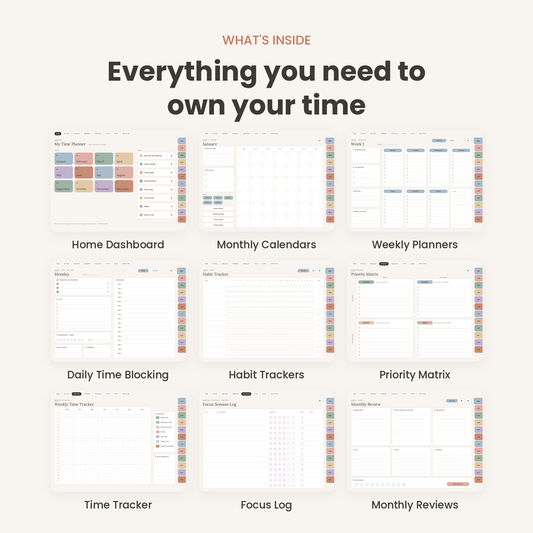


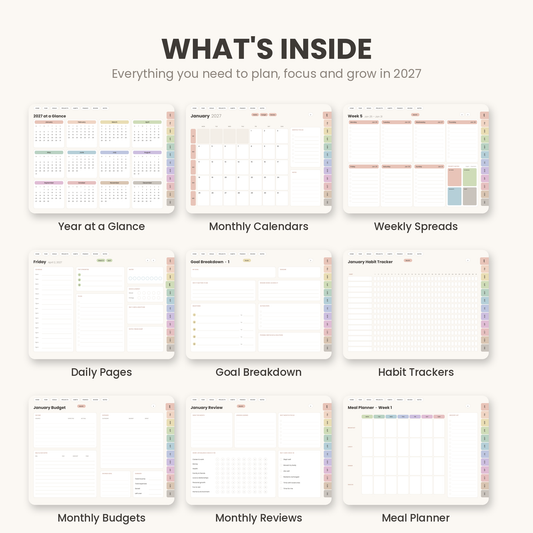

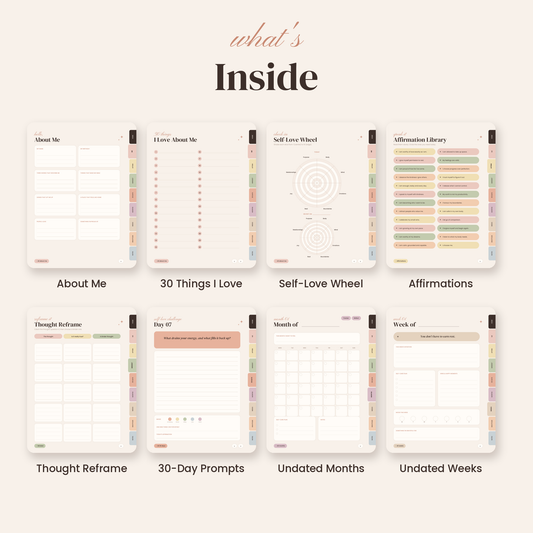

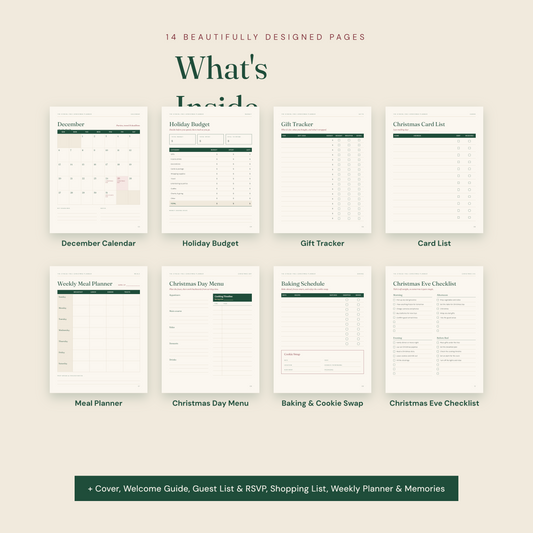

Most new template sellers don’t fail at selling. They fail before they get there. They open a blank Canva page, spend weeks designing ten Instagram posts, then stall before a single listing goes live.
🎥 Prefer watching instead of reading?
Watch the full step-by-step explainer video below.
Canva templates with resell rights can shorten that process. Instead of designing everything from scratch, you start with professionally made, editable designs, rebrand them, and put your energy into listings and marketing. The shortcut only works if you understand what “resell rights” actually covers, because Canva has its own rules on top of any license a seller gives you.
The short answer: the fastest legitimate way to launch a template shop is to start from original Canva editable templates, rebrand them for a specific niche, deliver them as Canva template links, and sell them under clear, written license terms.
In this guide, you’ll learn what resell rights really mean for design templates, what Canva allows and prohibits, and how to tell a legitimate resell rights bundle from a risky one. If you’re new to this business model, start with our overview of what digital products are and how they make money.
What Does “Resell Rights” Mean for Canva Templates?
“Resell rights” is a licensing term, not a Canva feature. It describes what a buyer is allowed to do with a digital product after purchase, and that depends on the license the seller provides.
|
License Type |
What the Buyer Can Usually Do |
What It Doesn’t Automatically Mean |
|
Personal use |
Edit and use the template for their own projects |
Resell, share, or claim the design as their own |
|
Commercial use |
Use the finished, customised design for their business or clients |
Resell the editable template itself |
|
Resell rights |
Sell the product to end customers, often after customising it |
Pass resell rights on to their own buyers |
|
Master resell rights (MRR) |
Sell the product and pass resell rights to buyers |
Make Canva’s stock assets legally resellable |
|
Private label rights (PLR) |
Rebrand, modify, and sell the product as their own |
Override the original creator’s or Canva’s license terms |
The most important point is this: a license can’t give buyers rights the seller doesn’t have. A seller can license their own design work, meaning the layouts, copy, structure and original graphics. They can’t license Canva’s photos, illustrations or fonts for resale, because those belong to Canva and its contributors.
That’s why MRR digital products work most cleanly when the creator owns everything inside them. For example, our 2027 Goal Setting & Productivity Planner is a hyperlinked PDF planner sold with master resell rights, so there are no Canva assets in the chain.
New to the template side of the business? Our Canva templates 101 guide to creating and selling them for profit covers the basics, from designing your first layout to pricing it.
Canva’s Rules for Selling Templates
Canva actively welcomes template sellers, but it sets clear conditions. Learn these before you buy, edit, or list anything.
What’s Allowed
According to the Canva Help Centre guide to designing products for sale, you can:
-
Sell original templates you’ve designed in Canva
-
Use both Free and Pro Content in those original templates
-
Sell templates containing Pro Content, but only as Canva template links that open an editable copy in the buyer’s account
-
Sell Free-Content-only templates as template links or as downloadable files such as PDFs
-
Use your own uploads, including photos, graphics, fonts, and copy
What’s Not Allowed
Canva’s licensing explained page makes the limits equally clear. You can’t:
-
Sell a Canva photo, illustration, icon, or font on its own
-
Resell Canva’s existing templates as they are or with only minor edits
-
Sell a template containing Pro Content as a flattened PDF, PNG, or JPG
-
Claim master resell rights over Canva’s underlying content, or let buyers redistribute Canva assets
-
Use Canva for Education Pro Content commercially, because Education accounts are non-commercial
Template Link vs Edit Link
When you share a design, Canva gives you two kinds of link. An edit link gives buyers access to your original design, so one person could change or break it for everyone. A template link creates a fresh, independent copy in each buyer’s account. Always sell with a template link.
If you’d rather avoid Canva’s delivery rules entirely, hyperlinked PDF planners are a popular alternative. See our guide to digital planners for how they work.
Why “Resell Rights” Bundles Can Be Risky (and How to Spot a Legit One)
Search any marketplace and you’ll find listings like “300+ Canva templates with full MRR!” Some are legitimate. Many aren’t. The bundle may contain lightly edited copies of Canva’s own templates, flattened files with Pro elements, or license terms the seller has no right to grant. If you resell a bundle like that, the risk is yours: a takedown, a suspended shop, or unhappy customers.
Before you buy any resell rights template pack, check these five things:
-
Who created the templates? The seller should be the original creator, or hold documented rights from them.
-
Does it use Canva Pro elements? If yes, it must be delivered as a template link, and your buyers will need Canva Pro to edit those elements.
-
What does the license actually permit? Look for written terms covering resale, PLR, and MRR. Vague promises don’t count.
-
Are the designs original? Templates should be new creative work, not Canva’s library with a colour swap.
-
Is the delivery method compliant? Pro-Content templates must arrive as template links, never as exported PDFs or images.
Marketplace rules add another layer. If you plan to sell on Etsy, browse our list of 25 digital planners you can sell on Etsy, and read our guide to Etsy SEO for digital products before you list, so your rebranded templates meet Etsy’s originality expectations and get found.
What a Legitimate Resell Rights Pack Looks Like
A trustworthy pack has original designs, a written license that explains exactly what you can edit and resell, and compliant delivery through Canva template links or creator-owned files. It also makes clear that the rights cover the design work, not Canva’s stock content.
That’s the standard we build to at Resell Ready. Explore collections like Plan & Prosper, hyperlinked products like our undated Time Management Digital Planner, and fresh releases in our new monthly drops. When you’re ready to list, our step-by-step guide to selling digital products online walks you through setup.

How to Launch a Canva Template Shop in 6 Steps
Step 1: Choose One Specific Buyer
“Social media templates for everyone” is hard to sell. A shop built for one clearly defined customer is easier to market, easier to describe in listings, and more likely to get repeat buyers. Pick a buyer and a job they need done:
-
Real estate agents: listing posts, open-house flyers, buyer guides
-
Coaches: Instagram carousels, lead-magnet workbooks, webinar slides
-
Wedding planners: client onboarding guides, Pinterest pins, proposal decks
-
Etsy sellers: product mockups, thank-you cards, shop banners
-
Small restaurants: menu templates, daily special posts, loyalty cards
For a wider look at the business model, this Canva template shop side hustle breakdown covers startup costs and earning potential.
Step 2: Build or Rebrand a Small, Focused Collection
Launch with 10–20 Canva editable templates in one consistent style. A “Real Estate Instagram Kit,” for example, could include:
-
10 feed posts
-
5 story templates
-
3 carousel templates
-
2 open-house flyers
-
1 buyer-guide cover and interior layout
Rebranding is what makes the collection yours. Change the colour palette, fonts, copy structure and layouts, and add your own uploaded graphics. The same approach works for planner products. Our guides to weekly planner PLR layouts and daily planner templates you can rebrand and resell show it step by step.
You can also add matching resources. A coaching template kit pairs naturally with workbooks like the Self-Love Workbook, the Self-Care SOS Kit, or the Coping with Grief eBook & Workbook.
Step 3: Deliver It Correctly
For any template containing Pro Content, Canva requires delivery through a template link, as explained in Canva’s guide to designing products for sale. Place the link inside a short PDF or a private thank-you page. Buyers click it, select “Use template,” and get their own editable copy.
Your delivery PDF should include:
-
The Canva template link
-
Simple editing instructions
-
A list of any free fonts used
-
A note that Pro elements need a Canva Pro account to edit
-
Your license terms
-
A support contact
-
A version date
Prefer a non-Canva format? Hyperlinked GoodNotes planners with resell rights are delivered as direct downloads instead.
Step 4: Write a Clear License
Your license should separate the editable template from the finished design your buyer creates. A practical default:
With purchase, you receive a non-exclusive, non-transferable license to edit and use this template for your own personal or business projects. You may not resell, redistribute, share, or claim the editable template or its individual design elements as your own.
If you offer commercial rights, spell out exactly what they cover, such as the buyer’s own marketing, client work or printed materials, and still prohibit redistribution of the editable source. This SendOwl guide to Canva template licensing and delivery gives more licensing examples.
Step 5: Choose Where to Sell
|
Channel |
Best For |
Trade-off |
|
Etsy |
Buyers already searching for Canva templates |
Fees and heavy competition |
|
Your own website |
Branding, email list, higher margins |
You bring your own traffic |
|
Gumroad or Payhip |
Fast setup and simple checkout |
Less built-in discovery |
|
Canva Creators |
Publishing inside Canva’s ecosystem |
Application-based, different payout model |
|
Pinterest & Instagram |
Visual discovery and audience building |
Needs consistent content |
If Etsy is your first channel, our guide to stocking your Etsy digital downloads shop for Q4 with PLR products helps you build a full shop quickly.
Not sure which products to list first? Our guide to the best Canva templates for small businesses to sell shows which template types buyers search for most.
Step 6: Market and Improve Your Winners
Show your templates in use with realistic mockups, then share them on Pinterest, Instagram, your blog and your email list. Persuasive listings and captions matter as much as the designs. The Words That Sell collection gives you ready-made copy, and our AI prompt packs help you plan content faster.
Track views, clicks and sales for every template. Then improve and expand your bestsellers instead of creating dozens of random designs.
Template Shop Launch Checklist
-
Pick one niche and one customer problem
-
Create or rebrand 10–20 original templates in one visual style
-
Check every element: Free or Pro Content?
-
Use Canva template links for anything containing Pro Content
-
Test every link in an incognito browser or a second account
-
Create realistic mockups of each template in use
-
Write listings that state what’s editable, what software is needed, and which license is included
-
Add a one-page delivery PDF with links, instructions and terms
-
Launch on one marketplace first, then expand to your own store
-
Track views, clicks and sales, and improve the winners
Frequently Asked Questions
Can I legally sell Canva templates with resell rights?
Yes, if the templates are original designs and the seller has the right to license them. Resell rights cover the design work, never Canva’s underlying photos, graphics or fonts.
Can I sell Canva templates as a PDF?
Only if they use Free Content or your own uploads. Templates containing Pro Content must be sold as Canva template links, according to Canva’s licensing rules.
Do my buyers need Canva Pro?
Not always. Templates built with free elements open in a free Canva account. If a template uses Pro elements, buyers need Canva Pro to edit them.
What’s the difference between commercial use and resell rights?
Commercial use lets buyers use the finished design in their business. Resell rights let them sell the product itself.
Can I sell Canva templates on Etsy?
Yes. Rebrand them substantially so they meet Etsy’s originality expectations, and follow Canva’s delivery rules.
Start Your Template Shop the Right Way
The fastest legitimate route to a template shop combines three things: original, niche-focused templates, compliant Canva template links, and a clear license. Skip the blank canvas, but don’t skip the rules. That’s how you build a shop that lasts.
Ready to start? Browse our Canva templates collection for editable, professionally designed packs you can rebrand and launch this week.
Shop Canva templates with resell rights →
Sources
🎬 Want a visual walkthrough?
If you’d rather watch than read, here’s the full explainer video covering everything in this guide:


